Questions, discussions, news and updates regarding the Thinkwise Platform.
Recently active
Since launch less than 2 years ago, the Model Context Protocol has become the de facto standard for integrating systems with LLM chat interfaces or AI Agents. MCP Servers are popping up everywhere, in varying quality when it comes to capabilities, security and governance. Either software vendors offer an officially supported MCP server, or else unofficial (often vibe-coded) MCP Servers pop up.As with any runtime component, an MCP Server for the Thinkwise Platform should work for all customers and all applications. Developing such a dynamic component takes a bit more time, but in return a Thinkwise-provided MCP Server works for all customers, all Application models and all future changes to your Application out-of-the-box. And since we develop the Software Factory and Intelligent Application Manager (IAM) with the Thinkwise Platform as well, we can implement MCP for the Software Factory and the Intelligent Application Manager in a similarly fast fashion as you can for your applications.
Compared to other platforms, Thinkwise really excels in productivity. Especially the fact that creating a Data Model immediately results in a working Application is unparalleled! One of the current strategic priorities is to double down on this development speed of the Thinkwise Platform: we strive to make every Developer a mythical 10X Developer!There are a lot of angles we can work in order to achieve that goal. As a first, we want to fix unnecessary limitation in the Software Factory (SF). This means we want to tackle those things for which you as Developer have to create workarounds to get functionality working the way you(r users) need it.There are a lot of great Ideas out there and of course we'll review the existing ones. But I would also like to call upon the Community to highlight which existing Ideas would be your priority and/or to create new Ideas related to eliminating SF workarounds (please keep it to this scope in this topic).Could you please:Reply with Ideas that would
Hello, guys. How are you? I need your help with the configuration of the MCP on Thinkwise.I configured the client app, the applications and user to have delegated access. I also configured chatGPT (when I set the connection it finds everything automatically). The thing is: ChatGPT can connect to the applications with the correct scopes, but it says that there are no tools available for him: "I can see your plugin selection, but its callable tools were not exposed.That doesn’t prove the MCP server has no tools—only that I cannot currently list or invoke them. I also can’t determine the cause from the information available."On version 2026.2.14 it was working just fine.My indicium environment runs on podman and is behind a reverse proxy (NGINX).This is my client application configuration:Client Application FormsClient Application Access Delegation
Inspired by the Thinkwise Summit, I was wondering whether anyone has experience with using AI for the bulk translation of Crystal Reports.What would be a good approach or workflow for:Extracting translatable content from Crystal Report (.rpt) files Translating that content using AI Applying the translations back to the reportsTaking the idea one step further, has anyone explored using AI to generate a DevExpress report based on an existing Crystal Report?
We have two different applications in one iam environment having two different urls for the custom component having two different url’s not in the same proxy.Is it possible to fill in a expression (sql) in the location (subject) setting for translation the url when the application is running? The solution of two different branches is not a nice one for maintenance. What could be a good solution?
I have some changes in a DEVELOPMENT branch that I want to merge to the RELEASE branch. After creating the merge I exclude a particular line from being merged. What seems to happen after the merge is completed is that the excluded part is overwritten by the code from the RELEASE branch, so my original code is gone. Is this intentional? It looks like the merge is bi-directional.
The Edit in Grid mode, as we knew it from previous versions, no longer seems to be available. Is there any plan to bring this functionality back?We would very much like to see it return, allowing end users to enable Edit in Grid for specific datasets. The ability to navigate from record to record and modify field values directly within the grid, without having to repeatedly click Save and Edit for each change, was very powerful.This functionality is also missed in the Software Factory, where it provided a much more efficient editing experience.Could you share whether this feature is on the roadmap?
Next Wednesday, 30 September, hundreds of customers, partners and IT professionals will come together at the Thinkwise Summit.Here’s some of what you can expect:See MCP in action Discover how the Model Context Protocol (MCP) connects AI with the Thinkwise Platform. Dive deeper during the sessions and see MCP in action in the Software Factory during live demos in the foyer. Explore what’s next for the Thinkwise Platform Get a closer look at the latest developments around AI, MCP, MQTT and the AI-Upcycler – and what they could mean for your applications and development process. Learn from other Thinkwise users Hear how organizations including Syngenta Flowers, Antea Group, Huuskes and the European Association of Urology use the Thinkwise Platform to develop their business-critical software. Meet the people behind the platform Have a question, want to discuss a specific topic or simply curious about what’s coming next? Use the Summit app to schedule a meeting with a Thinkwise specialist a
The Thinkwise Summit is getting closer. On 30 September, we’ll bring the Thinkwise community together at NBC in Nieuwegein. And this time, we can tell you more about what to expect.The programme is now live, with customer stories, platform developments and live demos across the business and tech tracks.A few highlights:See in live demos what AI can already do within the Software Factory. Huuskes, Antea Group and EAU share how they develop their business-critical applications around their own processes. Discover what MCP means for developing and using Thinkwise applications. Dive into topics including MQTT, AI and digital sovereignty.And of course, the Summit is also a chance to meet other Thinkwise customers, exchange experiences and catch up with the Thinkwise team.Curious about the full programme?View the programme and register for Thinkwise Summit 2026
Hi all,In an shadow environment we are trying to upgrade from IAM from 2026.2.14 to 2026.3 and we get the following error:Mind you, we are using the SQL Server 2022. Is there any workaround? Or do I need to submit a ticket?
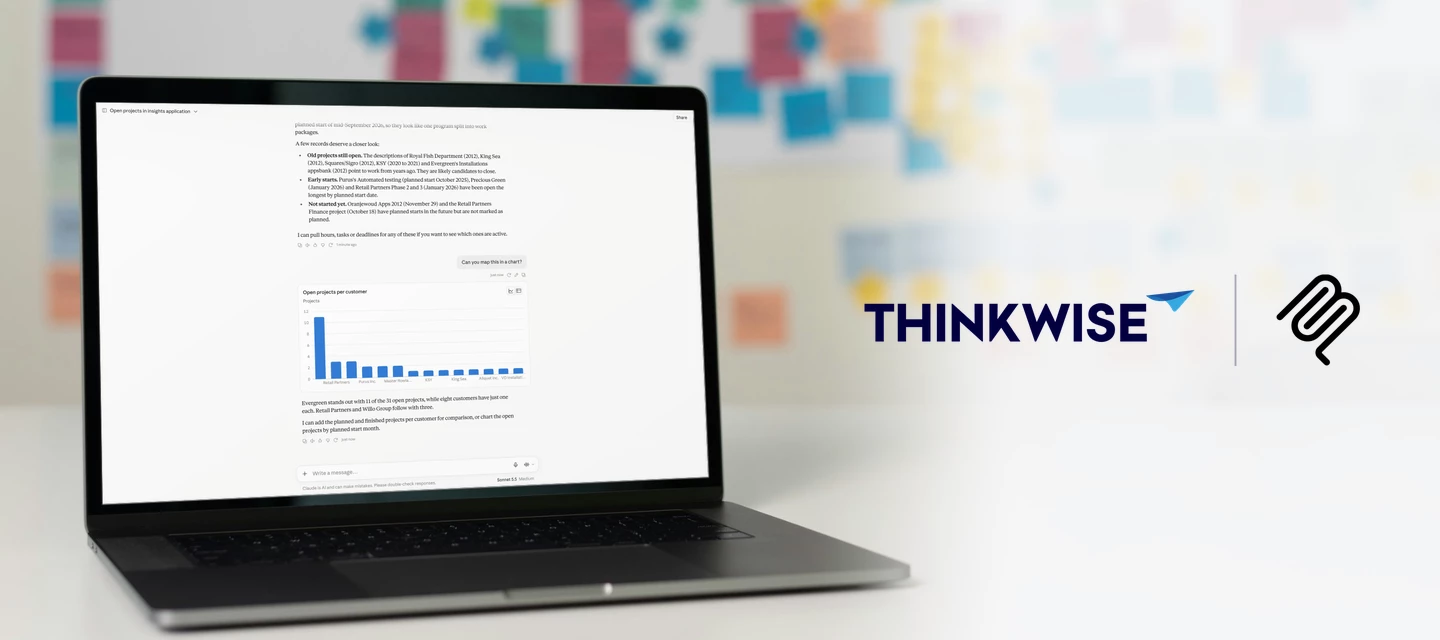
A project manager wants to know which projects are running over budget. A colleague needs to log last week's hours across four projects. With MCP (Model Context Protocol), both just ask: one gets an answer straight from the data, the other gets the hours booked for them.You've read plenty about MCP by now. Time to try it on a real application. See it in action Try it yourself!Our Insights demo application is now available through MCP. If you have a Thinkwise Community account, and you probably do if you are reading this, you can connect to it right away with ChatGPT or Claude. A free Claude account works too. Note: This is a demo application, so the data isn't always as realistic as in your own. You can change, insert or delete anything, but remember that everyone shares the same data. The database resets every night. How to connect In Claude or ChatGPT, add a Custom connector Enter a name, for example Thinkwise Insights, and this URL: https://insights.thinkwise.app/indicium/mcp
A sales employee opens an email from a customer who wants 40 units of a product, delivered next Friday. Instead of retyping the order, she hands the email to her AI assistant. The assistant reads it, finds the customer and the items in your Thinkwise application, and creates a draft sales order for her to review. This is what MCP (Model Context Protocol) makes possible: users talk to their business application in plain language, and agents act on their behalf.AI is very good at turning unstructured input into structured data, and that goes well beyond order entry. With an MCP connection to your application, users can:Ask questions about their data, such as "Which customers have open invoices older than 60 days?" Prepare for a meeting by asking for a summary of a customer's recent orders, open quotes and service tickets. Spot problems early, for example "Which production orders are at risk of missing their delivery date this week?" Register work from a short note, such as turning "Spent
Hello,I am working on filtering for a custom component and I am trying to achieve this using prefilters.I would like to have multiple prefilter groups, with one main prefilter that is always active, regardless of which filters the user selects. This main prefilter should ensure that the original items belonging to the current user are always shown and cannot disappear because of the other filter selections.Conceptually, I am looking for something like:Main prefilter: always active and preferably hidden from the user Shows the user's own/original items Filter group 1: optional filters Filter group 2: optional filters Filter group 3: optional filtersThe desired result would be that the main prefilter is always applied, while the other prefilter groups can be selected/deselected independently.Is this possible with Thinkwise prefilters? If so, what would be the recommended way to configure the prefilter groups and the hidden/main prefilter to achieve this?Thanks in advance!
As you probably noticed, we have launched MCP support for our Platform as a beta feature with release 2026.2.12! The initial communication has been about using MCP on customer applications. And because the Software Factory and IAM are built with the Thinkwise Platform itself, MCP is technically available for those applications too!Given the eagerness to work via MCP on the Software Factory, we invite you to start using it now. Keep the known limitations below in mind. Specifically, double-check that you are applying the best practice of setting your MAIN branch to Read only.Knowledge Session & WorkshopsBefore you start, we strongly recommend watching the recording of our Knowledge Session MCP on the Software Factory: application development with prompts:We are happy to help you get started with MCP on the Software Factory and have organized a bunch of Workshops. Make sure to enrol via the Community Events if you are interested!Known limitationsThe main reasons for not advertising t
Hi,We noticed that when exporting HTML columns in Windows, the data would automatically be stripped off html tags and only output the plaint ext.In Universal, the raw html is exported, which is much less readable.I was wondering if this is expected? We are on Universal and Indicium version 2026.2.12I thought of implementing a workaround, by adding an expression column that strips the html to plain text, but I can’t easily ensure users will export that instead of the regular column and it seems messy to add this to the tables.Might a next release support automatic html to plain text conversion? I’m not sure if I am missing something, or what the status is of this, hence I would like more info/advice instead of creating an idea. Thanks!
Hi,We noticed that after a Universal GUI update, some users were stuck on the old version.It especially seemed to happen for users who used “Install as app” from the Edge browser.App installed from Chrome I have seen automatically update. In the browser it also seems to update within a day or so. What is your experience with Universal GUI updates?Are there certain browsers that we should avoid? How reliable is installing the application as an app? Should we tell all users to clear their cache after an update?
We're running into an issue with session duration. We're currently transitioning from the windows GUI to the universal GUI, and that's where this comes up.We use entraID as openID provider in IAM, with a session expiration of 30 minutes on the provider. That works fine for most users, but a few users shouldn't be logged out at all during the day.As far as I can tell, session expiration can be set on 3 levels:- Global settings- Per tenant- Per openid providerFor SSO users only the openid provider setting applies, so I don't see a way to set this per user or per user group.The only option I've found so far:2 openid providers with different session expirations.A second app registration in entra and a second openid provider in IAM with a longer expiration. To avoid two SSO buttons on the login page, each provider gets its own web domain. This should work, but it requires an extra URL, certificate, and it adds extra management overhead for just a small number of users.My questions:- Is ther
It's the new hire's third day. They open the incident screen for the first time: four tabs, a detail grid, 50 fields, and no clue which ones matter right now. They fill in what they recognize, skip what they don't, and hit save. The record looks fine. It isn't. A required detail is missing, a business rule quietly broke, and three weeks later someone must work out why that incident never triggered an action. As a developer you didn't do anything wrong. You trained your users how to use the application, and most days that holds. But training lives in people's heads, and heads forget, leave, and improvise. So instead of teaching users where to look, bring every field they need straight to them, one step at a time. Most of us already know that pattern by another name: a wizard. This post shows two ways to build a guided, multi-step process in the Software Factory, and how to pick the one that fits. Why guide the user at all?There are lots of reasons to guide your users. We've listed a few
Hi,I am trying to connect the Thinkwise MCP Server to OpenAI Codex CLI.My environment:Thinkwise Platform / Indicium / Universal UI: 2026.2.12 Codex CLI: 0.142.4I completed the IAM setup (access delegation, client application, client secret, roles and callback URL).The MCP server can be added successfully to Codex, but:codex mcp list→ Status: enabled→ Auth: UnsupportedAnd:codex mcp login thinkwise→ Error: No authorization support detectedThe Thinkwise documentation mentions Claude and other MCP-compatible AI tools, but currently provides setup instructions for Claude Code.Has anyone successfully connected Thinkwise MCP to OpenAI Codex CLI?Is additional OAuth configuration required for Codex, or is the current MCP beta OAuth flow not yet compatible with it?Thanks!
The Universal GUI used to have a performance problem with ‘Combo’ lookup control so we defaulted to ‘Suggestions’. In the recent GUI’s the performance increased and also the functionality improved so that ‘starts with’ is shown before ‘contains’ in the result. So we are changing most look-ups to ‘Combo’.So I am wondering, is there still any reason left to use anything else than ‘Combo’ as a lookup control since it has the ‘Suggestions’ functionality included?
Title: Azure SQL Serverless – Database does not auto-pause despite no activityHi,I have recently migrated my development environment to AZURE.The Thinkwise environment is running on Azure, and the SQL database is configured using the Azure SQL Serverless tier, with auto-pause enabled.I have scheduled all IAM/SF System Flows / IAM-related processes so that they only run during working hours, approximately 08:00–18:00.However, when I check the Azure SQL metrics, I can see that the database never seems to enter auto-pause, including during the night when there should be no SF/IAM activity.Is there anything in SF/IAM, or any specific setting/configuration, that I should check to make sure that no background process, connection, health check, or other activity is keeping the SQL database active?Any advice on how to identify what is preventing the auto-pause would be appreciated.Thanks!
While transitioning and testing our application from the Windows GUI to the Universal GUI, we noticed a fundamental difference in how Default logic executes during a data import.In the Windows GUI, the @cursor_from_col_id parameter always remains empty (NULL) during an import (where @import_mode > 0), evaluating exactly once per row.In the Universal GUI (via Indicium), @cursor_from_col_id is populated sequentially with the Column IDs currently being processed by the OData Import API. This causes the Default logic to fire multiple times per row.While we understand this stems from the architectural shift to Indicium's server-side processing framework, it breaks or causes unexpected side effects in our existing SQL logic. We would appreciate your insights on the following:- Is this specific behavioral discrepancy documented or mentioned in any specific whitepaper?- What is the best practice for structuring Default logic so that it handles imports predictably via Indicium?
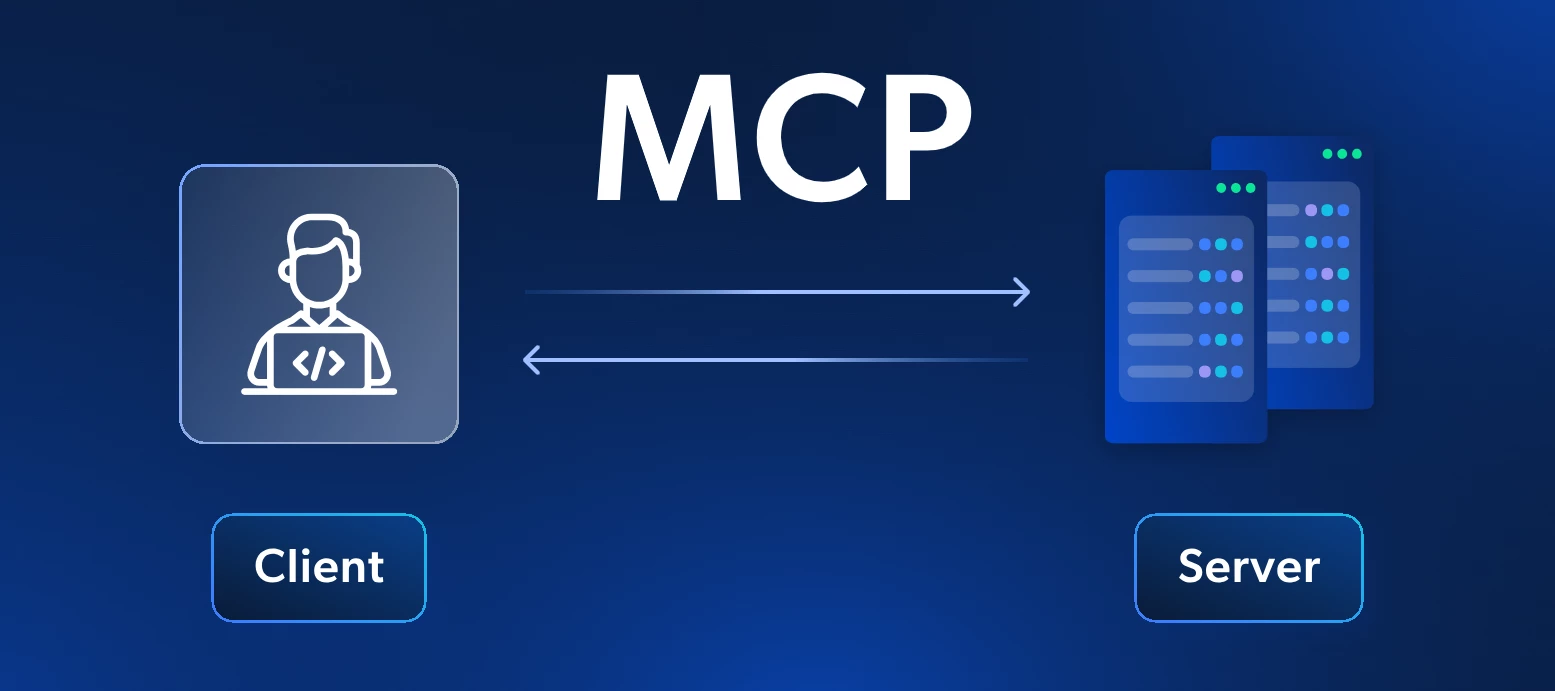
With Thinkwise Platform STS 2026.2.12, MCP support lands as a beta feature. Connect Claude, or any other MCP-compatible AI tool straight to the applications you build on the Thinkwise Platform: your data, your logic, your rules, with your application roles and IAM doing the security work.If you have never touched MCP before, you are in good company, and you will not be figuring it out on your own. This guide assumes zero prior knowledge and walks you, step by step, from what MCP is through your first authorized chat with your own application's data.Grab a coffee. In about twenty minutes your AI assistant will be able to query live data straight from your own application, and only the data your IAM roles allow. Once you get there, tell us what you built. We are learning what works best from the same use cases you are. What is MCPMCP stands for Model Context Protocol: an open standard that lets an AI assistant call out to external tools and data sources in a structured, predictable way.
After entering a value in the filter form for a specific cube field, the cube does not seem to refresh. Pressing the refresh button on the action bar also results in no activity.I can only get the cube to refresh when I swap to a different tab (chart in this case) and back to the pivotgrid.What am I missing here?
Hi,I have a main grid (complaints) and a detail grid (complaint actions).This detail grid in my test shows 3 records: Scrolling thru the community I discovered that instead of double clicking on the row (as we used to in the Windows GUI) we need to double click on the tab!?When I do that I always get to see the contents of the first row, not the contents of the selected row!?I suspect that this isn't what it is supposed to do?Might it be that this is caused by the fact that we are still on platform version 2025.1 and universal gui version 2026.2.11.1.0 ? Or is this something else? Any ideas?
Already have an account? Login
Enter your E-mail address. We'll send you an e-mail with instructions to reset your password.