News and blogs on our products, services, and events
Recently active
Since the end of 2024 we have been communicating on our official Lifecycle Policy page that the Windows GUI (2-tier) would no longer be supported with Platform releases in 2026. In addition, we have been warning about the end of the Windows GUI (2-tier) in all 2025 Platform release notes, in multiple Community blogs, as well as on the 2025 Developer Event. In a new series of blogs we aim to clarify why transitioning to the Universal UI benefits you as a customer, from the angles of security, functionality and usability. This time from the angle of Security-by-Design.How to transition to the Universal UI is already covered in below blog and dedicated Documentation: Security-by-DesignRecent news items once again highlight the importance of Security-by-Design. The hype of Vibe coding solutions from a blank canvas throws us back in time by essentially spitting out an overload of spaghetti code and introducing governance & security issues. At the same time, established solutions like S
For the first time, Thinkwise supports an open source database with the introduction of PostgreSQL support. PostgreSQL is one of the most popular open source, enterprise-grade, relational database technologies worldwide. It is also not owned by a major tech company, but by the Postgres Global Development Group.With Indicium built on .NET technology, Universal on React, and now PostgreSQL available as a database option, organizations can build their Thinkwise Application environment on open source technologies. For independent software vendors developing products using the Thinkwise platform, or for government organizations with strict sovereignty requirements, this level of independence is valuable. It ensures that critical IT infrastructure remains under your control.The financial implications are also worth noting. As an open source solution, PostgreSQL eliminates database licensing fees. For organizations deploying databases on substantial server infrastructure, this can result in m
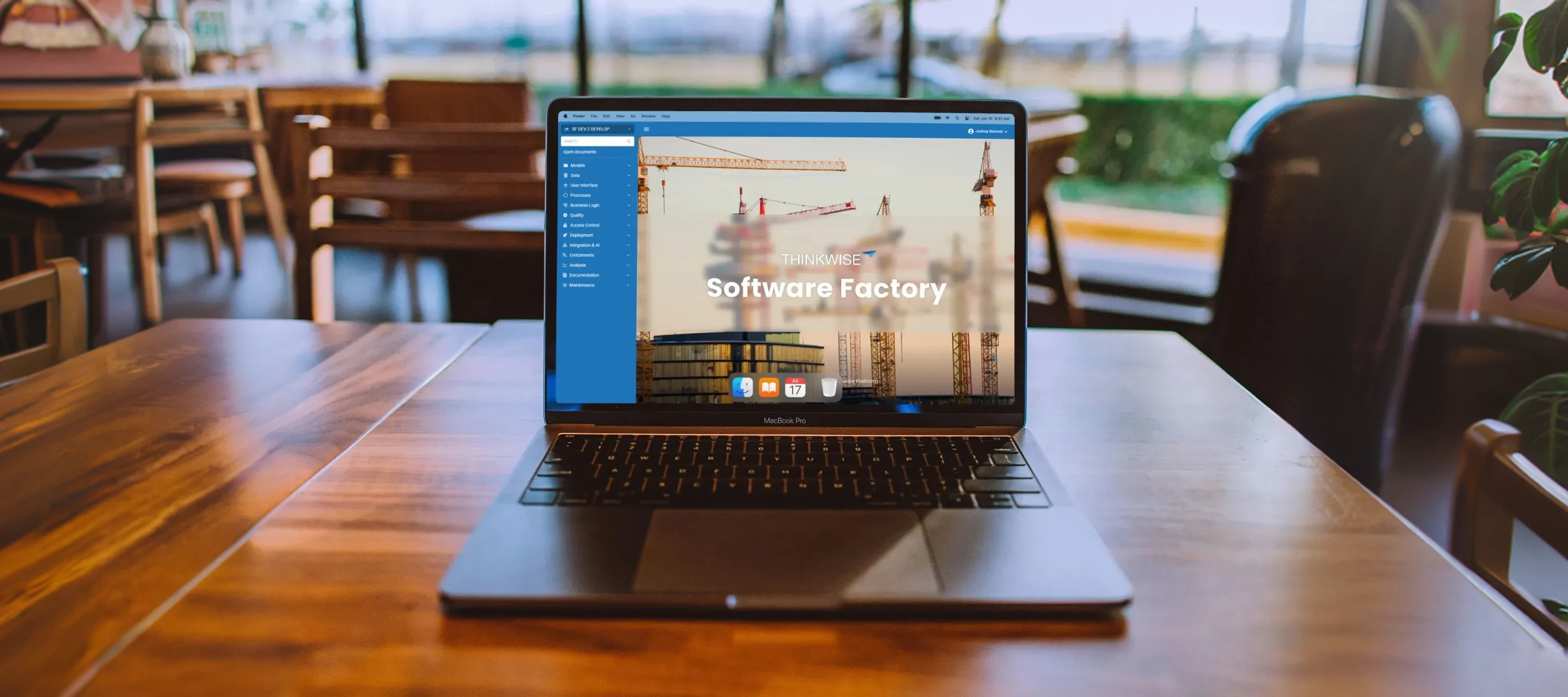
Last December, I joined Thinkwise as a Product Designer. My main focus for 2026 will be improving the developer experience. I’ll be spending a lot of time in the Software Factory myself to experience how developers work with the platform, where friction occurs, and how we can make everyday development tasks easier and more efficient. The move of the Software Factory to the Universal UI is an important first step in that direction. By working hands-on with the Software Factory in both the Windows GUI and the Universal UI, I’ve been able to experience these changes from a developer’s perspective. This article shares practical insights from getting started and working with the Software Factory in the Universal UI and is intended to spark discussion on how we can continue to improve the developer experience. Word of warning Before upgrading to the 2026.1 release, make sure that all of your applications are running on the Universal UI. The Windows GUI will no longer work, and you will get
Select a version from the dropdown menuVersioning is now available for our Thinkwise Documentation. You can switch between different versions of the documentation using the version dropdown located at the top left of the page. This allows you to access documentation that corresponds to the specific version of the Thinkwise Platform you are using, ensuring that you have the most relevant and accurate information at your fingertips.Happy developing! Do you have any questions or suggestions? Let us know in the Thinkwise Community!
Creating Custom Components in Universal: A Step-by-Step Guide The Universal GUI in the Thinkwise Platform offers a versatile environment for developing custom components to enhance your application’s functionality. Our platform delivers a lot of standard ‘LEGO’ components, but sometimes you just need a block that is unique to your organisation. This guide will walk you through configuring the Software Factory (SF), setting up the Internet Information Services (IIS) directory, and configuring a custom component, along with event message settings.Universal has a dark and a light theme setting. This blog will show you how to follow that theme in a custom component.Let's get started!Custom components run with the same authentication session as Universal, so calls to Indicium inherit the user's credentials automatically.When calling external services or endpoints, treat all outgoing data with care: apply modern security standards, send only what is strictly necessary, and never transmit sen
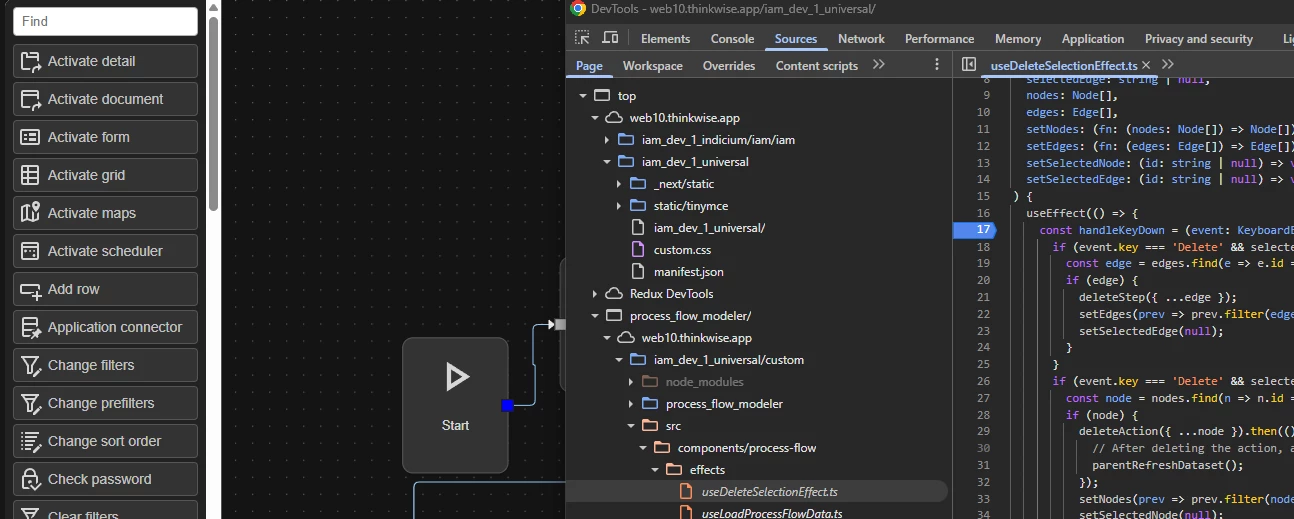
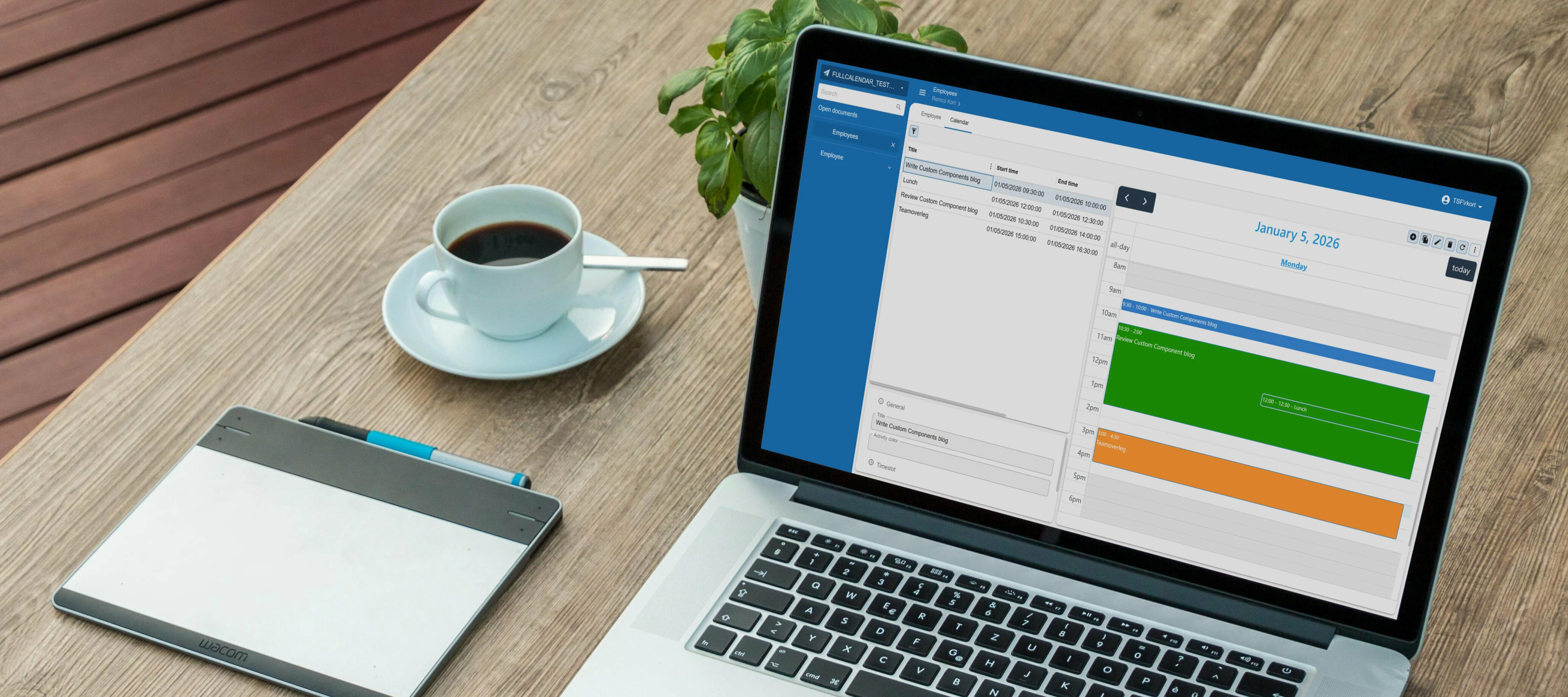
The Thinkwise platform offers a comprehensive suite of built-in features that cover most application development needs. However, there are occasions when you need to extend your application with functionality that falls outside the platform's standard offerings. With version 2025.3, Thinkwise introduced a more structured approach to implementing custom components, opening up new possibilities for enriching your applications.Custom components enable you to integrate specialized views and tools that align perfectly with your business requirements. For example implementing a calendar view for activity management, embedding business process modelers for workflow visualization, or displaying interactive 3D product models for your catalogue. These additions can transform a functional application into one that precisely matches your operational needs.This blog builds upon our initial guide on custom component set up in Thinkwise applications, which you can find here:What You'll LearnIn this b
"You need to select the correct meta source." "When you run creation, it is important to first generate a model definition if you have made any changes." "It is important to synchronize to IAM to make your application model available to the runtime environment." Does this sound unfamiliar to you? If you're just starting out with the Thinkwise platform, chances are you have encountered phrases like these and wondered what they mean. Our platform is a powerful tool for application development, and learning the language is a key part of mastering it.To make that learning curve a little smoother, we have compiled a Glossary of Terms. In this glossary, we define and explain key terms and concepts used throughout our documentation and platform. With the glossary at your disposal, you can speed up your learning process and get back to what matters most: building great applications.The glossary is a living document. As the platform evolves, we will continue to expand and refine it over time. W
With the 2025.3 release, you can now connect to any generative AI model that offers an OpenAI compatible API, such as Gemini, Claude or Ollama. Giving you the freedom to select providers based on your technical requirements, compliance mandates, and budget without being locked into a single ecosystem.With this new capability you can use multiple models simultaneously, assigning lighter models to routine tasks like simple content generation or basic classification while reserving more powerful options for complex challenges such as detailed analysis or sophisticated reasoning tasks. This approach optimizes both performance and costs, allowing you to scale your AI usage economically without sacrificing quality where it matters most.When you want to switch providers or adopt newer models, you simply update your generative AI provider settings rather than rewriting your integration. This means you can adapt quickly as your needs evolve, as better models become available, or as pricing stru
One of the unique selling points of the Thinkwise Platform is our promise of Technology-as-a-Service. We provide the technology, you create the application, and together we build never-legacy software. Over the years the Thinkwise Platform has evolved with many different GUIs to meet changing technological standards and user expectations. Our current UI is the Universal UI, a modern responsive interface based on Progressive Web App technologies that works seamlessly across devices and platforms. The Universal UI is served through our Service Tier Indicium, effectively introducing a more secure and robust 3-tier Architecture for your application.Transitioning to the Universal UI is a relatively straightforward process, thanks to the model-driven nature of the Thinkwise Platform. With our 7-step approach the transition should take weeks, not months. The exact effort depends on your current Model quality, use of Extenders and deprecated Features.Our goal is for all applications and users
Anyone who has worked with international teams knows how easily dates and numbers can cause confusion. A simple “03/05/2025” could mean May 3rd to one person and March 5th to another, while number formats – although less confusing – often vary just as much. Until now, the Thinkwise platform relied on browser settings to determine how numbers and dates were displayed, which worked in controlled environments but became unpredictable in Bring Your Own Device or consumer-facing scenarios. With the 2025.3 release, we are introducing a new advanced Localization feature that gives organizations control over how dates and numbers are displayed, ensuring that users always see information in the format that they expect. Date formattingDate formats vary across regions and contexts. The most common format is DMY: 01-05-2025 (DD-MM-YYYY). The notable exception is the United States, which infamously places the month first: 05-01-2025 (MM-DD-YYYY).We also support YMD formatting: 2025-05-01 (YYYY-MM-D
Recent React vulnerability - No impact on UniversalA recently disclosed critical 10/10 vulnerability in React Server Components was announced by the React team. You can read the official blog here:https://react.dev/blog/2025/12/03/critical-security-vulnerability-in-react-server-componentsUniversal is not affected.Why Universal is not impactedUniversal is built as a static export using Next.js. Static exports do not use React Server Components or any server-side React code paths. Because the vulnerability only affects React Server Components, Universal is not vulnerable to this issue.Learn more about static exports here: https://nextjs.org/docs/pages/guides/static-exportsNext.js security advisoriesSeveral security advisories were also published for Next.js 14.1.4, the version currently used by Universal. These advisories all relate to server-side features.Since Universal is built as a static export and does not run server-side Next.js code, Universal is also not vulnerable to these issu
Dear community members,Although the year isn’t completely over yet, we can already proudly say that the Thinkwise ecosystem has once again experienced strong growth. We’re not only welcoming many new customers, but also seeing that our partners have hired dozens of new Thinkwise developers this year. These professionals have now been trained in our platform and are actively working on great projects – a fantastic development that highlights the strength of our community.At the same time, we’ve noticed that from time to time an external party offers services related to our platform. On the one hand, this is a sign of a thriving and attractive market, but it also raises questions among customers: Is this an official Thinkwise partner? Are their employees certified? What is Thinkwise’s opinion of this party? What about my SLA if I work with them?To avoid misunderstandings, we want to emphasize that Thinkwise does not make statements about non-official parties. Our advice is to work exclus
About a year ago we posted a blog on our community page, sharing some ideas we had for our Universal UI and asking for your thoughts. Back then, our challenge was to make the visuals more appealing, increase data density, and create a theme that felt truly universal.We knew right away this wasn’t something we could do on our own. That’s why we asked for your input and wow, did you deliver. The response was amazing, with so many of you taking the time to share feedback and ideas. Bart’s blog on the new Universal styling especially stood out and the support it received showed us just how powerful this collaboration can be. That experience gave us a lot of energy. It showed us that together we can really make a difference. So let’s keep that momentum going. With your creativity and input, we can make the Universal UI better than ever.This blog continues in that spirit. It follows the knowledge session I hosted together with my colleague Bart Metselaar on August 19th. In that session, now
In just 2 weeks, Theater Orpheus will set the stage for the Thinkwise Summit 2025. A full day of innovation, inspiration, and valuable connections with fellow Thinkwise users. Have you secured your spot yet? Register hereThis year’s highlight: the AI-UpcyclerWhat once seemed impossible is now reality: complete legacy systems, modernized automatically and at lightning speed. A true gamechanger you can experience at the Summit.Also on the agenda:✔ Customer cases from Ayvens, Koninklijke Vezet , Just Brands and more✔ Keynotes by Victor Mids and Richard van Hooijdonk✔ Networking, knowledge sharing, and exchanging ideas with the communityView the full program hereOnly 2 weeks to go – we’d love to welcome you there.
In any application it is important to validate a user’s input.Is the value of the order smaller than the maximum order value? Is the start-date earlier than the end-date? Does this action lead to a stock amount smaller than zero?There are a few options how you, as a developer, can implement these checks:Domain (using min/max value) Default Trigger Check constraintA closer lookLet’s take the following example and work out if and how we can implement its validation:Is the start-date earlier than the end-date?Domain Validation through a domain is not possible in this case since we need to compare two values Default Clear out the end-date field and send a warning to the user informing that the end-date should occur after the start date Advantage: The user is being informed while the data is being entered. Risk: Business rule is only being enforced on the screens where the default has been implemented. When this data is created through other means, for example a task or external interfa
It’s Friday afternoon when you get the following message from a user: “The application is slow” 😅. No other information—maybe a screenshot, if you’re lucky.But where do you start? There are many things that can make an application “slow.” And what does “slow” even mean? To begin identifying performance issues, it’s essential to have statistics—to know which procedures are slowing things down.The Thinkstore offers a new solution to help: the Application Log. What Is the Application Log?The Application Log is a way to track all tasks, subroutines (stored procedures), handlers, and triggers executed in your Thinkwise application.It logs the essentials, such as which procedure was executed, its parameter values, and execution time. It also captures other procedures that were called during the execution, giving you a clear view of what downstream code was triggeredAnother use case for the Application Log is business auditing. When combined with the ‘Trace Fields’ solution from the Thinksto
This is a follow-up to the Testwise introduction blog, read that first for the necessary context:Disclaimers: While a Record & Playback approach is a great way to start from having no automated tests, it does have a couple of disadvantages, some of which can be mitigated by replacing recorded steps with Testwise-provided reusable logic and helpers. Some of below steps are going to change when we automate steps that are currently being performed manually Depending on the versions you install; steps might differ Prerequisites:Install Visual Studio Code on Windows Install Node.js — Run JavaScript Everywhere In your File explorer, create a folder on your local device → this will be your test project name Go into the folder, select the navigation, replace with cmd and hit Enter This will open up your terminal in the right folder. Type code . and hit Enter. This will open up Visual Studio Code. In there press Ctrl + ~ which will open up the Terminal within Visual Studio Code,
Transport companies always have their eyes on the road—quite literally. With fleets spread across countries or even continents, it’s vital to know where every truck is and whether it has reached its destination. While GPS trackers are now standard in every vehicle, simply knowing it’s position isn’t always enough. That’s where geofencing comes in.By assigning a digital boundary—known as a geofence—to each location, companies can automatically determine whether a vehicle has arrived or left. If it’s within the shape, it’s on site; if it’s outside, it’s not. Simple as that.But managing all that location data can quickly become a challenge. That’s why the latest 2025.2 update to the Thinkwise Platform introduces a powerful, user-friendly way to work with maps. Users can now easily add markers, and draw circles, rectangles, lines, or complex polygons—directly within the application. It’s a major step forward in making geodata management faster, more intuitive, and integrated into your Thin
Planning lies at the heart of every successful organization. Whether you're allocating resources, managing personnel, or scheduling production, having the right tools in place can make all the difference. With the release of Thinkwise Platform 2025.2, we’re excited to introduce a powerful set of enhancements to our Scheduler component—designed to help you plan faster than ever.This update brings hierarchical resource grouping, external drag & drop, and the ability to apply conditional layouts to both resources and time cells. These features give you much more flexibility and control over your Scheduler.In this blog, I’ll guide you through the essentials of setting up a Scheduler in Thinkwise, exploring each new feature along the way. This blog is the first part in a series on using the Scheduler. This first part is focused on setting up the scheduler. The second part focuses on interacting with the scheduler, and can be found here: Scheduler setup guideIn this blog, we’ll create a
With release 2025.2, the filtering experience in the Universal UI has been significantly improved and expanded. The styling of the Default filter has been updated, making it more user friendly, and Advanced filter options have been introduced to support more detailed filtering capabilities.We strongly recommend placing the Filter button on the Action Bar, next to the Search field. This approach provides users with clear and immediate access to filtering functionality. From 2025.2 onward, an Enrichment can update existing Models and new Models have it by default.This blog outlines the thought process and design choices behind these updates, and aims to provide insight into how the filtering experience has evolved.Filter pop-upIt starts with the updated filter pop-up, which now combines default filtering, detail filtering, and advanced options in one central location. The default filter allows for quick and straightforward filtering, including detail filtering on specific fields. By togg
This is the second installment in our blog series on the Scheduler.In Part 1, we walked through the initial setup of the Scheduler. Now, in Part 2, we’ll explore how to effectively interact with the Scheduler to enhance usability and user experience.The Thinkwise Scheduler supports a variety of interaction methods, such as creating activities by clicking on empty time slots, editing them through double-click actions, and assigning external resources via drag-and-drop. In this blog, we’ll demonstrate each interaction technique and show you how to integrate them into the Scheduler we configured in the previous part. Interaction MethodsClick to create a new ActivityThis feature allows users to click a time cell to initiate a task for quick data entry directly in the scheduler.Start by creating a new task ‘project_planning_scheduler_add_activity’. Add task parameters for all fields that are needed to create a new activity:Assign this task as a table task to the scheduler view. To make thi
As a QA team within our Product Innovation department, we understand the need for efficient, reliable ways to test applications that are built to last forever. Quality is an essential pillar of our brand promise; we want you to trust our technology and enable you to develop your functionality 10X faster. See this old blog for some background reading on our role:We place a strong emphasis on end-to-end, user-focused testing—a shift-right approach—because it provides the level of confidence that we need to say we're delivering a quality product. For a system as complex as ours, investing in test automation is essential. It allows us to rely on consistent, repeatable checks, so that any manual testing efforts can be focused on where they’re most valuable: ensuring that new features and ongoing development meet our quality standards.Since we are shipping a low-code Platform -with which all of you build amazing Applications-quality is a shared responsibility. Both the quality of the Platfor
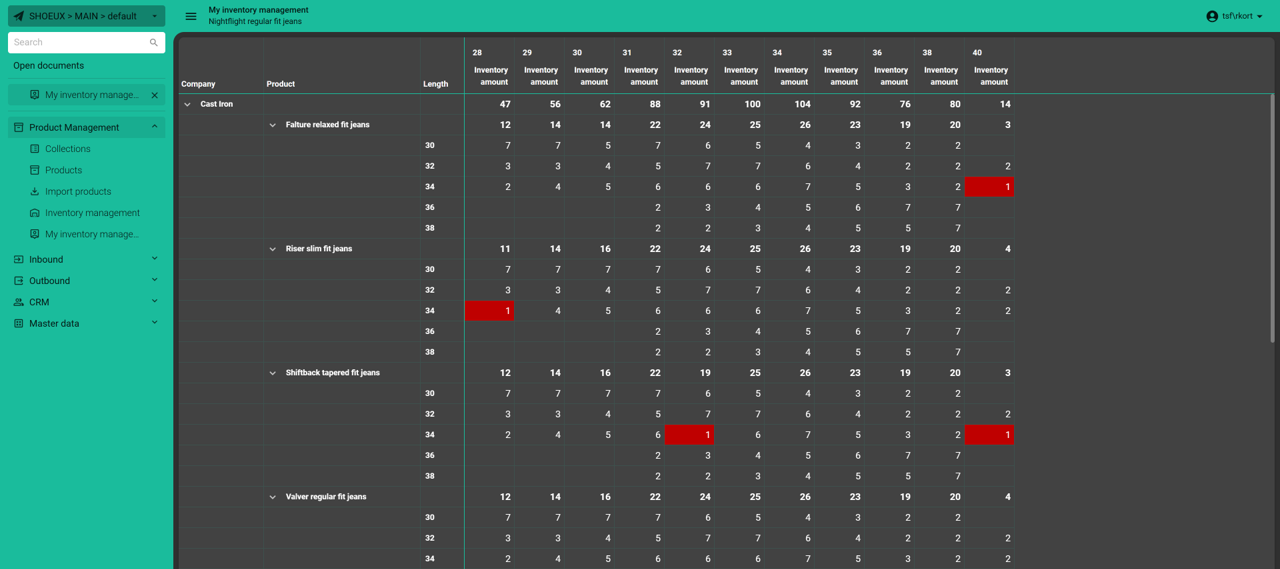
In an average Thinkwise application most data is displayed using a grid / form combination. For most data this makes sense, as you can search data in the grid and manage it in the form.Some data becomes clearer and easier to work with when visualized as a matrix, arranged in a grid of rows and columns similar to a table or spreadsheet. Unlike the standard Grid screen component, however, the rows and columns in an Editable pivot grid can be defined dynamically through data, offering much greater flexibility. The (previously well hidden) way to present matrix data in a Thinkwise application is using an Editable pivot grid.The Editable pivot grid has the following key characteristics:Quickly manage large amounts of data Recognizable to users because of similarity to tools like Excel Row and column values are defined in data. This allows for much greater flexibility than regular forms where columns are predefined.An example of how to use an Editable pivot grid to show matrix data is a prod
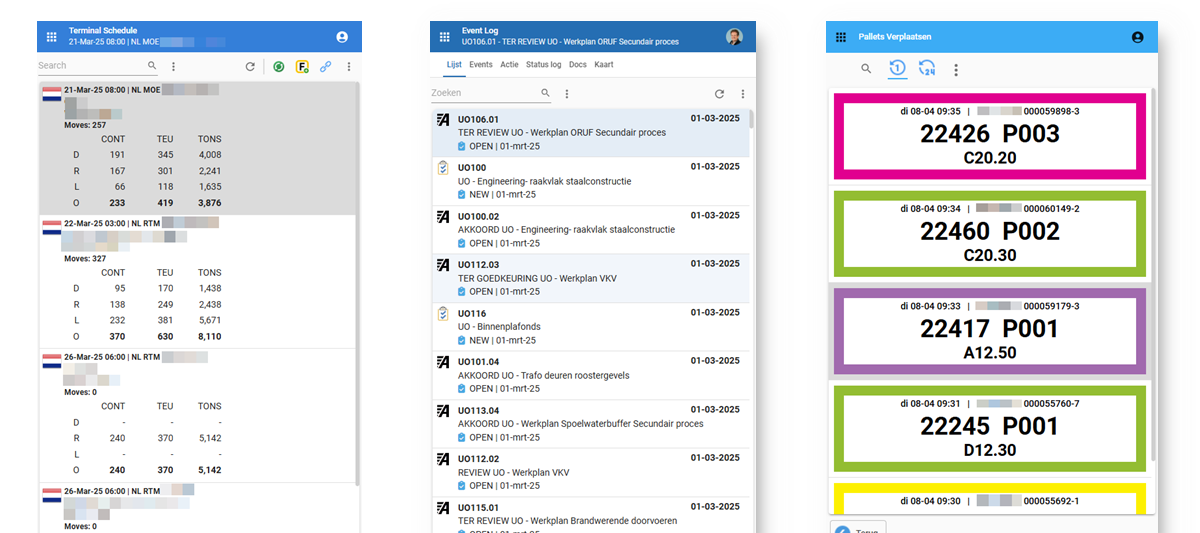
At the Thinkwise Developer Event 2025 I gave a technical session about how to get creative with cardlists using HTML. This accompanying blog is a short summary with practical pointers and code to get you started on creating your own HTML cardlists. What is a cardlist?The Cardlist is a screen component with the following characteristics:1 Column, no horizontal scrollbar, full width Variable ride height Fields on top of each other Responsive Read Only No Header Only for Universal GUI Cardlists are ideal for:Small device screens, like mobile phones and barcode scanners Navigation Mini dashboards Sometimes the result of a standard implementation within the Software Factory may produce a result that is not quite how you would like it. The fields are displayed below each other and it is possible to display 1 icon or thumbnail of an image. Example:With the 4 Tweaks below you can easily give your Card List a completely different look and feel. Soon you will find out that it is quite simple to
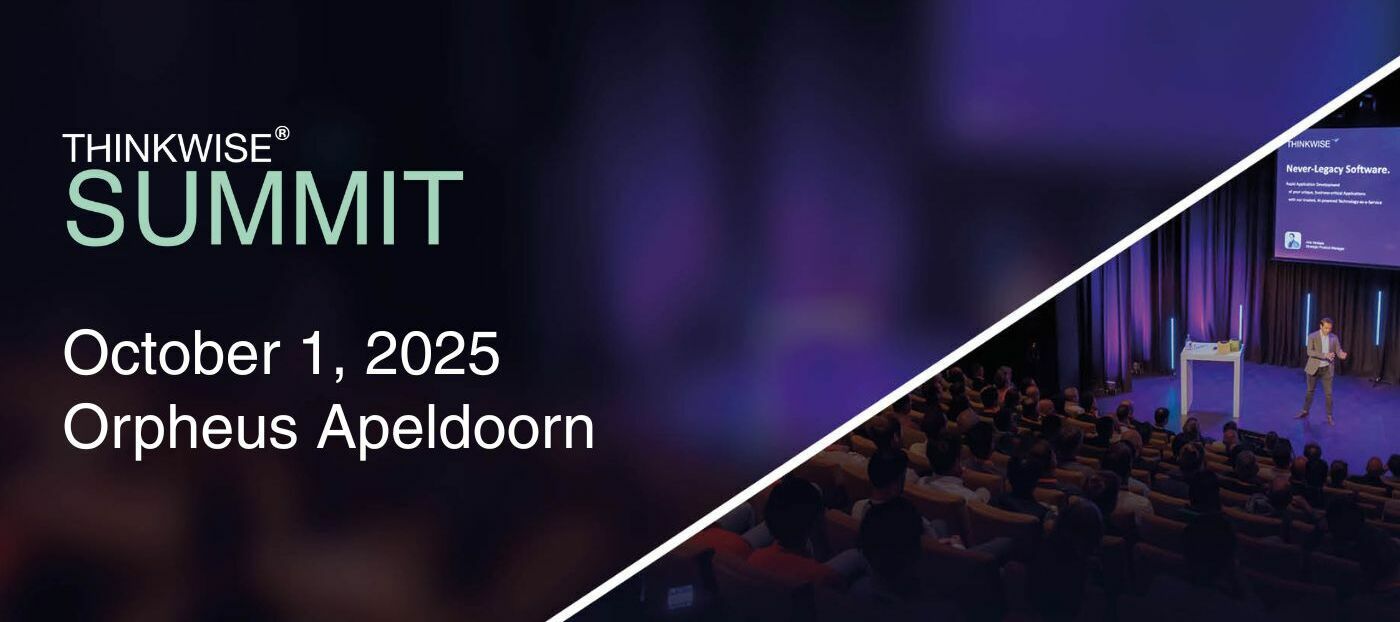
Transform, Optimize and AccelerateThe 5th edition of the Thinkwise Summit will take place on Wednesday, October 1, 2025, at Theater Orpheus in Apeldoorn. This Dutch-language event is all about smart digital transformation. Discover how leading organizations use the Thinkwise Platform to transform their core systems, optimize business processes, and accelerate application development. Get inspired by real-world cases, product innovations, and our future vision. Participation is free — reserve your spot today.👉 View the full program and register here
Already have an account? Login
Enter your E-mail address. We'll send you an e-mail with instructions to reset your password.