




With the 2025.3 release, you can now connect to any generative AI model that offers an OpenAI compatible API, such as Gemini, Claude or Ollama. Giving you the freedom to select providers based on your technical requirements, compliance mandates, and budget without being locked into a single ecosystem.
With this new capability you can use multiple models simultaneously, assigning lighter models to routine tasks like simple content generation or basic classification while reserving more powerful options for complex challenges such as detailed analysis or sophisticated reasoning tasks. This approach optimizes both performance and costs, allowing you to scale your AI usage economically without sacrificing quality where it matters most.
When you want to switch providers or adopt newer models, you simply update your generative AI provider settings rather than rewriting your integration. This means you can adapt quickly as your needs evolve, as better models become available, or as pricing structures change in the market.
This new capability also offers more control over your data. You can pick vendors that align with your compliance needs, whether that involves GDPR requirements, industry-specific regulations, or internal security policies. If you require maximum security, you can deploy models on premise, ensuring your sensitive data never leaves your infrastructure. Your credentials remain secure through IAM, giving you a complete governance solution that fits your security framework.
OpenAI compatible API support
An OpenAI compatible API is an interface that follows the same structure, endpoints, and request/response formats as the OpenAI API specification. In practice, this allows you to switch between different generative AI providers, whether that's Azure OpenAI, Claude, Gemini, local models running on your own infrastructure, or any other compatible service, without needing to rewrite your application logic. Recently, support for OpenAI API standards has been added by most of the major LLM vendors.
Setup
When setting up generative AI providers a new provider type has been added: OpenAI compatible. When you choose this option, you have to provide an endpoint. This endpoint is the base URL of the API of your generative AI provider. You can usually find these in the documentation of the provider.

For example, this is the endpoint for Gemini at the time of writing:
https://generativelanguage.googleapis.com/v1beta/openai/
After adding a new generative AI provider, you can use it in your process flows:
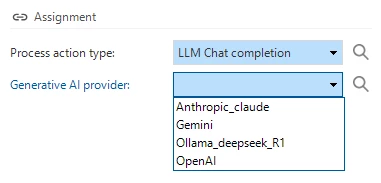
Your prompts will now be answered by the selected model:
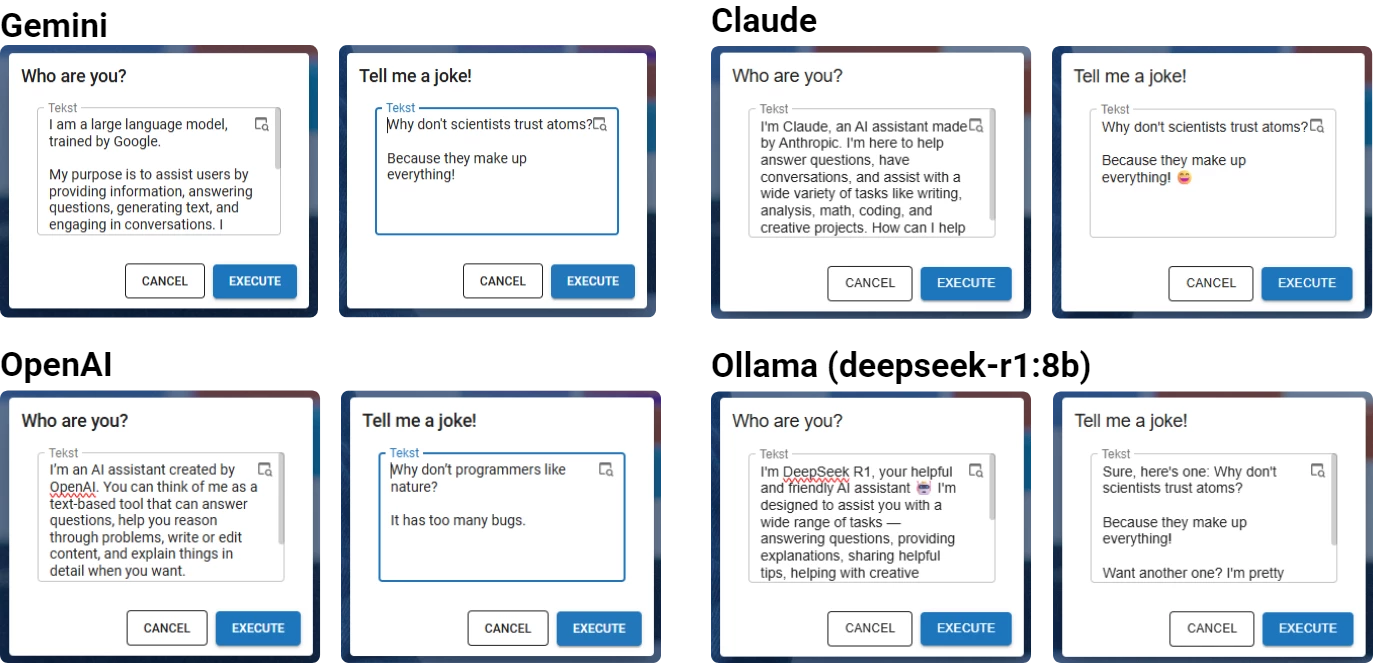
Running a local Ollama instance can be done on most hardware, for optimal results utilizing bigger models you will need hardware tailored to running large LLM’s.