News and blogs on our products, services, and events
Recently active
Hi everyone!,Often we hear developers wanting to test their system flows but not knowing what is an effective and quick way of doing so. This blog will help you out!To test System flows, we can make use of Indicium's Process flow API as described here: https://docs.thinkwisesoftware.com/docs/indicium/process_flows.htmlSince Indicium requires a POST request, some extra tooling is needed to send such a request. We commonly use either Insomnia or Postman, but alternatives are available online. For this blog, I'll use Insomnia.Creating a System flowStart of making or determining a system flow you would want to test.System flowFor my example, I kept it very simple. The Decision process action will run a process procedure to create a new record to the system_flow_table in my database.DesignControl procedureUsing InsomniaInsomnia is a powerful app what can do a lot, but for this example we'll create a new POST request.Start off by right clicking in the left panel (or use the shortcut Ctrl+N t
Join us on Thursday the 15th of May at 12:30 PM in this 30 minutes webinar in which Arie Versluis, our Strategic Product Manager, will share the high-level Roadmap for the Thinkwise Platform. He'll discuss the most important topics that will be addressed the coming 2-3 years.In this webinar he'll also introduce the Thinkwise Cloud offering and provide an update on our Universal Thinkwise (AI) Assistant (UTA).This webinar will be in English and is targeted towards our business-oriented stakeholders like IT Managers, Product Owners, Business Analysts. Do make sure to subscribe if you are interested, even if you can't make the date and time, so we can share the recording.NOTE: the content will be very similar to what has been discussed in the Roadmap session during the Developer Event on the 9th of April.Date & Time:Date: Thursday the 15th of May 2025Time: 12:30 PM - 1:00 PM Register now
Join us for a day filled with the latest technology, inspiring developer stories, and plenty of opportunities to connect with the Thinkwise Community. See how new functionality is brought to life, share your ideas, and spark meaningful conversations. Date: 9th of April 2025Time: 09:00 – 17:00Location: Landgoed de Horst, De Horst 1, 3971 KR Driebergen What to expect?Technical deep dives: Learn from the experts as they explore specific features and topics in detail. Community showcases: Be inspired by real-world stories and innovative use cases shared by fellow developers. Open spaces: Join open spaces to share your feedback on all things Thinkwise. We want to hear from you! Roadmap: An update on the roadmap for the Thinkwise Platform. Please note that this event will be in Dutch. Register now About meI am Remco Kort and for the past five years I have worked at Thinkwise as a platform engineer (consultant). I have always had an interest in sharing knowledge and engaging with the communit
On Wednesday, April 9, I gave a presentation at the Thinkwise Developer Event about the possibilities of the Action Bar. For those who couldn’t attend, I’ve outlined my presentation in this blog post. My blog ties in nicely with this blog by Bart Metselaar, in which he explains how to design user-friendly screens using UX principles. Changes Over TimeIn Platform Release 2025.1, the Toolbar Screen component has been replaced by the Action bar and the Custom action bar Screen components. These provide a more flexible and balanced action button and prefilter layout that better adapts to the available space. The updated styling integrates seamlessly with the rest of the UI as well.As a result you can now assign Tasks / Reports / Prefilters to dedicated Screen areas of the Screen type (similar to Detail groups), add Action bars with different configurations to a Screen type (for instance have a different Action bar above a Grid versus a Form), and determine the availability, order and Displ
UX around usAt the Developer Event of 2025, I was invited to tell my story: the importance of UX design and how you can use simple guidelines to optimize your products’ UX.User eXperience Design is an often-overlooked element in our complex world of core systems. We as developers can become accustomed to users working daily with our application, and assume these users (eventually) get used to the processes and tasks we develop for them. However, we can tremendously decrease complexity for our users when we take steps in our development processes to improve usability.EmpathyThe starting point is observing your user when using your product.Functionality is often considered “done” once it technically works. But especially for frequent or complex tasks, usability makes a difference. Ask the user to perform their task in the product and then watch and listen to what they are doing, so you gain insight into what works and what can be improved. Inform the user upfront to narrate everything th
SQL Server Management Studio has been the backbone for writing queries and managing SQL Server databases for a long time now. I’ve been using SSMS for well over a decade.A new kid on the block - Azure Data Studio - is gaining popularity. This IDE has been around for a couple of years now and is a close relative to Visual Studio Code. And with the possibility of plugging in extensions such as GitHub Copilot, I’ve recently completely switched to Azure Data Studio.In this blog, I’ll highlight some of the features of Azure Data Studio and suggest some key binding changes which I did make the transition from SSMS to Azure Data Studio easier. Familiarize yourself with F1Not unlike Visual Studio Code, virtually all commands, actions and settings can be done in Azure Data Studio via the F1 menu. If you want to do something and you don’t see a button - always press F1.The F1 menu of Azure Data Studio Tab display sizeThis may be a personal preference - I always ensure tabs are back to their orig
Previously, the container images both for the Universal GUI and Indicium Application Tier use port 80 to accept traffic.Starting from the release 2025.1.10 and newer, these images will use port 8080.Why this change?This is the first step towards rootless container images. Currently, the containers run under the user root. This is a bad container security practice. If a threat actor manages to get access to the container file-system, it can be abused.Luckily, the ASP.NET container image (which is the base image for Indicium) recently made it possible to run as a non-root user. Implementing this change will take a bit more time, but these changes should go unnoticed.Due to port privileges in the Linux kernel, ports below 1024 require root permissions. This creates an issue when running an application on port 80 without privileges.To permit future non-root users in opening a port, the published port will be moved from 80 to 8080.How will this impact me?If you have a running Universal or I
Hi everyone! This is my first blog, where I’ll explain some aspects of Form configuration in the Universal GUI. Let me introduce myself: I’m Mustafa Kazanc, new UX/UI Designer at Thinkwise and colleague of Bart Metselaar. In recent versions a couple of changes have been made to the behavior of the Form in the Universal GUI. This blog is meant to clarify the expected behavior and ways to override that behavior (based on Platform version 2024.3). 1. Default GUI behaviorThree key principles are applied to optimize the layout of Forms in the GUI, making it easier for users to navigate and input data efficiently. Principle 1 - Fields are stretched to cover the entire width of the Form Principle 2 - Fields are distributed following an N-pattern Principle 3 - Fields are dynamically positioned to minimize whitespace Principle 1: Fields are stretched to cover the entire width of the Form The Universal GUI divides the available width on the screen by the (minimum) Field width (px) to d
To ensure both ourselves and our customers that the Thinkwise Platform is secure, our Cybersecurity partners regularly perform pentests. We are happy to share that the pentest performed in Q4 2024 has resulted in 0 High/Medium identified risks (as classified by the OWASP Risk rating methodology). 1 Low risk has been identified on changing the Password policy, for which we would like to provide some guidance below. If you would like to receive a Third Party Memo of the pentest report (it’s in Dutch), please contact your Account Manager.Use latest ReleasesWe strongly recommend you keep your Thinkwise Platform up to date with the latest Releases of our products, as these are the most secure versions available. Also make sure to install all available Platform improvements (hotfixes) on a regular basis.Password policyBy default the Minimal password strength is set to the recommended 5/5 for Users with authentication type IAM. If this is not the case in your environment, we recommend you cha
In today's interconnected world, seamless communication between applications is essential. But how can you efficiently integrate these connections into your Thinkwise application? The answer: web connections.Web connections provide a streamlined way to model APIs and their endpoints consistently, reducing complexity and minimizing code. In this video, I'll walk you through the process of setting up your first Web connection, making integration easier than ever.
Hi everyone,In every day life we encounter all kinds of tags, like in the store where we find price tags. These tags are essential for you to know what the price of a particular product is, but it also tells you whether or not the product is actually for sale and not there for decoration. Nowadays more and more price tags are shown on a smart display and can show the percentage of discount or other information. Tags in essence can hold important information.But hey, we’re developing software here. Tags can also be significant for your software. The Software Factory allows you to define your own tags that you can link to many model entities. Here’s what our Documentation page says about tags:A tag is a freely definable property that can be linked to rows of a table and can be provided with a value. They provide information that is not available in the Software Factory's meta model.You can use tags administratively or in a meta control procedure (dynamic model) to manipulate your model.
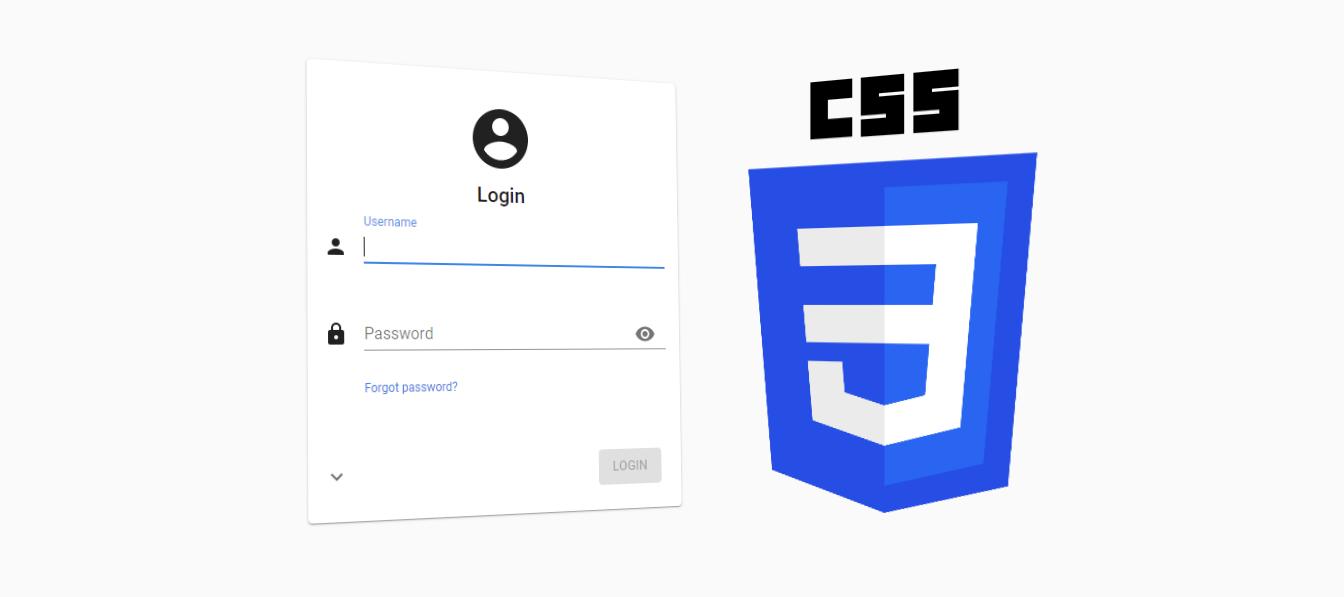
We often get questions about customizing the Universal GUI, particularly the login page. We plan to offer several model-options to customize it in the future, such as the logo, colors, title text and background image, and to display maintenance messages, for example. But with the latest release of the Universal GUI, it is already possible to make these adjustments manually, using custom CSS! SetupStarting with the latest (beta) release of the Universal GUI it is possible to inject your own custom CSS to change the styling of various parts of the user interface.To get started, simply rename the custom.sample.css file in the public folder of the Universal GUI to custom.css. This file will then automatically be loaded by the Universal GUI. By renaming the file, it will no longer be overwritten with Universal GUI updates.Next, add your own CSS to the custom.css file and you’re off! CSS classesThe Universal GUI provides static CSS classes for a selection of elements, mainly on the login pag
As we all know, merge statements are ideal for executing multiple actions in a single statement—an insert, update, and delete with one statement and one source query.This blog is intended to help you make a well-informed decision about when to use a merge statement and when it’s better to avoid it. There is no right or wrong choice, but be aware of the consequences of using a merge statement and the consequences of using separate statements.When using a merge statement, you must take into account that the source and target tables can be locked. These locks are larger than with separate statements due to lock escalation, which increases the likelihood of deadlocks. You can (partially) prevent this by using a CTE (Common Table Expression) to make the target table smaller, thereby reducing the size of the locks, and by placing the source table in a temporary table so that it doesn't cause a lock during the merge.For example:-- Collect data to mergeselect j.product_id , j.product_namein
As of Windows Server 2019, Microsoft disabled the encryption protocols TLS 1.0 and 1.1 by default, and requires all connections to, for example, SQL Server instances on Windows Server 2019 to use TLS 1.2. This can cause problems with Crystal Reports documents that use the default SQL Server drivers included with Crystal Reports, instead of the Microsoft OLE DB Driver.To resolve this, you need to replace the drivers used by each report with the latest Microsoft OLE DB Driver for SQL Server, which you can download here. To update the driver in the report file:Open the Set Datasource Location dialog from the Database menu in the Crystal Reports designer. Select the connection to replace and click Make New Connection to create a connection using the Microsoft OLE DB Driver for SQL Server or select an existing MSOLEDBSQL connection. Do not use the Microsoft OLE DB Provider for SQL Server (SQLOLEDB). Select Update to replace the connection.Repeat this for all Crystal Reports files. An altern
Join us for the fourth annual Thinkwise Summit on October 2, 2024! This year, we’re embracing the theme 'Innovation Without Compromise' - empowering you to drive IT innovation effortlessly and precisely the way you envision it. The event will be hosted in Dutch. We’ve designed two specialized tracks: a business track featuring inspiring sessions and real-life case studies, and a tech track with deep dives into technical topics. Register now for the Thinkwise Summit 2024 on October 2 at Orpheus Apeldoorn. Button: https://www.thinkwisesoftware.com/nl/thinkwise-summit-2024?utm_source=Thinkwise_Community&utm_medium=blog&utm_campaign=Summit Why attend? Session Highlight: From GUI to LUI! From Screen to Voice! Imagine interacting with your enterprise data not through a screen, but with your voice. Sounds like a distant future? Join us at the Thinkwise Summit and discover U.T.A., a revelation that will transform your ideas about the future of data interaction. Networking Opportuni
There is a lot of demand from the Thinkwise Community for easy uploading of multiple files via the Universal GUI; see this idea for example.For the Web GUI, @Harm Horstman developed a great solution that leverages a custom upload page in a preview component, but unfortunately this solution is less suitable for the Universal GUI as it bypasses Indicium and requires a separate application to be installed on the web server.Fortunately, it is relatively easy to develop a similar component that uses the Indicium API to upload files and integrate it in the Universal GUI. In this blog post we'll show you how to do that. Click to enlargeConfiguring the preview componentTo display a custom component in the Universal GUI, we use the preview component as described here. In this preview component, we will display a URL pointing to our custom HTML page that contains the upload functionality. The first step is to model a screen containing the preview component. To do this, we create an upload table
Search is one of the most used functions of any software application. But there are many ways to implement it. In this video I want to highlight a new way of implementing search using the large language model embedding integration that the Thinkwise Software Factory provides. This allows users to search by using natural language.
In my previous blog I made a promise that more possibilities would soon come available to start task actions from the grid component, so here we are with the next one. The grid component of both the Windows and Web GUI now supports translated links to execute a task with.The idea is to create a better user experience by placing important tasks of a subject at a more intuitive location, so the user can find it more easily. Also, this will require less clicks to get the required task executed on a (inactive) record so users can do their work faster. You can choose to execute a process flow after the task execution to guide the user through a series of actions. Let's see how we should configure the Software Factory to use those links: Two model extenders are used to assign a related task and translation to a domain of the column containing the task link. To let the GUI know this column is a “task link”, we added a new control type “task_link” to the domain.This domain should be assigned t
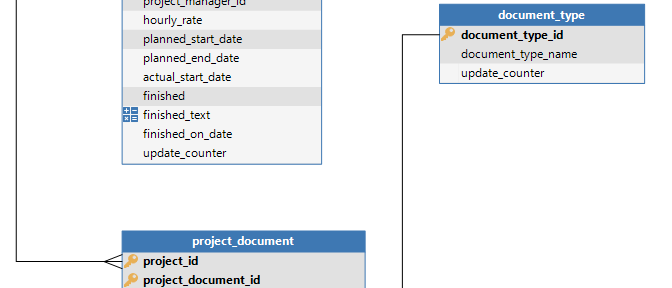
Data modeling was originally intended as a tool for database design, but has become a fundamental requirements technique for business analists, as it is relevant for anyone working with data structures, application logic, user interfaces and business processes. The guidelines in this document aim to ensure that Software Factory developers set up high quality data models. High quality means: Consistent Logical Well structured Unambiguous This document has guidelines for the following subjects: Data modeling Diagrams in the Software Factory Data modeling To create well structured data models, a distinction is made between: Strong entities Weak entities An entity is strong when it’s existence does not depend on the existence of any other entity in a database. A weak entity depends on a strong(er) entity for its existence. In the following section Strong and Weak entities form the basis of most of the Guidelines. General guidelines The name
The Thinkwise Platform is the core of professional DevOps ecosystems in many organizations. But in modern fast-paced development landscapes, it never stands on its own. Integration with specialized third-party DevOps tools is essential for automating DevOps workflows, gaining deeper insights, and expediting deployments.In this article, we highlight some of the proven DevOps-related tools and integrations that will help you streamline and manage the entire software development and operations process with the Thinkwise Platform. Many of those tools are also used by ourselves, for example for the development of the platform - which is itself a Thinkwise application - and the automated deployment of the ThinkLab environment.For an overview of integrations to improve and enrich your Thinkwise applications, check out this post.DevOps LifecycleFor each of the eight phases of the DevOps Lifecycle, we list the third-party DevOps tools that are either natively integrated in the Thinkwise Platfor
Ensuring the security of all our customers' applications is a foundational element of the Thinkwise Platform. To maintain the integrity and security of our platform components, we have regular penetration tests conducted by a third party, designed to identify potential vulnerabilities before they can be exploited. We are proud that no exploitable vulnerabilities have ever been found during these tests, reflecting our commitment to security. However, ensuring security does not end with the platform components. The infrastructure on which these components are deployed plays a crucial role in maintaining a secure environment. One key aspect of this infrastructure is the web server configuration. Even the most secure platform can be compromised if the underlying web server is not configured correctly. The Importance of Web Server Security HeadersAmong the critical elements of web server configuration are security headers. These headers provide an additional layer of security by controllin
Hello all. We’ve previously upgraded our DevExpress component in the Windows GUI, Indicium, DevExpress Report Designer, and we want to inform you about a breaking change in the DevExpress component. Specifically regarding the Concat function.The DevExpress upgrade is included in our products starting from version 2024.1.13.0 (around April this year). This Concat function was only available and could only be used inside the DevExpress Report Designer. Previously, passing a null argument to this function would return an empty string. However, following our recent DevExpress update, this is no longer the case.The new behavior will not return an empty string when a null value is passed to the Concat function. This change may affect the output of your reports, potentially causing unexpected results if null values are involved.To ensure your reports continue to function as expected, we recommend reviewing and updating any code that relies on the previous behavior. You can find more informati
In order to easily package, ship, and run applications as lightweight, portable, and self-sufficient as possible, there is Docker. Docker allows us to run applications virtually everywhere. Therefore this blog post gives some guidance on how Thinkwise applications can be containerized.There are numerous approaches in how you might want to set up your Docker environment, so we will mainly focus on:Running Universal independently; Running Indicium independently; Running Indicium and Universal together.At the end of this post, we will uncover our future plans and what we're currently researching/developing. PrerequisitesTo follow along, you'll need to have:Docker installed on your desktop or server (for Linux containers); Universal downloaded from TCP; Indicium downloaded from TCP.Please note that for certain scenario’s with Docker you’ll need a license. The Docker FAQ is a good source to read upon these questions. Scenario'sThe scenarios covered here can be followed separately. 1. Runnin
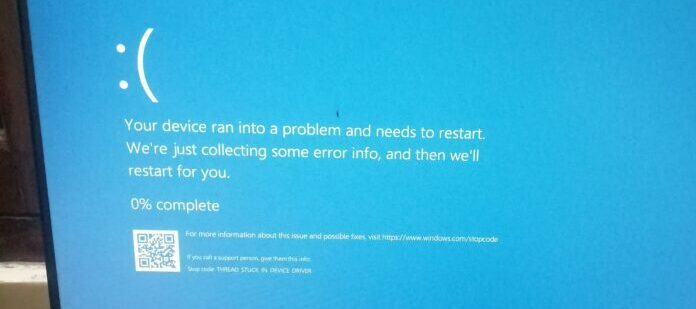
Hi everyone,The latest Windows security update (KB5035853) has been linked to instances of Blue Screen of Death (BSOD) errors for Windows 11 users. These errors can also occur when using the Thinkwise Windows GUI.More information here: Windows 11 Update Causing Serious Problems For Millions Of PC Users (forbes.com)For users who have not yet installed the update (KB5035853), it is recommended to postpone the installation until Microsoft releases a possible fix. For users currently experiencing BSOD errors or Thinkwise application issues after installing the update, we recommend uninstalling the update using standard Windows update uninstall procedures.Microsoft has acknowledged that it is investigating these issues and is expected to provide a fix in the near future.
The Thinkwise Platform offers a wide range of integration options, allowing you to connect your application to virtually any third-party application, tool or service.In many cases this can be done using out-of-the-box integrations: ready-made components, controls, and connectors to integrating with, for example, Microsoft Exchange, Maps, OpenID, AI and barcode scanning. For all other integration needs, the platform provides generic connectors that allow you to connect to web services or APIs, databases, cloud services, and more.We are often asked which integrations have already been realized by us or our customers, and whether there are any solutions that we recommend for specific use-cases. In this blog post we list a number of implemented integrations that are known to work well in combination with the platform.This article focuses on functional integrations with Thinkwise applications. In addition, the platform also offers many DevOps-related integration options to streamline the so
Already have an account? Login
Enter your E-mail address. We'll send you an e-mail with instructions to reset your password.