Questions, discussions, news and updates regarding the Thinkwise Platform.
Recently active
Hello everyone,In our application we have a scheduler, this scheduler gives the wrong start date when I start it up. It interprets the date 9-10-2024 as the 10th of September, and not as the 9th of October. This is confusing and because of this, I thought the scheduler was not functional: Today it should be fine, as it cannot interpret 10-10-2024 as something else (I do have to delete the other test data for that).But this is inconvenient. It seems to interpret 09-10-2024 in the American way (month/day/year instead of day/month/year). What could be the cause of this, and has anyone else run into this problem?
Hello everyone,We have a table called work order, this work order table has a variant for the unplanned work orders. These unplanned work orders need to be planned. For this we wanted a scheduler and drag and drop functionality.As a test I first made the task that plans an unplanned work order. The screen build up is as follows: on the right hand side I have a scheduler with the original table as it automatically filters on planned work orders. On the left hand side I have a table variant for the unplanned work orders.When I use a conventional task with two fields for start and end date, it nicely plans the work order I ask it to be planned. The work order disappears from the unplanned list, and appears on the scheduler. This works fine, but I want it to work with drag and drop (and the task is necessary).When I drag and drop an item on the scheduler, it opens the task (as dropping on specific dates is not possible). I fill in the task fields and hit execute. When I hit execute, it wil
I have a grid with the possibility to add grouping by dragging and dropping. In the IAM I configured the user preference to: COMPLETE If I add the header email to the grouping, it groups correctly. But as soon as i go to the details and go back the grouping disapears, whcih leads to a bad user experience. I'd expect this to be saved ias a user prefrence. Is this a bug? Or a request for improvement?
In a table when editing multiple rows/columns, it would be very helpful if the behaviour of the Tab key is the same as the arrow up/down. The arrow up/down selects the value in de field that has the focus. The Tab key doesn't select the value of the field that get's the focus.
What is the status on the SF via the Universal GUI?
Hi,We have another application (say application X) where development is done to integrate our Thinkwise application in another web application. I was wondering if this is possible and if so, how to approach this. We currently have the following problem:User clicks a specific button in application X, which triggers a popup in application X showing the Thinkwise application in Application X: User logs into Thinkwise (Open ID), but still via application X. User cannot see anything of the Thinkwise application: What can we do in order to solve this problem? Thanks in advance!
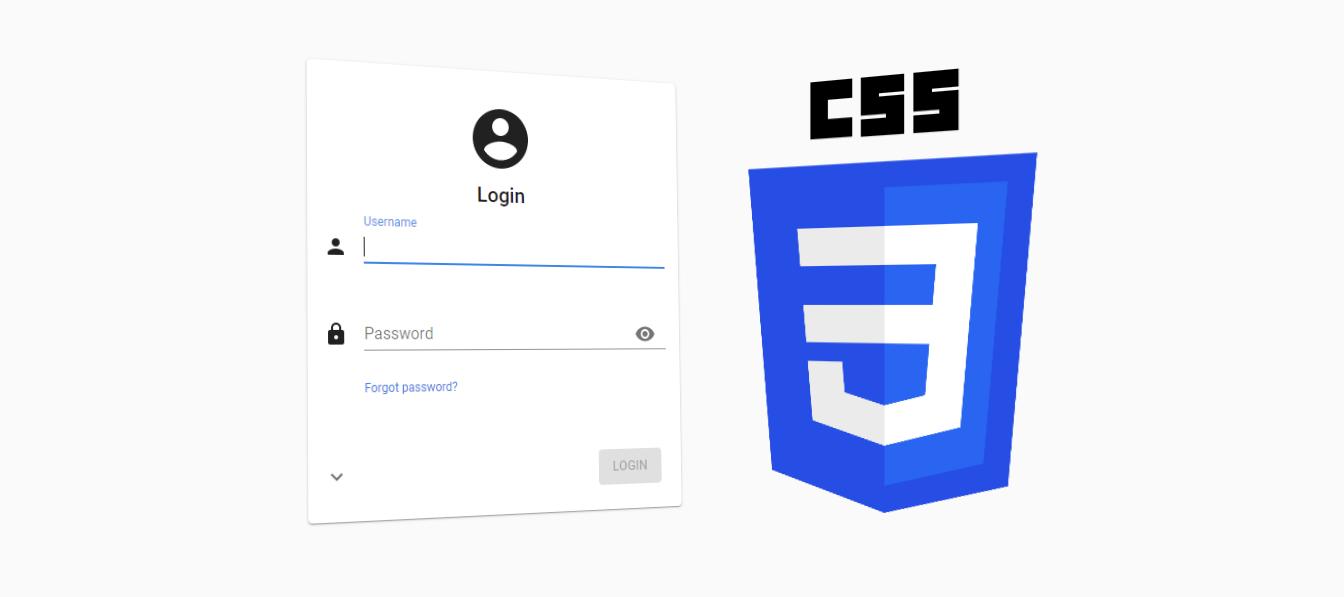
We often get questions about customizing the Universal GUI, particularly the login page. We plan to offer several model-options to customize it in the future, such as the logo, colors, title text and background image, and to display maintenance messages, for example. But with the latest release of the Universal GUI, it is already possible to make these adjustments manually, using custom CSS! SetupStarting with the latest (beta) release of the Universal GUI it is possible to inject your own custom CSS to change the styling of various parts of the user interface.To get started, simply rename the custom.sample.css file in the public folder of the Universal GUI to custom.css. This file will then automatically be loaded by the Universal GUI. By renaming the file, it will no longer be overwritten with Universal GUI updates.Next, add your own CSS to the custom.css file and you’re off! CSS classesThe Universal GUI provides static CSS classes for a selection of elements, mainly on the login pag
I understand that thinkwise changes the colors of SVG icons but I just end up puzzling what I should do to get it right.I have an SVG graphic, which I post below.If I state that the fill color is “none”, it becomes white with an alpha of 0.7. If I state that the stroke color = “none”, I don’t get strokes, and if I specify a color I get that color.What I want is no fill; I can reach that with overriding the fill color setting; fill-opacity="0".Next I want a stroke in the font color … I understood from your previous posts that you are doing this but it doesn’t happen.This is my svg ( a circle with a question mark in the center ); <svg xmlns="http://www.w3.org/2000/svg" width="64" height="64" viewBox="0 0 24 24" fill="none" fill-opacity="0" stroke="none" stroke-width="2" stroke-linecap="round" stroke-linejoin="round"><circle cx="12" cy="12" r="10"></circle><path d="M9.09 9a3 3 0 1 1 5.91 1c0 2-3 3-3 3"></path><line x1="12" y1="17" x2="12.01" y2="17"><
Hi, we have several points in our application where we want to trigger a refresh, which likely have to be done in different ways.We have a table where an insert causes an update in another table. Both these tables are shown in the same screen type. How can we trigger a refresh of the parent table when doing an insert in the child table? I know that in React this is done with state, which triggers a reload of the gui, then showing the changed data again. Can we do something similar?We also have a document upload functionality that is custom built. We use the indicium universal api for this. Here we have to trigger a refresh programmatically I think?
Hi all,After a recent upgrade to platform version 2024.2, we're facing the following issue when a control procedure is approved during code review“Cannot insert the row because the value of ‘User’ does not exists in ‘Users’” Any ideas what's happening here?
What are the options to directly access the camera in the Universal GUI on Windows to take photos? For example, we have Micorosft Surfaces where we want to directly add a photo to a table (e.g., using the multiple upload HTML page that I have working now), but also with a normal form, but with the Image Upload control, I can only choose files instead of taking a photo. On iOS, I do get that option.
We have various instances of projects in test. Normally I get the IAM and the project in the Universal GUI. Now I have one that only shows the project, not the IAM. In the config.json there is no pre-defined project. All seems the same. What can be the reason for this difference? So, no pre-defined project. I am also root admin. …
What is making the 'reset password' pages and TOTP pages show up in a particular language?I have the interesting situation that reset password is shown in Dutch .. but the TOTP token page in English (expected)
We are deploying a TW application in the Windows GUI at several of our customers.Indicium is handling some background tasks, amongst other printing.These tasks involve frequent polling of the SQL database.Default, we deploy Indicium as a service for the background tasks because this is more simple and has less impact than a IIS installation with Indicium.However, some of our customers also want to use the TW API for accessing the application database. So at these customers, we need to install and configure IIS for Indicium.Should and can we, in those cases, then uninstall Indicium as a service, to avoid double handling of the background tasks? Or does the IIS Indicium process recognize that some roles (background tasks) beside API are handled by a second Indicium instance (the service instance)?At least, I want to prevent double polling of the SQL database.
As we all know, merge statements are ideal for executing multiple actions in a single statement—an insert, update, and delete with one statement and one source query.This blog is intended to help you make a well-informed decision about when to use a merge statement and when it’s better to avoid it. There is no right or wrong choice, but be aware of the consequences of using a merge statement and the consequences of using separate statements.When using a merge statement, you must take into account that the source and target tables can be locked. These locks are larger than with separate statements due to lock escalation, which increases the likelihood of deadlocks. You can (partially) prevent this by using a CTE (Common Table Expression) to make the target table smaller, thereby reducing the size of the locks, and by placing the source table in a temporary table so that it doesn't cause a lock during the merge.For example:-- Collect data to mergeselect j.product_id , j.product_namein
I have a question regarding Await result of Report variants. I have made a Report that can be exported as a pdf in the main screen and a variant that can be send by email using a processflow. In the default settings of the Report Await result is set on No and in the variant its Yes.Report variantWhen I execute the variant in the application it becomes an ongoing task, as if Await result is set on No instead of Yes.Is it the idea that the default setting overrules the variant if the selected option is higher in priority, like with column type? Or is this a bug?Same behavior in priority?
We are currently using the ‘download file’ process action for users to be able to download documents from the system (with the Universal GUI). When the file has a .PDF or .PNG extension, the file is not downloaded but instead it is opened in the browser. Is there a way to force all file types to be downloaded? Zipping the files is not preferred.
In the software factory I have a grid edit button and this button does the following; make the entire grid editable.In Universal having autoedit enabled gives the same result.But clicking on edit above the grid only makes one row editable.I tried to get the behaviour of the windows interface using a workflow but it did not work.Should this work? And could give someone an example?Expected behaviour;Default the user is not able to edit.After clicking a button the user gets into the autoedit mode.When done the user clicks “stop editing” and returns back to the default mode.Thank you,Daan
How can we hide the seconds in universal GUI, as it is in Windows GUI
We have created Html custom component with JS script to retrieve all messages of a Teams chat, it is loaded in a preview screen.We managed to retrieve all messages of a given chat and show them.For logged user that participates in the chat we what to give them he option of deleting there messages.In the script we are trying to authenticate the user with OAuth2.0 similar to how Oauth user login process action works. The only difference is that a state parameter is generated for the login URL session an is included in the URL query string , also as a parameter. We tried generating a state GUID in the same format hat the process action provides in the flow but we encountered this error:--”The state parameter, 1dbfcd91-e154-4aaf-a71f-5b735aff11de, received from the OAuth server does not point to an existing process flow resource.”If we omit this parameter we get this error--”Received state, 'null', from the OAuth server but it is not in the correct format. The expected state
Please group tasks in Universal GUI as is possible in Windows GUI At least use dividing line with group name Like done for the standard features
Is it now already possible to execute a table task or process flow with parameters, with a hyperlink in a html field? The goal is to open another document within the same browser tab, or as floating document.Can the syntax as described in “Improved HTML control with a deep link” (release notes 2024.2.14) be used?
After the upgrade to 2024.2 and setting up generative AI (SQLSERVER_SF), I tried to test AI code review. Now for some templates I get a response (see below), but most of the time I get no comment and no error. So I think there is something going wrong(?).When I look in the debug tab or start the task with the process flow monitor (Windows), I can't find any information. What could be the reason and where can I find it?
We are in a transition phase from Windows to eventually fully Universal.At one of my clients, it concerns a fairly extensive application where we want to do the migration step by step. For the time being, the users will continue to work with the Windows GUI within the office environment. In addition, we also want to give the users access to the Universal GUI, starting with functionality that is relevant outside the office environment and on mobile devices.I am looking for a way to let users log in within the office in the 'old' way with Windows Authentication and outside the office exclusively with SSO (OpenID Provider Microsoft)The application is currently running on version 2024.1What options are there at the moment?
To make a change to the software at the client's site, I use the procedure below.I wonder if that one is correct or if it should actually be different/better:First, I create a development branch from the production branch.Then I make the changes in the development branch.After customer approval, I start the creation of the development branch. I fire the generated source code to the customer's production database.Then I merge the development branch back into the production branch and generate a sync script to update the iam database.This works, but is that the procedure to follow?I await responses with interest.
Already have an account? Login
Enter your E-mail address. We'll send you an e-mail with instructions to reset your password.