News and blogs on our products, services, and events
Recently active
The next knowledge session is scheduled on Tuesday the 23rd of April, hosted by Theo Neeskens who will present about AI Process flows connectors.Welcome to an exciting journey through the latest release, 2024.1, packed with cutting-edge AI features within the Thinkwise Platform. Among these groundbreaking enhancements are:GitHub Copilot Integration Elevating your coding experience right from the Software Factory. AI Code Review Streamlining and enhancing your development workflow with intelligent code analysis. Upcycler AI Enrichments Empowering your applications with advanced AI-driven enhancements. AI Process Flow Connectors Unveiling the potential of AI within process flows.We'll explore each of these features briefly, with a very special focus on the AI Process Flow Connectors.Rather than diving into complex functional solutions, we'll provide practical insights into how you, as a developer, can leverage these connectors effectively.Through straightforward technical demonstratio
We're excited to invite you to the Thinkwise Developer Event 2024 on April 18th at Van der Valk Amersfoort-A1 in Amersfoort. Expect a day filled with the newest features, opportunities to connect with fellow users, and practical sessions aimed at boosting your skills.Please click here for more details and to confirm your attendance.Schedule: 09:30 - 10:00 Walk-in 10:00 - 10:15 Welcome 10:15 - 11:00 Navigating the Next Wave of AI Innovation with Vincent Everts 11:00 - 11:15 Short Break 11:15 - 12:00 Unlock the potential of AI for your business 12:00 - 12:15 Short Break 12:15 - 13:00 Embrace Universal, starting today 13:00 - 14:00 Lunch 14:00 - 14:30 A Rapid Switch to Universal 14:30 - 15:15 Supercharge your Development with the 2024.2 SF 15:15 - 15:30 Short Break 15:30 - 16:00 Thinkwise Roadmap 2024 16:00
UPDATEApple has reverted its decision and will continue to support Progressive Web Apps 🎉.Update on apps distributed in the European Union - Support - Apple DeveloperOriginal messageWith the latest beta release of iOS 17.4, Apple has restricted the functionality of Progressive Web Apps (PWAs) for users in the European Union. Apple claims that this change is necessary to comply with the Digital Markets Act (DMA), the European law that regulates the behavior of large tech companies and prohibits companies from giving their own products or services an unfair advantage over those of their competitors.To comply with the DMA, Apple now permits the use of alternative browser engines - other than WebKit - for dedicated browser apps and in-app browsing experiences with iOS 17.4. But instead of allowing PWAs to run in all these browser engines, Apple claims they have not been able to pull that off and were forced to disable PWA features altogether, including for their own Safari browser.So, onl
Hi all,Who hasn't experienced this? You're testing your SQL code, only to discover that you're getting more results than expected. In some cases, accidentally using the same alias within the same join- or where clause can lead to this scenario. For example, “where t1.customer_id = t1.customer_id”. This effectively creates a condition like “1 = 1”, which is always true.In this small blog, I'll guide you through detecting this situation throughout your branch's codebase. To effectively follow this blog, you'll need access to a code editor that has built-in support for regular expressions. If anyone knows a more efficient way to achieve the same results, please share it in the comments. Hopefully this helps!Software FactoryGenerate the code files using the Software Factory:Start up your Software Factory. Switch to the desired model and branch, for which you want to check identical aliases, by starting the task Models > Switch branch. Go to the screen Deployment > Creation. Generate
When I leave my house every morning, I pick up my car keys from the counter and put them in my pocket. To me, this is a very common way of interacting with an object. I grab the keys, move them into my pocket and let go of the keys. But when it comes to our software, this would happen very differently. I would select the Car keys record, put it in edit mode and change a field indicating the location from Counter to My pocket. I would then save the record and.. *Poof!* – The keys are now in my pocket. Very unnatural if you ask me. Editing the car keys? I sound like a locksmith! This new feature, however, will bring our applications one step closer to the real world: Drag-drop of records! Model-driven drag-dropAs with every feature, the definition of drag-drop is a part of the model. To keep things as easy and accessible as possible, no new logic concepts were introduced. The existing concepts of tasks and corresponding context logic are used. Besides that, variants play a bi
The Web GUI has entered the End of Life phase.As per runtime component lifecycle policy, the release of Thinkwise Platform version 2023.3 is the last version to support the Web GUI. In this blog, you can read about the impact of this change in runtime component support. ImpactAny Web GUI that is still in use today will continue to work. However, upgrading to any upcoming Thinkwise Platform version will not be possible. The Web GUI will not support version 2024.1 and up.Thinkwise will only provide critical security updates for about 1.5 years. When Thinkwise Platform version 2023.3 is no longer supported, the Web GUI will enter the End of Service Life phase. Note that the underlying technologies for the Web GUI are aging, security patches may not always be possible.Furthermore, there will be no further updates to support new operating systems, browser versions and such. The Web GUI may cease to function when the operating environment is subject to change.More information about this life
Hi everyone!Applications built with the Thinkwise platform are usually quite large. Whether that means the application has a lot of screens, tables, users, or anything else, there typically are processes in the application that take a while. To inform users of the progress, you can use the procedure tsf_send_progress. ChallengeThe tricky part when having 10, 20, or even more statements inside the process, is to determine how far the process is in its execution. You would rather not manually place the send progress function before or after every statement and assign a progress value. When new statements are added, or removed, all the progress should be recalculated. However, you do want to inform the user and keep the user up-to-date. How to solve this?This exact scenario occurred in the Software Factory application development. The export model task in the Software Factory is a lengthy process that involves all tables that are part of the model; 295 to be exact at the time of writing.
Thinkwise Platform version 2019.1 migrated the maintenance of roles from the Intelligent Application Manager to the Software Factory. This migration is in a way symbolic – The developers are fully responsible for creating and maintaining the roles within the application. Before role-based access control was introduced, rights would be granted directly to user groups. When upgrading an older version of the Thinkwise Platform (G9 or earlier), temporary roles would be automatically created based on the user groups to ensure nothing changed for end users. Not everyone replaced these temporary roles with proper roles. An earlier blog was written around the time of the 2017.1 release, which introduced roles and presented global guidelines. Today, I’ll be providing more detailed guidelines for role administration within your application, even if it was built before roles were introduced. What is a role?A role is a collection of rights that allows a user to carry out a single resp
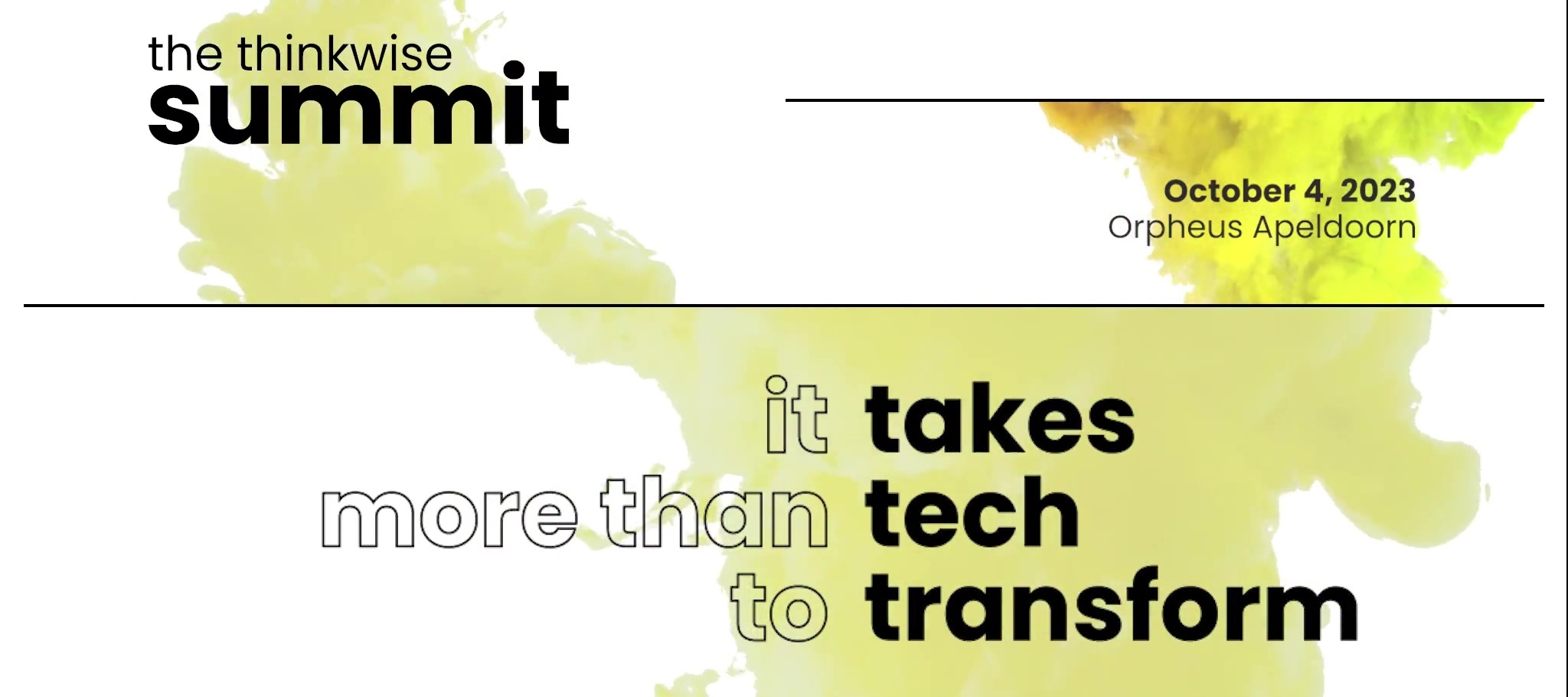
Mark your calendar for October 4, 2023, as Thinkwise proudly presents its third annual Summit, "It Takes More Than Tech to Transform." We are excited to introduce the Thinkwise Platform in a Roadmap session, featuring our esteemed CTO, Jasper Kloost. During this exclusive session, Jasper will provide a sneak peek into the future developments of the Thinkwise platform and will speak about artificial intelligence, developer and user experience, and digital process automation. Come see how Thinkwise is leveraging the potential of artificial intelligence to boost productivity, streamline processes and open new doors of opportunity for businesses. For event details, registration information, and the latest updates on our lineup of speakers and workshops, please visit our event website. 📅🔗Join us at #ThinkwiseSummit2023! Thinkwise Summit 2023 (thinkwisesoftware.com
All the standard indicium API's are expecting JSON and have JSON as output, also most of the 3rd party API's use JSON, therefore I think it would be useful to have some different JSON approaches and examples at one place, please feel free to add your own in the comments.Creating JSONWhen creating a simple JSON statement it would look something like this, this is without data from a table, but for example data you get in a process flow for 1 record and need to pass it to a JSON API.--Having an example variabledeclare @json nvarchar(max)set @json = ( select 0 as Value_1 ,1 as Value_2 ,1 as Value_3 ,1 as Value_4 ,0 as Value_5 ,0 as Value_6 ,0 as Value_7 for json path, without_array_wrapper)The output would look like this:{ "Value_1": 0, "Value_2": 1, "Value_3": 1, "Value_4": 1, "Value_5": 0, "Value_6": 0, "Value_7": 0}When you leave out the "without_array_wrapper” you will treat the set as an array and the result would look like this,
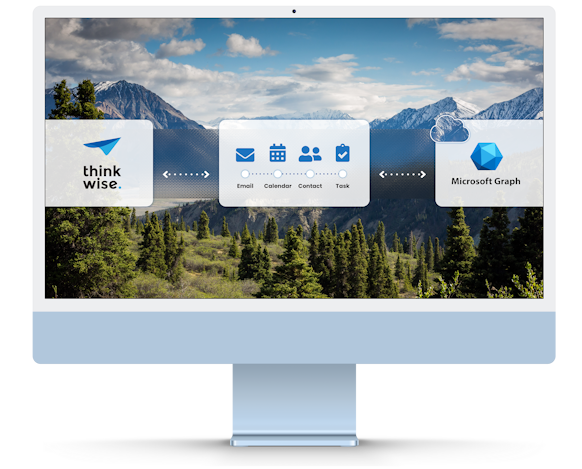
Hello everyone, In today's fast-paced world, effective time management is crucial for staying organized and maximizing productivity. One of the key tools we rely on for managing our schedules is the calendar. With the advent of cloud-based services like Microsoft Graph, synchronizing calendar events across different platforms has become more accessible than ever. In this blog post we introduce new Thinkstore solutions that enables seamless synchronization between your Thinkwise application and Microsoft Graph, allowing you to add, update, delete, and receive resources effortlessly. Microsoft Graph is a powerful API that provides access to a wide range of Microsoft 365 services and data. It allows developers to integrate their applications with Microsoft's suite of products, including Outlook, OneDrive, SharePoint, etc. Old situationOf course we already have the Thinkwise Exchange Connector which can synchronize the four resources maintained by Microsoft Outlook: emails, events, contact
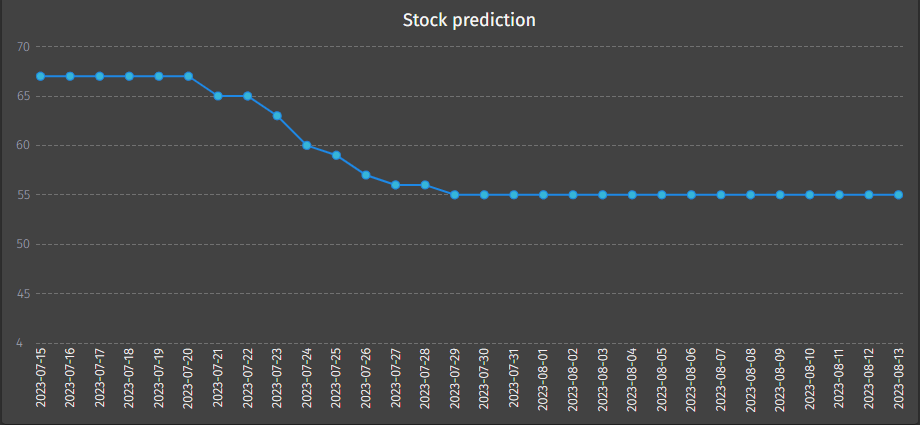
Hi all,Recently, we’ve released Thinkwise Platform version 2023.2. This release includes the ability to apply timeseries forecasting to your data.In our recent release session, we showed a demo application that uses forecasting. This application is now available in the Thinkstore.Simply download the solution, generate, execute and start the application via the Universal GUI.The solution is available under the name ‘Forecasting’The example applicationSince the model in the Thinkstore is shipped with some example data, so you can try it out right away.You will be prompted with a single menu item that shows a small list of articles with article sales for the last year.The application is shipped with some example dataClicking Predict sales for the next 30 days will generate a prediction of upcoming sales, as well as set the date on which stock may become critical.Sales prediction for this articleImpact of the sales on the current stock. We run out within 27 days!Information about the confi
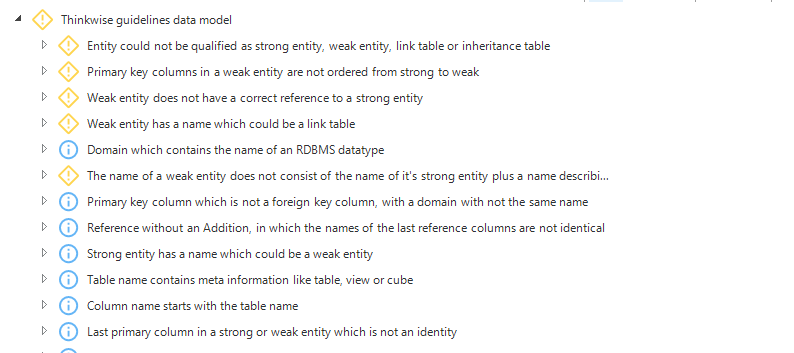
We recently released Validations on the Thinkwise guidelines. You can find more about this here:https://community.thinkwisesoftware.com/news-blogs-21/validations-for-thinkwise-guidelines-now-available-in-the-thinkstore-4208Although data modeling seems quite simple at first glance, it is quite a challenge to create a good structure. Without a good structure, a data model is more difficult to understand, more programming is required and errors are more likely to occur.To help you set up a good data model, we have drawn up guidelines, which you can find here:https://docs.thinkwisesoftware.com/docs/sf/guidelines_data_modelingIn the guidelines we distinguish between the following categories of entities:Strong entities Weak entities Link tables Inheritance tablesDepending on how the primary and foreign keys are structured, each table and view must be classified in one of these four categories. If that doesn't work, then something is almost certainly not modeled correctly. The result of this
The Thinkwise Summit is only three months away, and we're busy putting together an exciting program for you. This year's event will feature engaging keynote speakers, interactive workshops focusing on technology, business transformation, talent, and culture, as well as insights on building a collaborative ecosystem with both partners and clients.One of the (most 😎) exciting tracks at the Thinkwise Summit is the Tech Track, which delves deep into the realms of the Thinkwise Platform and its countless possibilities. This track focuses on technical subjects and cutting-edge advancements.Let us know what you would like to see!We want to ensure that the Tech Track delivers exactly what you are seeking. Therefore we invite you to share your thoughts, interests, and the subjects you would like to see covered during the Tech Track sessions. Your input will help shape the content of the sessions, making them even more relevant and impactful.For example, are you keen to explore the potential of
To make the quality of models in the software factory as high as possible, we use guidelines within Thinkwise for the data model, the user interface and functionality. You can find these guidelines here:https://docs.thinkwisesoftware.com/docs/sf/guidelines_data_modeling https://docs.thinkwisesoftware.com/docs/sf/guidelines_ui_design https://docs.thinkwisesoftware.com/docs/sf/guidelines_control_procs https://docs.thinkwisesoftware.com/docs/sf/guidelines_sql_coding https://docs.thinkwisesoftware.com/docs/sf/guidelines_sql_formattingHowever, not everyone knows how to find these guidelines during their development work. In addition, it requires a lot of discipline to adhere to the guidelines. That’s why we’ve created a set of validations that automatically check your model against many of the guidelines.The validations are currently divided into the following categories:Data model User interface FunctionalityData modelThese validations check the structure of the data model, and they also l
Thinkwise Summit 2023 focuses on building sustainable enterprisesOn October 4, 2023, Thinkwise is hosting its third annual Summit around the key driver of transformation: the realization that ‘it takes more than tech to transform’. The event aims to inspire industry professionals on how to build a sustainable enterprise around the core premise that having the right technology in place is key, but also merely the starting point.Previous editions of the Thinkwise Summit attracted an audience from various countries including Japan, Vietnam, Brazil, Germany, the United Kingdom and more. This year, attendees can look forward to engaging keynote speakers, interactive workshops focusing on technology, business transformation, talent, and culture, as well as insights on building a collaborative ecosystem with both partners and clients.First Thinkwise Summit Keynote speakers announcedPieter-Paul van Beek, CEO of Thinkwise: “The issue of legacy software cannot be overstated, and the burden it pl
(Personal story)One aspect that I had difficulty with when creating control procedures, was making them work in a variety of scenarios. The way was to copy already created control procedures and templates and alter them slightly to match what needed to be done. Whilst there is nothing wrong with reusing great solutions, it becomes a problem when the model changes in such a way that each one of these control procedures had to be changed. Only at that point, it becomes obvious that this is not be the way to continue development. Understanding control proceduresAs I became more and more familiar with the Software Factory, I began to understand that the Software Factory offers a solution I was desperately in need of. When switching the type of the Control procedure to SQL, it will allow you to take full control of template assignments and parameters. But to fully understand it, we need to break it down, let's dive into the definitions of Static control procedures:Assigned templates: Contr
As you know at Thinkwise we have guidelines for formatting our SQL-code. Because the guidelines were found to be a bit too extensive, we decided to reduce the examples. In addition, we have made some minor adjustments, so that they are more in line with the best practices of Thinkwise.The guidelines can be found here: https://docs.thinkwisesoftware.com/docs/sf/guidelines_sql_formattingGood luck using these guidelines!
When a developer creates a code template and assigns it to a program object, the order in which the code is executed is often neglected. This can lead to some serious issues, one of which we are discussing today. Deadlocks. A deadlock usually does not occur until a product is used in a production environment. Even though transactions are rolled back and no real harm is done, the developer will often have to solve the deadlock issues with great haste. This blog post will provide some guidelines on how to find and solve a deadlock. In this blog post, I’m assuming that the isolation level is the current default isolation level for products – Read Committed. How deadlocks occur A deadlock will occur when a transaction (A) is trying to access one or more rows which are in use by another transaction (B). Normally this is not a problem, the transaction (A) will wait until the rows are released. But the transaction (A) will wait indefinitely when the other transaction (B) is waiting
Free the world of legacy software; that is the promise that we make. This not only means that we empower businesses to modernize their existing legacy software, but also that we guarantee that newly created software never becomes legacy, ever. We do this by making sure that all applications developed with the Thinkwise Platform continuously stay up to date, both in terms of architecture and technology. When new technologies emerge that qualify for use in the Thinkwise Platform, we completely redevelop the existing runtime components using these technologies, by first rebuilding all available functionality to guarantee backward compatibility and subsequently expanding on it with new features and possibilities that these modern technologies provide. The current cycle of innovation with the Universal GUI has quite some impact, as we are not only addressing the user interfaces this time, but the entire architecture of the Thinkwise Platform with the enhanced Indicium Application Tier. Thi
The Thinkwise Platform version 2021.3 has revised the way the Creation screen works, opening up more elegant ways to leverage tooling to automate this process.The generation screen consists of a number of steps:Generate definition Validate definition Generate source code Execute source code Run unit testsThis has remained unchanged between versions 2021.2 and 2021.3. However, the way these steps are performed has fundamentally changed.In the previous version, the steps in the generation screen were bound to a specific client. A developer would start Generate definition and the definition generation would be orchestrated start-to-end by the users client. This has served us well for many years, but there are some drawbacks that we’ve addressed in this release. The new Creation approachAll ‘jobs’ are no longer performed by a client, but are instead performed by Indicium. This means that generation, validation and such will continue even if the developer closes the screen or even the Softw
Update: the documentation is now available at https://docs.thinkwisesoftware.com/docs/deployment/container_deployment_overviewYou might have noticed, there is a new menu item in TCP called Thinkwise Containers. Through this menu item it is possible to request login tokens required for downloading Thinkwise container images from the Thinkwise Container Registry. These container images can be used to deploy the Universal GUI and the Indicium Application Tier of the Thinkwise Platform in a new and easy way.But what exactly are containers and container images, how do you use them, and what are the benefits of using container images? What Are Container ImagesA container image is an application together with all the required dependencies wrapped together into a single image, which basically is a compressed archive. The application that runs from a container image is called a container.Compared to a virtual machine, a container only contains the required dependencies to run the application or
You've got to catch them all! 🚀 Badges that can be earned by best answers in all subforums. Badges that can be earned in the subforum Deployment. Badges that can be earned in the subforum Integration. Badges that can be earned in the subforum Blogs. let the games begin!
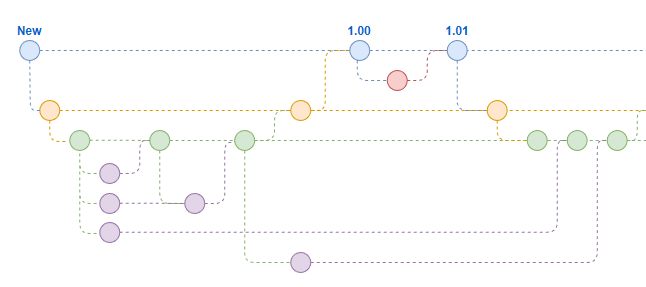
Modern businesses require a short time to market to keep their competitive advantage. This means the software development process needs to be agile. In order to support maximum agility and especially when working in (multiple) teams it is smart to work in branches rather than work on the main model.In this article we are going to focus on working with feature branches whilst still being able to go through the complete DTAP flow and have the ability to apply hotfixes if the need arises.As a quick recap, a branch is a separate version of your application model, created from a specific point in time, that allows developers to make independent changes, fixes, and updates without affecting the main version. Branches are used to isolate new features, bug fixes, and other development work, and later merge them back into the main version when they are ready to be released. This allows multiple developers to work on different aspects of the application simultaneously, promoting collaboration an
The Mobile GUI has entered the End of Life phase.As per runtime component lifecycle policy, the release of Thinkwise Platform version 2023.1 is the last version to support the Mobile GUI. In this blog, you can read about the impact of this change in runtime component support.ImpactAny Mobile GUI that is still in use today will continue to work. However, upgrading to any upcoming Thinkwise Platform version will not be possible. The Mobile GUI will not support version 2023.2 and up.Thinkwise will only provide critical security updates for about 1.5 years. When Thinkwise Platform version 2023.1 is no longer supported, the Mobile GUI will enter the End of Service Life phase. Note that the underlying technologies for the Mobile GUI are aging, security patches may not always be possible.Furthermore, there will be no further updates to support new operating systems, browser versions and such. The Mobile GUI may cease to function when the operating environment is subject to change.More informa
Already have an account? Login
Enter your E-mail address. We'll send you an e-mail with instructions to reset your password.







![[UPDATE] Apple's iOS 17.4 breaks Progressive Web Apps](https://uploads-eu-west-1.insided.com/thinkwise-en/attachment/58a2c3fb-4ba1-413a-b3c3-bc4e3c0d7ecf_thumb.png "[UPDATE] Apple's iOS 17.4 breaks Progressive Web Apps")