Ask a question or have a conversation about the Thinkwise Platform
Recently active
In our application designing process one person describes the model and of course, a crucial part of the description is the database model drawingWe discuss this and com to a version that can can be creted in the thinkwise SFI would like to know if there is an easy way to jump start this step (looking at the theme developing 10x faster) Two questions: about the ai generation, can please someone tell me what I'm missing? Is there a way to import some kind of database scheme? For example, I experimented with designing with dbdiagram.io/ that can export a creation script fror sql. If we could import that, that would save a considerable amount of time. I did see the option to create an AI generated model (which did not work for me for some reason
We are looking at DBML a DB markup language that grows with you. Is that something that Thinkwise could support? Especially in scenario's you don't start with the Upcycler and you start building data structures together with a client. https://dbml.dbdiagram.io/docs
I have an api that inserts/updates data on a regular basis (every few seconds it adds a record or updates one.This table is visible in the GUI so I've activated auto refresh with an interval of about 5 seconds.This works fine until the user tries to select multiple rows at the same time…Every 5 seconds the multirow select is deselected and only one remains selected…. I want the user to be able to select multiple rows to be able to fire of a task that does something with each of the selected records…I've tried to get the Refresh behavior to work but after setting the GridEditUpdateUsingRefreshOption extended property in the SF > I still cannot see the refresh behavior for the actions After insert, After copy, After update, and After deleteCan someone point me in the correct direction?
Hello, I'd like to understand what value should be set if I would like to have a sequence to execute the process action?From what I know, if the value of the process action is set to 0, it means the action will not be executed.-- Follow-up process actions. The number assigned to them will determine the order in which they are (depth first) executed. A value of null, 0 or a negative value means the process action will not be executed. Here’s an example of my process: in my decision workflow, I want the "Send User" action to execute first, followed by the "Email Connector" or vice versa, what is the depth first order number? where to view this? should I put 1 being the first one to be executed and 2 is the second? and so on...code snippet on decision process to check: if @notification_type = 'both' begin set @execute_user_notification_stop = 0 set @Send User = 1 set @Email Connector = 2 end Thank you in advance
I have set in DevExpress that the amounts use a Dutch format, I also see this when I do a preview in DevExpress, but when I upload the report in the SF and generate a preview via the application, it uses the American format by default. DevExpress preview: Universal preview:
Hello!I have a process flow with a 'Refresh table’ process action.The table that should be refreshed is a detail of a table opened in a modal document. The process flow is triggered by an iFrame which is a detail of the table that should be refreshed.Everything is executed successfully but the refresh process action(it outputs -1 and the table is not refreshed). Do you know why this may be occurring?
Hi, The applications in IAM keep the status: 'will be taken offline’. This has been happening since last week, before that the 'Take application offline’ task would immediately take the application offiline. Does this have any influence on the running application? How do I fix this? Kind regards,Mark
Hi all,Is it possible to commit the auto-save when all the field of a form are entered or when switching screens?In our application, the auto-save commits every time one column is updated. This is linked to a handler and process flow, so every commit takes some database processing power and time. When users work fast (e.g. click an answer in a combo box and fill in a textbox afterwards), the commit hasn't processed the first action, sometimes resulting in loss of data.In the GIF, you can see I entered 'Ja’ on question 4. When I select the next question, and go back to question 4, the answer is set to ‘Onbepaald’. As far as I know, this is due to the handler and process flow actions. I want to know if it is possible to only commit the auto-save when a next question/detail is selected, so the screen will only commit once.Thanks in advance.Kind regards,Rick
Hi, I am running into a weird issue with an API request. Firstly, I’ve made a client application on my test environment (which is hosted on Azure). Sending both post and get requests work perfectly with the client credentials.After testing on the test environment, I moved on to testing on the acc environment. I have created the client application in the same way as on the test environment. However, the acc environment is hosted on premise. When trying the same api request for the acc environment, I get the following error:Specifically: Bearer error="invalid_token", error_description="The issuer 'https://p2p-acc.tkb.nl/indicium' is invalid". I am trying to figure out how to fix this error, however there is a third party the is in charge of the on premise environment which also cant seem to figure out how this error is solved. Has anyone else ran into this issue? And how did you solve this error?The request does work for a basic auth request, even with the exact same rights as the client
Hello, Some questions on notification.When a process flow notification is triggered, users can see it upon logging into the system. But if the user is already logged in, how long does it take for the notification to appear for them? - I’m experiencing an issue where the notification sometimes appears and sometimes doesn’t if the user are already logged in. What could be the possible reasons for the notification not showing up consistently? How long does a notification items remain in the Notifications after it’s sent? I’ve noticed that once the status changes to 'Sent', the notification disappears. Is there a configuration setting to retain it for a longer period? or how can I see all previous items? Additionally, how long does the notification remain visible on the portal? Is there a configuration setting that allows us to adjust the display duration? Is there a way that I can capture the sent date when the notification is sent and capture the statuses (below
Hello, We are executing an external request to call a process flow in a custom component. The execution is successful and the process flow is completed, returning a 204 status. However, the toast / panel notifications displays this error. Do you think this is because the 204 status (no response body content) is treated as an error? Can this be suppressed in any way? Thank you. Best regards,Valentin
Just a quick question, can the Public API call be tested against the SF? https://docs.thinkwisesoftware.com/docs/indicium/api#public-api-calllike GET server/indicium/public/sf/entity(ID) ?
Hello Community, We are trying to implement a radius search on a map element.We have a table with geocoordinates (Lon and Lat), which we can also convert into a geography::Point.For the purpose of planning, I now want to know when I am on a dataset, which datasets from the same table are X kilometers away to do further planning.On the MS-SQL Server side, we know what to do:declare @point geography = geography::Point(<Latitude>, <Longitude>, 4326);SELECT id, geo_pointFROM [table]WHERE @point.STDistance([geo_point]) <= 40000; -- input distance in meters But in the Sofware Factory / Universal GUI we are currently unable to find a solution. Clearly a task with the distance as a parameter and the current geodata of the selected data set. And as a result we could get a list with IDs which data records are within the specified radius. But how do we filter this and how do we prevent everything from being recalculated immediately when the data set is changed? Or are we thinking i
Hi, In my application I am trying to download a file that has been stored in a folder in a local file storage location. The file storage location is configured for the environment I am on.However, I am getting the following error when trying to open the file:The column that has the storage location is indeed file_name_queue. But the file_id is null, which would suggest to me that the file is not found. The file is stored in the folder of the storage location. What could be a reason that the file_id is null?
Hi,I finally was able to fully upgrade to 2025.1 and fix all validations that prevented me from using the Universal GUI (only remaining is the Excel style filtering 🤐).I'm currently testing one of our applications in the Universal GUI and I notice that there is a discrepancy between the Windows- and the Universal GUI while displaying, at least one of my, dialogs:Even though I’ve set in the SF that the edit_unloading (Lossen aanpassen) checkbox should be at the top of the next column it is shown not at the top of the next column in the Universal GUI.I suspect that the Universal GUI uses a maximum height for the dialog and because of that moves the add_remark group to the next column!?Is there anything I can do to prevent this?But that wouldn't account for this similar situation in the same application: The fact that Universal choose to use 4 columns instead of 3 isn't a real big issue, I only added a “Field in next column” for the first “dagplanpartij” so the GUI is free to pick the 3
When I started with Thinkwise a few years ago our team was not completely using the Creation steps the way I was taught during the training.For completeness: we usually add a column, table or domain to TW and manually add it to the db using SSMS. The problem is that it is easy to forget to add the correct constraints etc… So periodically I would delete my DEV version and rebuild the db from scratch and then compare (using Redgate SQL compare) DEV to TEST, ACC and PROD.I'm trying to correct that but I keep running into situations that I need to manually alter the existing db.I've started out with a newly generated db for branche A and did some development work on this branchIn branch B I've added a new column to a table and did some development that uses that columnNow I’ve merged A and B to MAIN and made a new branch from MAIN which I'll call branch CWhen I load the new combined branch C I can see that the new column from branch B is existing.But when I run Creation > Generate defin
I have enabled two tasks with double click on the same subjects. Both tasks are configured with a different double click column. This seems to work as intended (at least when running the Universal GUI directly on the SF).However the SF gives a validation warning that multiple grid double click tasks are not supported (val_multiple_grid_double_click_tab). It says the consequence is that only the first task will be used. I noticed that this validation message doesn’t check the double click column.Could this validation message be outdated or incomplete (not including the double click column)? I’m using the latest version of the full platform.
Hello, Just wondering if there's a way to rename the name of the Control Procedure? and the data model because those are not editable in SF. If I update from the DB is it possible and which table? or is it advisable or not? Thank you
During our work on the Universal GUI Styling Update, we’ve had several discussions and deep-dives about topics like the form and grid suggestions of the Styling blog with some of you. In those meetings, and as an extra assignment, we investigated improving the data density of our Universal GUI. A common topic on the Community and during conversations is that predominantly the height of several components demands too much space.Our challenge from the perspective of UX is finding the balance between functional presented data and preventing a visual cluttered interface. We are in the midst of trying to reduce the height of components such as form fields and grid rows, but we also think that we have to look into other options, where data may be offered in a different way.Let’s take a look at the suggestions in order of expected impact. Grid elementsThe current Universal default row height is 36px. We want to bring that down to a default of 28px.On the left, the current Universal Grid (defa
For BI purposes we want to make a call on the Indicium API and retrieve a large table from our application. The table has over 22 million records. We did some testing and the throughput is appr. 1 million records per 12,5 minutes, so we estimate almost 5 hours total transfer time. We want to speed up the process; it is a nightly job. But, we also are looking into transferring the data during office hours, but the gui becomes inresponsive during the process. My questionshow can we increase the performance? is it possible to create a second endpoint that will relieve the pressure on the gui endpoint? if we would upload the data to another API, would that be faster or give less strain on indicium?
Hi!We have some problems when it comes to load the preview for pdf files stored in Azure.We are getting this error "This page has been blocked by Chrome". The thing is that other files as images are working just fine and the pdf files stored using blob are working as well.There is no specific error in console log and in network it looks like it was loaded ok.Do you have any suggestion? Thanks!
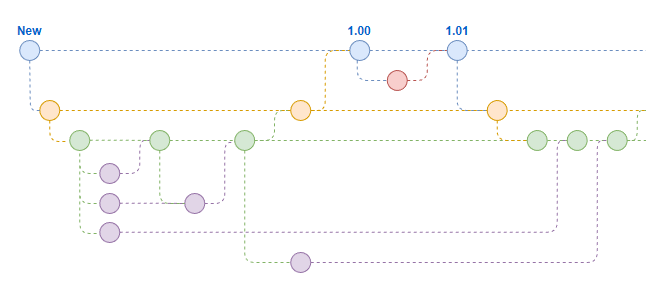
When working with the Software Factory, often times you create a Feature branch to process your changes in, verify the result, and thereafter merge it into the Origin branch. Robert-Jan made an excellent blog about how the Manage branches with Thinkwise which I recommend reading.Developing new features can lead to branches being open for a long time. It may be that the feature is postponed, or just very big. A variety of reasons can lead to a branch being open for multiple months on end. Once the time has come for the Branch to be merged with the Origin, the merge session wil perform a difference analysis and show you all the differences between when the branch was created and now. That impact may be significantly large.With such big impact, it can be difficult to determine the merge session will result in the exact model you desire. You already have the option to first merge the Origin into the Branch to have all the ongoing developments added to your branch. Once done, the branch has
I have been trying to get a test case working to use the Unzip action, but all efforts fail with a -7 status ( The 'File data' input parameter did not represent a valid .zip file.).The flow is set up very simple:- Upload file to Azure Blob storage (Task with a file upload);- Use “Read file” action to get the binary data for the next step;- Use “Unzip file”The last step has the original filename “test.zip”, the binary data and a chosen target folder “unzipped_files”. The filename is confirmed to still be the same name at the upload location. Test process flow Input Unzip filePartial shot of Unzip file action stepI have even tried setting all “Encoding” options at the “Read file” action in case that was necessary, but nothing seems to change the result.The zip file contains is just 3 .jpg images and manually downloading the file from the storage location has given a working file that I can unpack without problem.Any idea what could be wrong or missing?
Hi,Is it possible to use the process flow monitor for system flows in a test, acc, or production environment? I think it only works if you are in developer mode and in all environments except DEV I do not get the option to test a system flow.How can I solve this? I am now missing the option to select a system flow and application when I start the process flow monitor.
I've noticed that while creating UNIT tests with mock data that data columns which have the domain with Data type decimal do not show up in the mock tests. In this example on the table “voorraad” i have a column named “voorraad_aantal”When changing the datatype of the domain from decimal to numeric the column does show up. when looking into the table “data_set_col_selection” which is what you see then script shows during creation that it has the following when statement it checks the table dttp if the .calulated is 0 when checking the dttp table with the following queryselect dt.prog_lang_id ,dt.dttp_id ,dt.calculatedfrom dttp dt where dt.dttp_id in ('NUMERIC', 'DECIMAL') and dt. prog_lang_id = 'SQL'the result shows that for decimal the value is null and for numeric is 0 Is there a reason for this? it the use of numeric preferable? In the current model that I'm working in the datatypes are all set to DECIMAL. Changing this to NUMERIC fixes the problem with being unable to create unit
Already have an account? Login
Enter your E-mail address. We'll send you an e-mail with instructions to reset your password.