News and blogs on our products, services, and events
Recently active
I’m going to generate this project! Where are my program objects, oh, it’s generating…. Does this sound familiar? In the 2020.2 release, we will introduce a cool new feature to send notification emails when generating a project. To receive these emails, an email address can be provided. Best practices will be to use a group email address to notify all team members working on the project. Microsoft Teams offers an easy solution for group emails. Every channel within MS Teams has a unique email address which can be retrieved by right-clicking on the channel. This email address can be used to send the notifications emails to the channel. The notifications will pop up on the channel as follows: Generation start and finishThe notification email will be sent at the start and finish of definition and source code generation. When generation is quick and finished before the start-email has been sent, this email won't be sent at all. It's no use to notify that a certain version was l
Many organizations elect to audit access to provide insight into application usage and potential security issues. In the Intelligent Application Manager (IAM) version 2020.2 a logging mechanism is introduced which makes these audits possible. Auditing The purpose of auditing is to be able to see which user had access to a certain object in one of the applications at a certain time. To access this information, an Auditing group is present in the Advanced menu, which includes an Access Analysis menu item. The corresponding screen looks like this: Access analysis A filter is included at the top of the screen. In this filter you can enter a Audit period from and a Audit period to in the Period section. IAM will then calculate what the maximum access rights of a user are for a specific object in a specific application during that period. The results of this calculation can be found in the tabs in the bottom half of the screen. A tab is available for each object that can be authorized.
SQL server management studio is the tool to use for creating SQL scripts and for database management. However to make optimal use of SSMS you might want to adjust the default settings. Below are several tips to increase the user experience of SSMS. Please note the following tips are based on SSMS 2017, other versions might not have some of these options or the settings can be found in a different menu. Custom connection colors With the basic settings each connection has the exact same look and feel. On the bottom there is a yellow bar with connection details. When working on several SQL servers or instances at the same time this can get very confusing if all the screens look the same. To improve distinctiveness between connections there is the option to give each server connection its own distinct color for the connection bar. Below you can see an example where the local server has the color green assigned to it. The color settings are adjustable per SSMS and per SQL server (instan
In an earlier blog post, we wrote that some of Indicium Universal's APIs were more complicated than their counterparts in the ‘regular’ version of Indicium. It was hinted at that the reason for this difference was related to security improvements and that we were looking into ways to simplify them. This is important to us because we want everyone to use Indicium Universal as much as possible due to its improved security and it would be a shame if its more complicated APIs would be a deterrent. As of version 2020.1.1 of Indicium Universal, we have combined the best of both worlds; simple and secure APIs. The APIs of Indicium Universal are now as simple as they used to be without giving up on any security or data integrity checks. In this blog we want to give more background information on why we needed to complicate the APIs in the first place and how we managed to simplify them again. In doing so, we want to shed more light on what Indicium does behind the scenes, which challenges we f
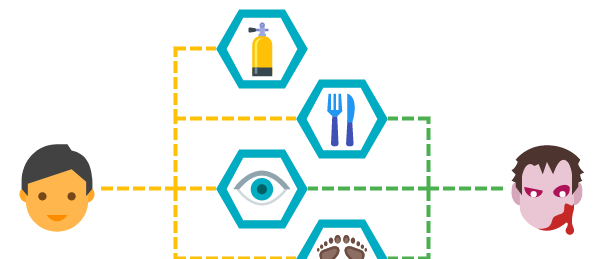
Why do zombies breathe?If we want to categorize zombies into one of the following groups: humans, animals, plants or materials, the closest we’d get would be humans. This group includes the basic abilities for humans, such as the most important one: breathing. Categorizing zombies as humans means zombies will own the same basic abilities as humans. Now I don’t know if I am crazy, but why would a zombie need oxygen? As is known, zombies can stay under water for an unlimited amount of time, given that they do not dissolve, and when its head is separated from its body, including lungs, the head will stay alive as long as the brain isn’t damaged. This means the basic breathing ability is useless. Besides the useless ability, zombies can infect other living beings. If we add this ability, it would mean that humans can infect others. To make a difference between humans and zombies, a new group should be created for zombies, which will be similar to the humans group. By creat
We use the Thinkwise Platform to build massive administrative systems that support companies in their core processes. Not all of these companies have the required expertise when it comes to the management and maintenance of hosting a database and web server. This makes sense, every man to his trade. Yet many companies deploy their software on-premise.In this blog, we explore various facets of a different approaches on deploying applications on Azure. Managing applications on Azure is relatively easy, as there is no need to worry about the underlying infrastructure or services.Both database and web servers are easily scalable and exposing the application world-wide is relatively easy. Depending on the scenario, deploying the application on Azure is cheaper than on-premise.To be clear, we are not talking about Azure Virtual Machines in this blog. Azure VM is an IaaS solution, not much different from hosting at a datacenter. While it does remove the need to worry about the infrastructure
Google Play and the Apple App Store require a number of screenshots for an app before it is admitted to the store. For iOS, these screenshots must exactly match the specified dimensions. But creating a 2732 x 2048 screenshot on a 1920 x 1080 monitor can be quite a challenge. This posts describes an easy way to create those screenshots using the Chrome DevTools. Step 1 Open the Thinkwise Viewer in debug mode using the included debug.bat file. This will show the Chrome DevTools inside the viewer. Step 2 Click the device toolbar icon at the top to show the Device Toolbar: Step 3 Select the appropriate device from the device toolbar. Optionally change the orientation using the rotate icon. Don’t worry if the image is zoomed or if it’s too large for your display. If the device is not available you can add an emulated or custom device using the Edit option. Step 4 Create a screenshot using the option Capture full size screenshot and select the location where to save the file. Step 5 File
Dear Thinkwise Relation, First, I wish you and your loved ones good health in this very unusual and difficult time. In order to protect our employees and relations against contamination with the Coronavirus, Thinkwise has taken several measures that are in line with the recommendations made by the government. This means that: Work in our office buildings is being limited; Employees are working from home as much as possible using online tools and telephone; Our projects will continue as usual; Support is still readily available. Thank you very much for your understanding and cooperation. Moller Toma (community manager)
Have you ever had a system slow down and everybody waiting for you to fix it? Or wondered what happened in the database an hour ago? Or been curious what impact a change in your query had to the speed of execution? Or been confused about how to best monitor database performance? Let's talk about a way to answer the above questions using the Query Store that is being provided in SQL Server since SQL Server 2016. This is not going to be an in-depth view of all the features of the query store but merely to make you aware it exists, the way I use it and some of the key benefits. If you are looking for a detailed analysis of the complete feature set, please refer to the Microsoft documentation. First thing we need to do is enable the query store, fortunately, this is very easy. Navigate to database properties Select ‘query store’ on the left hand panel Set the operation mode of the query store to 'Read Write' Click OK Hit refresh on your database in the Object Explorer Verify there is an ex
Thinkwise Platform 2019.2 will ship with a new feature to aid independent software vendors in releasing applications using a module-based licensing model. A module is a bundle of functionality that can be released separately from other modules. They can be large such as HR, Purchasing or Production. Alternatively, they can be smaller modules with only a few tasks such as Promotions. Modules can also be add-ons to existing modules such as Purchasing analytics. There are no constraints imposed by the Software Factory when it comes to the size of a module or dependencies between modules. What defines a module? One of the major decisions we had to make was on how to limit the application based on a set of selected modules. We could limit the database objects to those relevant to the selected modules. But this strategy has some caveats: Developers would have to tag the module(s) for every single database object. Dependencies in the logic layer to objects of modules will cause confli
About a year ago we added SVG support to the Windows and Web GUIs. SVG images have the advantage that they can be scaled better than bitmap images and that it is easier to adjust, for example, the color of (parts of) an image. This is used extensively by the Universal GUI to match the color of icons to the chosen light or dark theme.Colored iconsWith the latest 2019.2 release of the Windows and Web GUIs, this feature has also been added to these GUIs.The Windows and Web GUI will now adjust the color of SVG icons to the theme color of the corresponding label, making it no longer necessary to add the same icon in different colors to the model. This was often done for tile menus or detail tiles, which usually use a dark tile color with light icons.SVG icons use the same color as their labelAdjusting the color is done automatically for elements in SVG images that have a fill style but no color set, or where the color is set to black (#000000).(And yes, we can do that, because it's never a
In my previous blog I showed you how you can create a neural network to predict the hardenability of steel. This was done with the help of R and Keras. I also showed you how R functionality can be integrated in SQL templates. This time I will cover the subject of forecasting and how this can be done using R. Since integrating R code in SQL templates always follows the same procedure, I will not be covering that subject again in this blog. The main goal here is to show you some of the possibilities R has to offer regarding forecasting. I will show you how to prepare a dataset, fit different types of models to your data, using those models to forecast, visualize your results, and calculate evaluation metrics. ForecastingForecasting is a method of predicting the future based on past data. For example, company X has kept track of all sales orders of product Y for the last 2 years and wants to predict next month's demand for Y. A simple method that company X can use is to sum up demand p
As some of you may have already noticed by looking at the Thinkwise products in TCP, we have recently decided to split Indicium up into two separate products. In this blog post I will give a short explanation of our reasoning and what this change means for you. Why did we split Indicium up into two products? The new Indicium product in TCP is called Indicium Universal. The name already implies that this version of Indicium is meant for our new Universal GUI, which is currently in development. The reason that the Universal GUI requires a different version of Indicium than our existing GUIs has to do with the new three-tier architecture that we envision and our goals regarding security and scalability. We do not want to compromise on our goals and ambitions for the next generation of the Thinkwise suite for the sake of keeping Indicium compatible with both the Universal GUI and our existing GUIs. At the same time, we also do not want to waste valuable development time on conceivin
You've got to catch them all! 🚀 Badges that can be earned in the subforum Ideas. Badges that can be earned in the subforum Installation. Badges that can be earned in the subforum Development.
When developing software, a certain level of quality is expected in order for the final product to be accepted. Unit testing is an important part of the process to ensure that the software lives up to that standard of quality. Unit testing focuses on taking the smallest testable parts of software and matching the actual results of that unit against the expected results for a given input. With the 2019.1 release of the Software Factory we have taken steps to automate this process. Unit testing has always been possible, but up until now involved a manual process. Developers had to manually define the test, execute it and compare results. With unit testing in the Software Factory we’ve aimed to make this process efficient, reusable, and easy to implement in new and existing projects. Logic conceptsAs mentioned in the intro, a unit is the smallest testable part of the software. The logic concepts in the Software Factory are an ideal candidate for this. They consist of small pieces
In last week's blog post we described how we moved the roles from IAM to the Software Factory. Eventually the model, including its roles and rights, must end up in IAM. This blog post addresses that, parallel to moving the roles, synchronization to IAM has now also been moved to the Software Factory. Just like database creation, synchronizing is part of the deployment process, which also belongs in the Software Factory. For this purpose, two new screens have been added under the Deployment menu group. Synchronization to IAM Just like in IAM, there are two options when synchronizing: directly to IAM, or by writing a file to disk. When executing these tasks, first a number of checks take place. For example, a check if the project version is validated completely. This way we can determine how many unsolved information messages, warnings and errors are present. These numbers will be displayed in the confirmation message before synchronizing. After the checks have taken pla
Hello everyone! Lately I get asked a lot which project I am currently working on at our Product Innovation department. I tell them I am working on moving the roles out of our Intelligent Application Manager (IAM) into the Software Factory. Most of the times they nod slowly and say “Right!”. Let me begin by clarifying that by saying roles, I actually mean the configuration of roles and their corresponding model rights. However, you can imagine that some extra explanation is still required. Roles are already an important working part of IAM. Why would we want to move them to the Software Factory? It is mainly because of the importance of these roles that we have decided to move them. We consider them as an important part of the model, which is the domain of the developer. Since the model belongs in the Software Factory, why not also the corresponding role rights? In our opinion moving the roles to the Software Factory is the next logical step to take the concept of Role Based Access Cont
With the arrival of SQL Server 2016 Microsoft added the R Services add-on, which enables the execution of R scripts directly from T-SQL. Starting with SQL Server 2017, R Services was renamed to machine learning services to reflect the fact that Python is now supported as well. Both languages are highly popular in data science and machine learning. Python is an easy to learn general purpose language, while R was developed mainly for statisticians. Although there is a large amount of overlap between the languages, people with a background in statistics seem to prefer R over Python. On the other hand people new to programming or without a sufficient background in statistics prefer Python because of it's easy to learn syntax. Personally I think it is more a matter of choosing the right tool for the job. I would use Python for creating complex deep learning models and use R to analyze the results afterwards. In this blog I will show you that it is actually possible to do both using R
With the upcoming 2017.1 release of the Thinkwise Suite, we have greatly increased the capabilities of process flows, including the addition of many frequently requested features. Stateful process flows and runtime configurable process actionsThe most frequently requested features for process flows relied on two distinct capabilities which, until now, had been absent from process flows. The first capability is to persist information produced by a process action throughout the entire process flow (stateful process flows). The second capability is to configure process actions at runtime to perform their corresponding action with a certain context (runtime configurable process actions). To illustrate the above, the Go to row process action, which is arguably the most requested feature, typically relies on both capabilities. A conceivable use case would be to have a process action that performs a task which inserts a record in the database, followed by a Go to row process action that
When we were young we all wanted to be a superhero, now it's our chance to become one! We believe that every member of the Thinkwise Community has the potential to become a superhero who saves the day. If you're a new member of the community, you're still a rookie, but that's no problem, right? It's your time to show the world your skills, and when you do, you choose the path of greatness and start your journey from apprentice to superhero. Superheroes are not afraid to ask questions or enter into discussions and to become a sidekick of a superhero, you also need to develop this skill. Your proactive attitude is appreciated within the community, make sure you give this appreciation to others as well, but remember a vanguard is a group of people leading the way in new developments or ideas, so make sure you do that, because that's your opportunity to become a warrior. A warrior never shy away from a challenge and beats every challenge our community faces. The more challenges the
This product roadmap provides an overview of the planned developments for the Thinkwise Platform in 2019. It highlights the main themes we are committed to and describes several projects related to these themes.The input from the Thinkwise community has been essential for the creation of this roadmap. Submitting your ideas and voting on ideas in the new Thinkwise Community will play an important role here, to gather and determine the value of new ideas. In addition, we closely monitor developments in the market, provide technology updates, conduct research into new technologies and innovations, and validate the roadmap with customers, Forrester and Gartner.This roadmap is not a comprehensive list of all new features but is intended to provide some visibility into our key investments. The mentioned feature sets and timeframes are current at the time of writing and subject to change. ThemesIn the past year, we have taken a slightly different direction at Thinkwise. Besides doing transfor
For as long as I can remember people have been expressing their wish for this new feature. If they could somehow quickly gauge whether or not they should open a tab page somewhere in their application to see if there’s data in there… wouldn’t that be great? With the increasing adoption of smartphones and mobile apps for businesses this need is becoming more manifest. This is why I’m excited to announce that such a feature is now an integral part of the Software Factory, as of version Pyxis – G9.8. Welcome to Badges! There’s this paradoxical thing about badges to me. They seem like such a small addition, but after I learned to identify them, they suddenly popped up everywhere, like little pixies: New private messages and pull requests on Slack There are two unread emails There’s an update for an installed app on an iPhone Visual Studio 2015 has three Extension and Product Updates If you’re wondering what tab page in your browser loaded an ad which just shattered your eardrum
For a long time we have offered features outside of our standard range as extenders; small files containing custom code that configure a range of properties which allow the use of an otherwise unavailable feature, such as the maps component or the resource scheduler. This was a great way to integrate new (and sometimes experimental) components, but it also introduced a lot of overhead and decreased maintainability of the GUI. Every little change to the extender meant changing the code, compiling it into a dll, and deploying it. Furthermore, changes to our codebase that impacted a certain extender meant going through the extenders for every customer and checking for errors. To address these issues we decided to create a way to model the extenders in the Software Factory. While it's still not a full integration of these features into the Software Factory it creates an easily accessible and maintainable way to implement the current set of extenders into your products. It also provides
With the upcoming release of 2019.1, we are discontinuing support for generating Java and C# service tiers. The Windows GUI will no longer be able to use these service tiers as a back-end. This blog describes the reasoning behind this and the (better) alternatives that are available. It is important to note that the generated SOAP service tiers have done a great job in advancing the Thinkwise Platform. At the time when these service tiers were released, they were state-of-the-art and solved some important challenges. Many applications have used these service tiers in production environments. But like any technology, it must eventually yield to a successor. The true power of the Thinkwise Platform lies in the fact that a technology switch like this can actually be made. Why get rid of them?The main reason to use the generated Java and C# service tiers was to support Mobile. Mobile GUI’s cannot directly connect to the database and needed the service tiers as proxy. Version 2017.
Already have an account? Login
Enter your E-mail address. We'll send you an e-mail with instructions to reset your password.