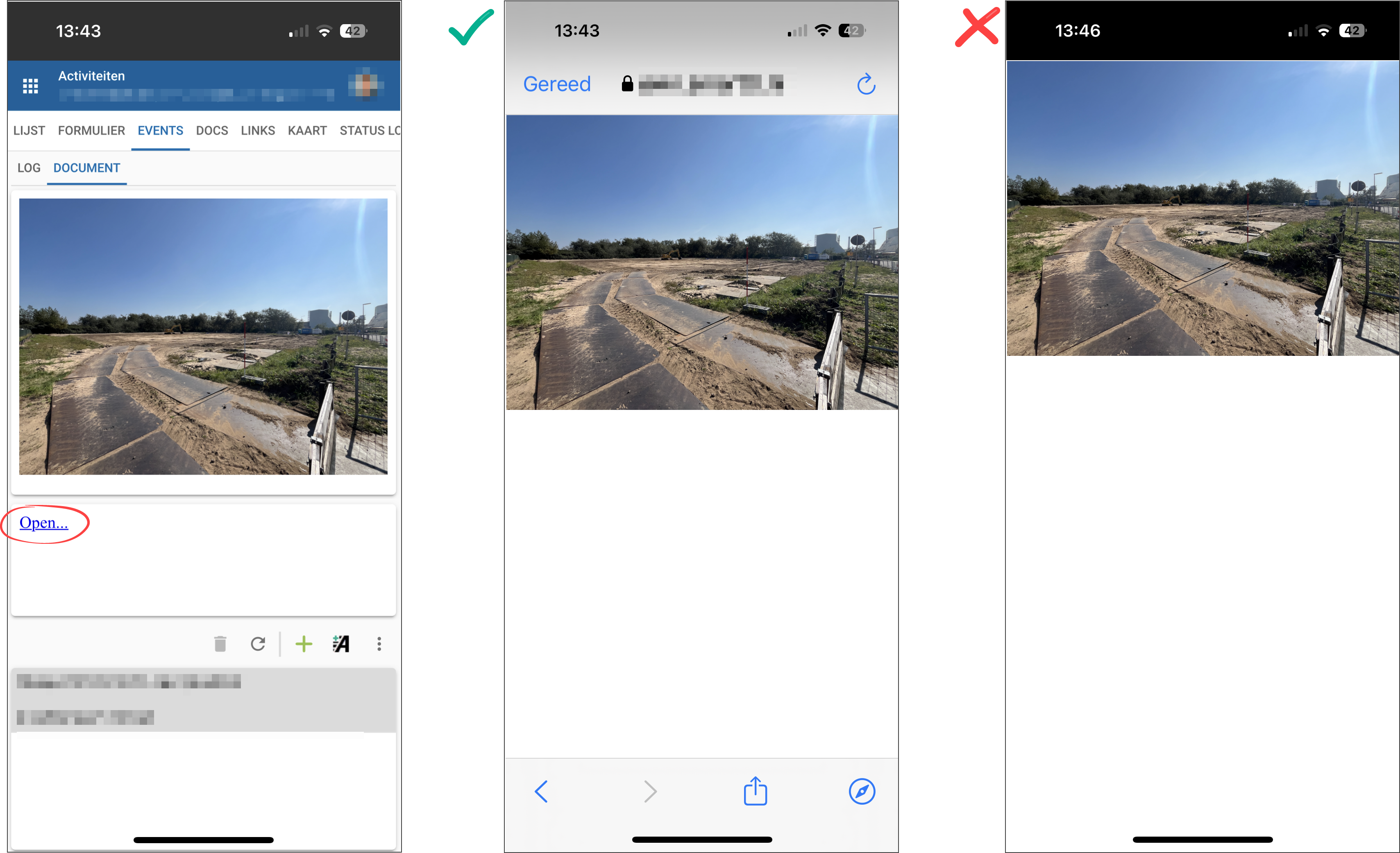
On mobile devices, hyperlinks are displayed in 2 ways. I just can't figure out why and I cannot reproduce this either. The URLs are exactly the same and are shown within a preview component.
The example in the middle shows the desired behavior, where we can open the image with a hyperlink and the user can zoom the image or share it via WhatApp etc. Afterwards, this popup can be closed again with the 'Done' button.
The example on the right does not work properly, because the image cannot be closed, the only option is to restart the application.
What should be the right way to achieve this in a proper way?
The left one was a release of 2 weeks ago. Everything seems to be the same in the model. It must be something small, but I have been searching for 2 days now and cannot find a reason.
There is now difference between both application instances, when running them with Chrome on a Windows PC.
I found the cause of the problem. It is due to a different webserver setup.
Conclusion: https://prod.smarttt.nl/universal/… gives the desired behavior, https://test.smarttt.nl/... not
Up until 2 weeks ago, we configured the environments as in the production environment. We prefer this setup for maintenance reasons.
The reason for the adjustment is, because I was told that deep links would not function well in that way.
Fortunately, we now have a cause, but I would like to get advice, about the most optimal setup. Or is this something that needs to be improved within the Universal GUI?
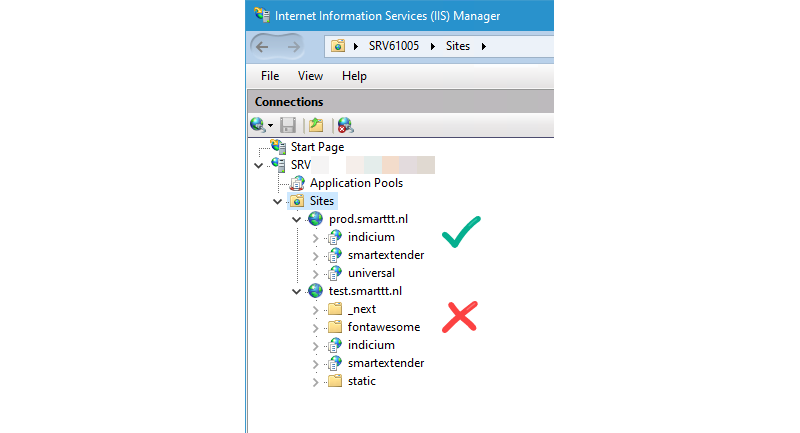
As you can see in the image, in the production environment both Universal en Indicium are a sub application of the main app prod.smarttt.nl. This is the setup which I prefer and that gives also the right behavior.
In the test environment Indicium is a sub application of Universal.