


Answer

How do you set the timescale for the work status of an iteration?

  • July 12, 2023
  • 1 reply
  • 33 views

Theo Neeskens
Vanguard
Forum|alt.badge.img+2

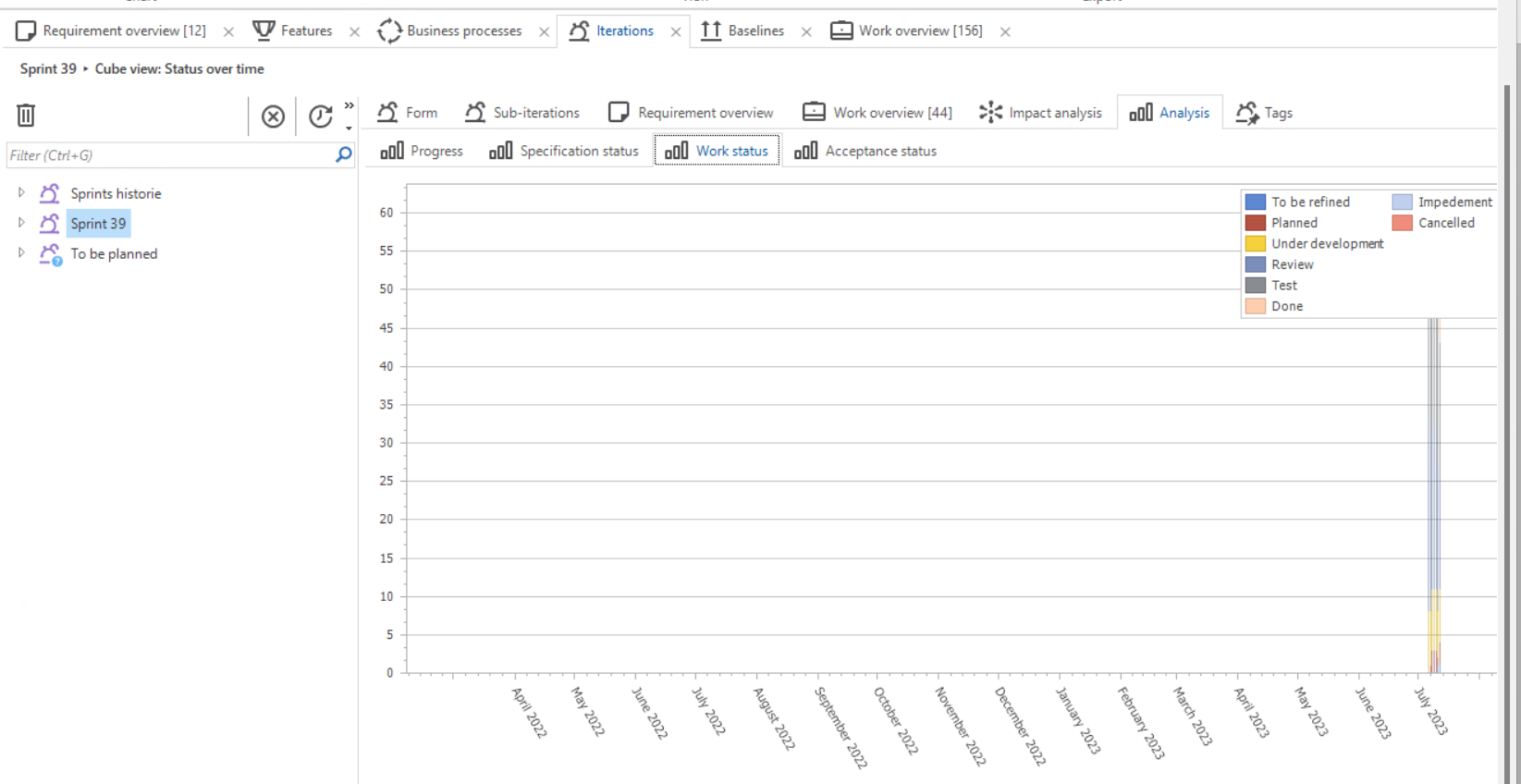
When I look at the Work status of my current sprint I see a couple of very thin bars at the very right of the graphic.
It uses a timescale that start somewhere in the distant past.
How do I make it use the start date and end date of my Iteration for the timescale?
(SF version 2023.1)



Best answer by Renée Evertzen

Hey Theo,

Currently you can't. The graph's starting point is the earliest point in time for which it can find one of the following objects:

  • A business process
  • A requirement
  • A feature
  • A work item

If you want, you can create an idea to have this changed in the Ideas section of the Community. I do want to mention, however, that the Specification module of the Software Factory is currently not very high up on the priority list when it comes to Software Factory features and development.

This topic has been closed for replies.

1 reply

Renée Evertzen
Moderator
Forum|alt.badge.img+4

Hey Theo,

Currently you can't. The graph's starting point is the earliest point in time for which it can find one of the following objects:

  • A business process
  • A requirement
  • A feature
  • A work item

If you want, you can create an idea to have this changed in the Ideas section of the Community. I do want to mention, however, that the Specification module of the Software Factory is currently not very high up on the priority list when it comes to Software Factory features and development.