Answer

Azure file storage image in Devexpress

  • January 13, 2023
  • 4 replies
  • 126 views

rbiram
Hero
Forum|alt.badge.img+4

Hi, 

We would like to embed an image in DevExpress from our Azure File Storage. DevExpress doesn't seem to like it though. It handles Blob files without a care in the world.

Anybody that knows of a possible solution?

Thanks!

Best answer by Mark Jongeling

Hi Rony,

Maybe it's possible to add a Picture box to your Report and submit the URL to obtain the file inside the Image URL property. The authentication can be done using a SAS-token I believe, allowing you to access the file without having to log in. Link: https://learn.microsoft.com/en-us/azure/storage/common/storage-sas-overview
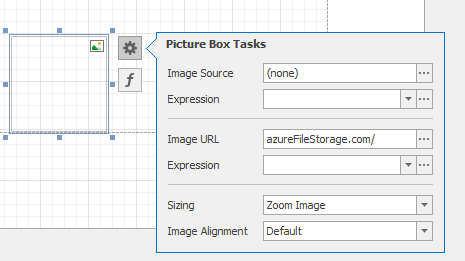
Picture box in Report designer

Again, I do not have the means to test this out but it's worth a shot I think.

Hope this helps!

This topic has been closed for replies.

4 replies

Mark Jongeling
Administrator
Forum|alt.badge.img+23
  • Administrator
  • Answer
  • January 13, 2023

Hi Rony,

Maybe it's possible to add a Picture box to your Report and submit the URL to obtain the file inside the Image URL property. The authentication can be done using a SAS-token I believe, allowing you to access the file without having to log in. Link: https://learn.microsoft.com/en-us/azure/storage/common/storage-sas-overview

Picture box in Report designer

Again, I do not have the means to test this out but it's worth a shot I think.

Hope this helps!


rbiram
Hero
Forum|alt.badge.img+4
  • Author
  • Hero
  • January 13, 2023

Will try this out asap and report back with my findings!


rbiram
Hero
Forum|alt.badge.img+4
  • Author
  • Hero
  • January 16, 2023

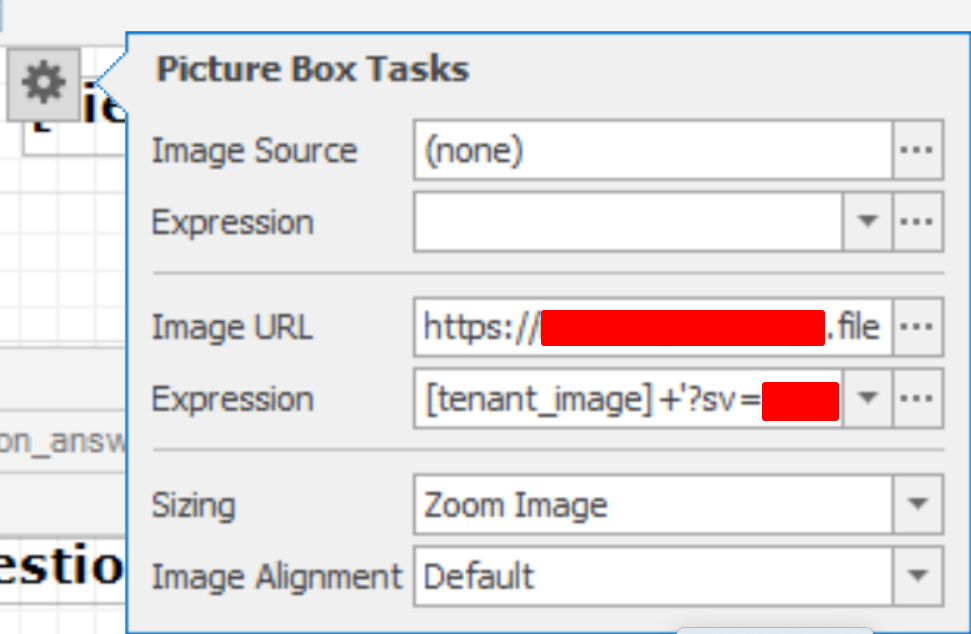
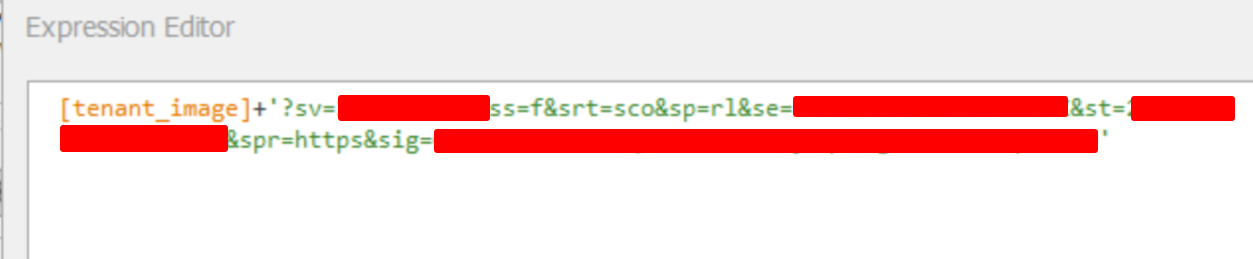
I got it working with above method.

Image URL: The url to the filestorage (https://storage.file.core.windows.net/images/ for example)


Expression: The parameter containing the url to the image + the generated SAS token for that specific storage/container/fileshare 


Mark Jongeling
Administrator
Forum|alt.badge.img+23

Thanks for sharing the solution Rony! Glad it works