



Answer

Unable to execute the AutoML get training options connector. The AutoML service URL is missing.

  • December 29, 2020
  • 1 reply
  • 67 views

Forum|alt.badge.img+15

I've noticed the following ‘error’ in the Indicium logs (2021.1.10, but also older versions);

2020-12-29T09:11:01.7549972+01:00  [ERR] Unable to execute the AutoML get training options connector. The AutoML service URL is missing.

We don't use AutoML and can't remember we've configured or touched something in the SF. Why is it filling the log files with such lines? What can we do to solve this error? I want the log files to be clean.

Best answer by Mark Jongeling

Hi René.

This error occurs when the System Flow 'system_flow_automl_training’ runs that makes the AutoML possible. In the IAM where the Software Factory project is in, you can disable the schedule of this System Flow. That in turn will make sure the error will not occur again.

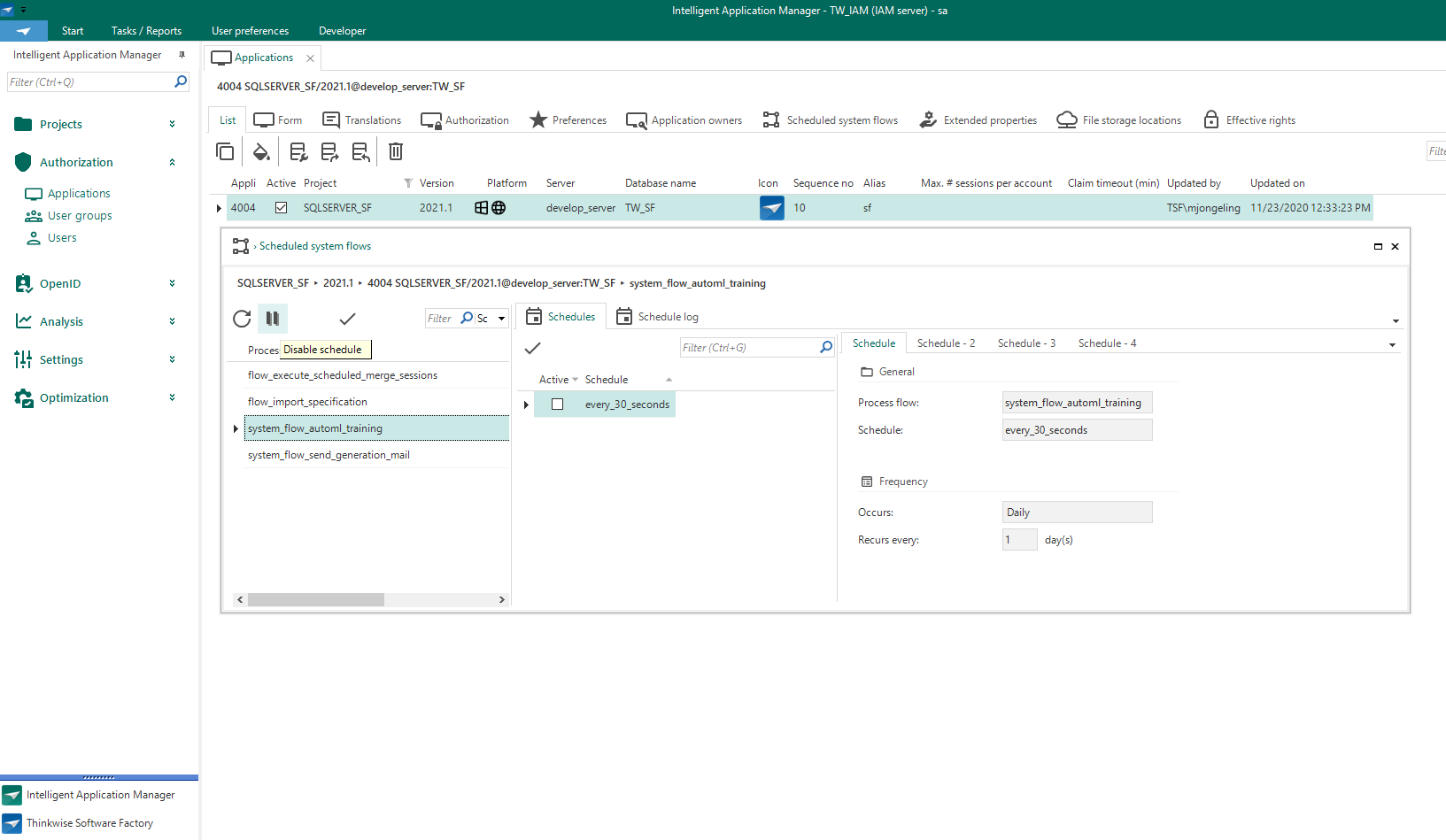
Disable the System Flow schedule here: (Applications → SQLSERVER_SF → Scheduled System Flows)


Kind regards,
Mark Jongeling

This topic has been closed for replies.

1 reply

Mark Jongeling
Administrator
Forum|alt.badge.img+23
  • Administrator
  • Answer
  • December 29, 2020

Hi René.

This error occurs when the System Flow 'system_flow_automl_training’ runs that makes the AutoML possible. In the IAM where the Software Factory project is in, you can disable the schedule of this System Flow. That in turn will make sure the error will not occur again.

Disable the System Flow schedule here: (Applications → SQLSERVER_SF → Scheduled System Flows)


Kind regards,
Mark Jongeling

