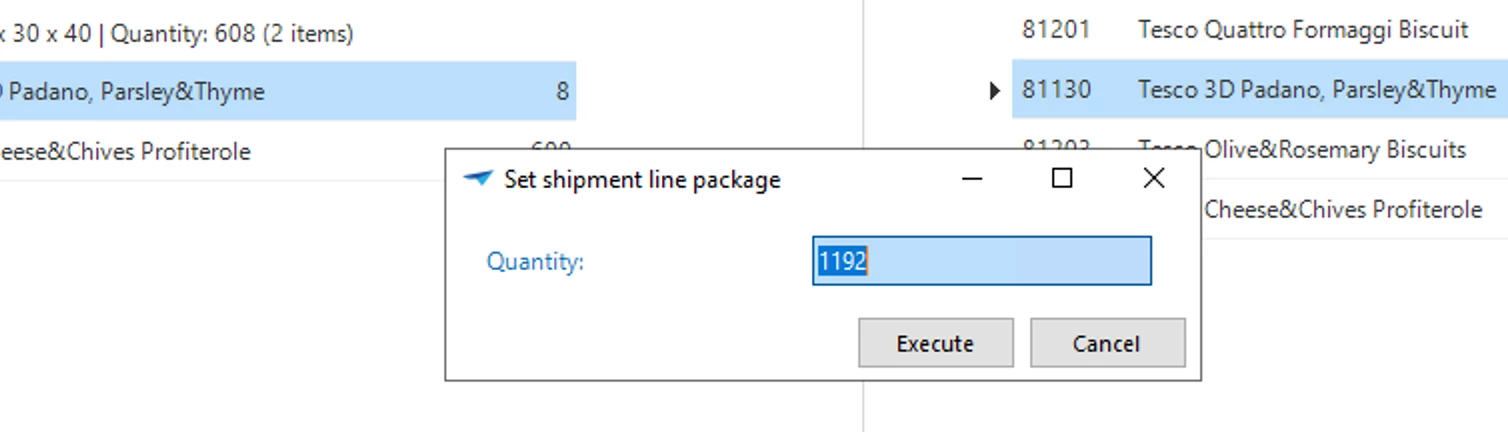
We use a task with an editable parameter “quantity”, this is passed as value in a drag-drop action into the task, and then displayed so the user is able to adjust the number. In some cases, if the available quantity is e.g. 1, we use the task layout to set the quantity_type to 3, hidden outside the form, and then the dialog is not shown at all, but the task is executed. Perfect!
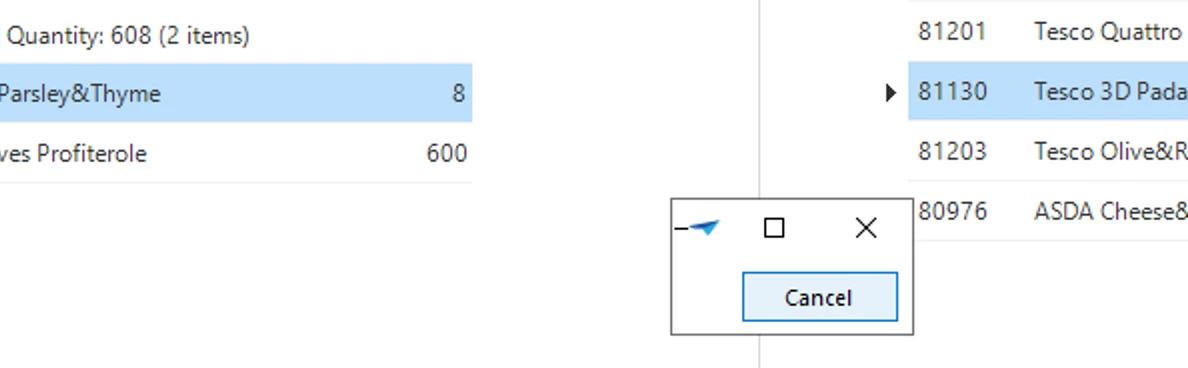
Now, if the user sets the quantity to 1 and exits the input field to hit Execute, the task layout is triggered again and also hides the fields outside the form. But then it leaves us this minimized dialog:
Is there an chance to skip the second firing of the task layout?
Best answer by Renée Evertzen
Hey @Tejo van de Bor,
I understand what you're trying to do.
What I meant to say is that in your code example you should change the if @quantity > @drag_threshold on line 9. Instead of writing it like that, change this to use the code from the view that determines the value of the @quantity parameter. That should fix your problem and make it workable :)
You can check the example I provided in one of my previous replies.
You could also consider auto committing from within the default when the user has changed the quantity parameter to 1 manually. The default could go off when leaving the quantity field, and commit the task.
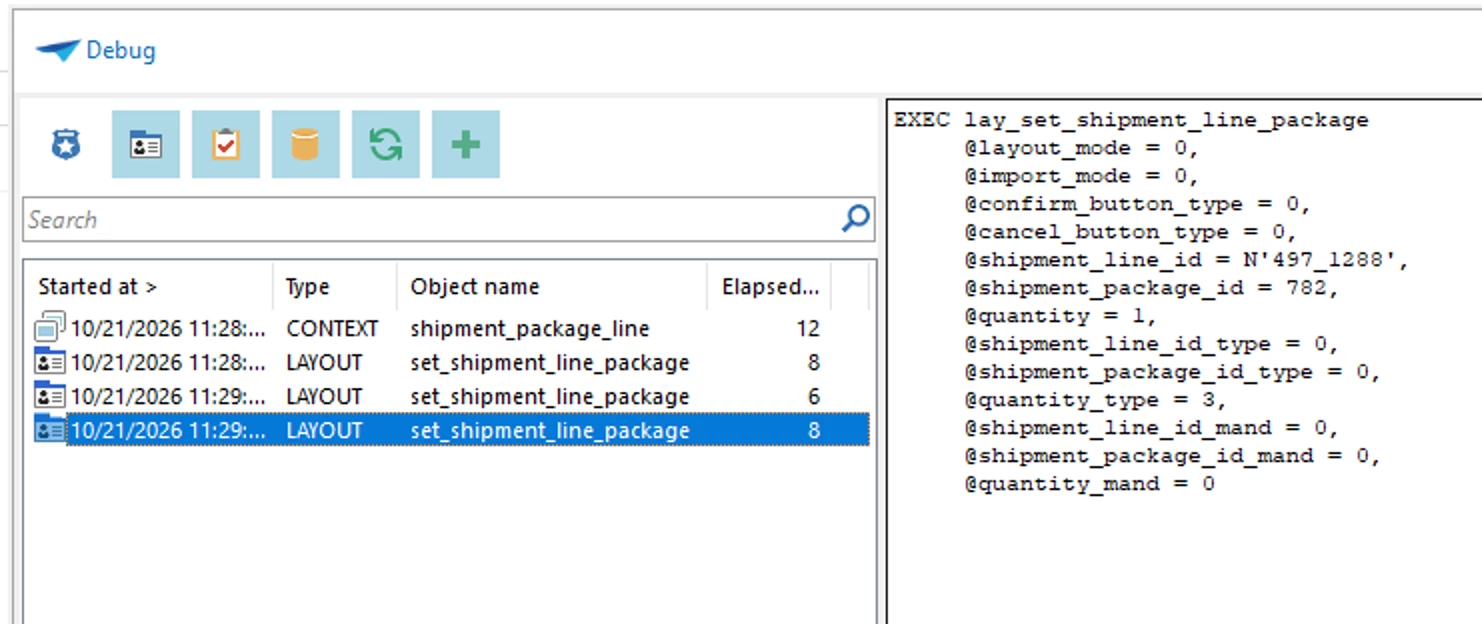
I looked into the nr 2 layout_mode, but when I debug these steps, I only see the layout_mode=0, just before the last debug-step, I tabbed out the quantity field setting it to 1 as you can see. At that point, the field disappears and the dialog is minimized.
This happens to be one of those situations where it would be useful if the layout could make use of the @cursor_from_col_id parameter that the default possesses. Since that is unfortunately not possible in our reality, there is a workaround that you could perhaps try:
I imagine that the quantity field is set to 1 by a default that pulls that value of 1 from a certain data source. Could you try changing your check in the layout query from
if @quantity = 1
to something along these lines:
if exists (select quantity
           from source_table
           where id = id
             and quantity = 1)
begin
    set @quantity_type = 3
end
hi @Renée Evertzen , the initial default quantity comes from a drag n drop parameter, from the underlying view, in this case 1192. But if the user than changes it manually to 1 and tabs out the field, the dialog is minimized.
This is the layout code, if this quantity value is above a certain threshold (also 1) and than set the @quantity_type to 3 to hide the field.
DECLARE @drag_threshold AS drag_threshold
SELECT TOP 1
    @drag_threshold=drag_threshold
FROM
    configuration
ORDER BY
    configuration_id

IF @quantity>@drag_threshold
    BEGIN
        SET @quantity_type=0 /* normal, editable */
    END
ELSE
    BEGIN
        SET @quantity_type=3 -- 0 = editable, 1 = read only, 2 = hidden inside form, 3 = hidden outside form.
    END
We need this to simplify it for the user, if there is only 1 item left, he doesn’t need the dialog confirming the 1 quantity. And it works, but not when the user enters the 1 themselves. So we need a different handling when the user is entering 1 vs the drag n drop parameter serving 1
What I meant to say is that in your code example you should change the if @quantity > @drag_threshold on line 9. Instead of writing it like that, change this to use the code from the view that determines the value of the @quantity parameter. That should fix your problem and make it workable :)
You can check the example I provided in one of my previous replies.
You could also consider auto committing from within the default when the user has changed the quantity parameter to 1 manually. The default could go off when leaving the quantity field, and commit the task.
ah, now I understand. It’s always gonna check the previous value instead of the current value, which in this case is fine! works like a charm, thanks @Renée Evertzen !