

Answer

how to debug issue with Crystal Reports report?

  • August 22, 2024
  • 8 replies
  • 230 views

Forum|alt.badge.img+6

In my TW application I use several Crystal Reports reports.
The customer sent me a new version of the report, other than the rpt file and 2 additional parameters for the stored procedure used by the report no big changes.

I've replaced the original report with the new report and added the 2 new parameters.
When I try to open the report from the application I keep getting:
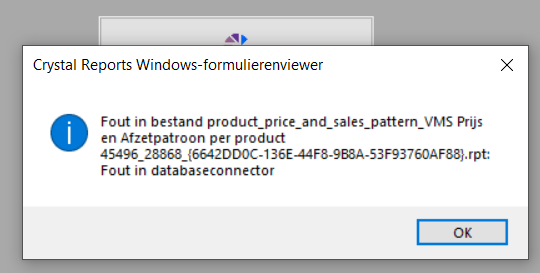
 

Other reports work correctly, just this one report is being naughty :) :(

Best answer by Jeroen van den Belt

Hi @Alban_T,

I'm not exactly sure where this issue lies, it could very well be related to Crystal Reports. I understood that there were previously some issues with certain date/datetime/datetime2 data types in combination with Crystal Reports parameters. Perhaps that it works when a ‘date_time’ data type is used?

In any case, it's been a month now, so it might also be a good idea to ask if you still need support with this. In that case, a TCP issue might be more appropriate.

This topic has been closed for replies.

8 replies

Forum|alt.badge.img+17
  • Moderator
  • August 26, 2024

Does the report work when you try to run it directly (without the software factory)?


Forum|alt.badge.img+6
  • Author
  • Hero
  • August 26, 2024

Does the report work when you try to run it directly (without the software factory)?

yes it does….


Forum|alt.badge.img+17
  • Moderator
  • August 26, 2024

Doing a quick google I came onto this topic. Could this be the problem you are experiencing? The topic suggest manually linking tables instead of using a view causes issues. 

https://community.sap.com/t5/technology-q-a/error-in-file-quot-filename-rpt-quot-database-connector-error/qaq-p/9551045


Forum|alt.badge.img+6
  • Author
  • Hero
  • September 11, 2024

I think I know what is happening.
When I run a trace on the db using an extended event I can see what query the Crystal Repost is executing:

exec "VMS"."dbo"."reporting_price_and_purchasing_headerinfo_v2";1 9, 1, N'1-1-2020', N'29-8-2024'

The problem seems to be in the formatting of the date which is dd-mm-yyyy while the SP expects a DATE which is yyyy-mm-dd

When I run the CR report manually and enter 2020-01-01 and 2024-08-28 as dates the trace shows:

EXEC "VMS"."dbo"."reporting_price_and_purchasing_headerinfo_v2";1 9, 1, N'2020-01-01', N'2024-08-29'

And the report shows the correct data.

But how can I force the date picker in my Thinkwise application to output the selected date as yyyy-mm-dd rather than the more human readable (on this side of the big Atlantic puddle) dd-mm-yyyy?


Forum|alt.badge.img+6
  • Author
  • Hero
  • September 17, 2024

@Erwin Ekkel did you see my last response?
It seems to be a data formatting issue but I can't figure out how to control it...


Renée Evertzen
Moderator
Forum|alt.badge.img+4

@Alban_T :

I'm a bit confused as to why the date is formatted as an nvarchar in the call to reporting_price_and_purchasing_headerinfo_v2. Assuming that all those values are the report parameters that you are passing along: What kind of domain did you give to the report parameter for the dates?

Just trying to rule things out here :)


Forum|alt.badge.img+6
  • Author
  • Hero
  • September 24, 2024

@Alban_T :

I'm a bit confused as to why the date is formatted as an nvarchar in the call to reporting_price_and_purchasing_headerinfo_v2. Assuming that all those values are the report parameters that you are passing along: What kind of domain did you give to the report parameter for the dates?

Just trying to rule things out here :)

Maybe that is a Crystal Reports thing?
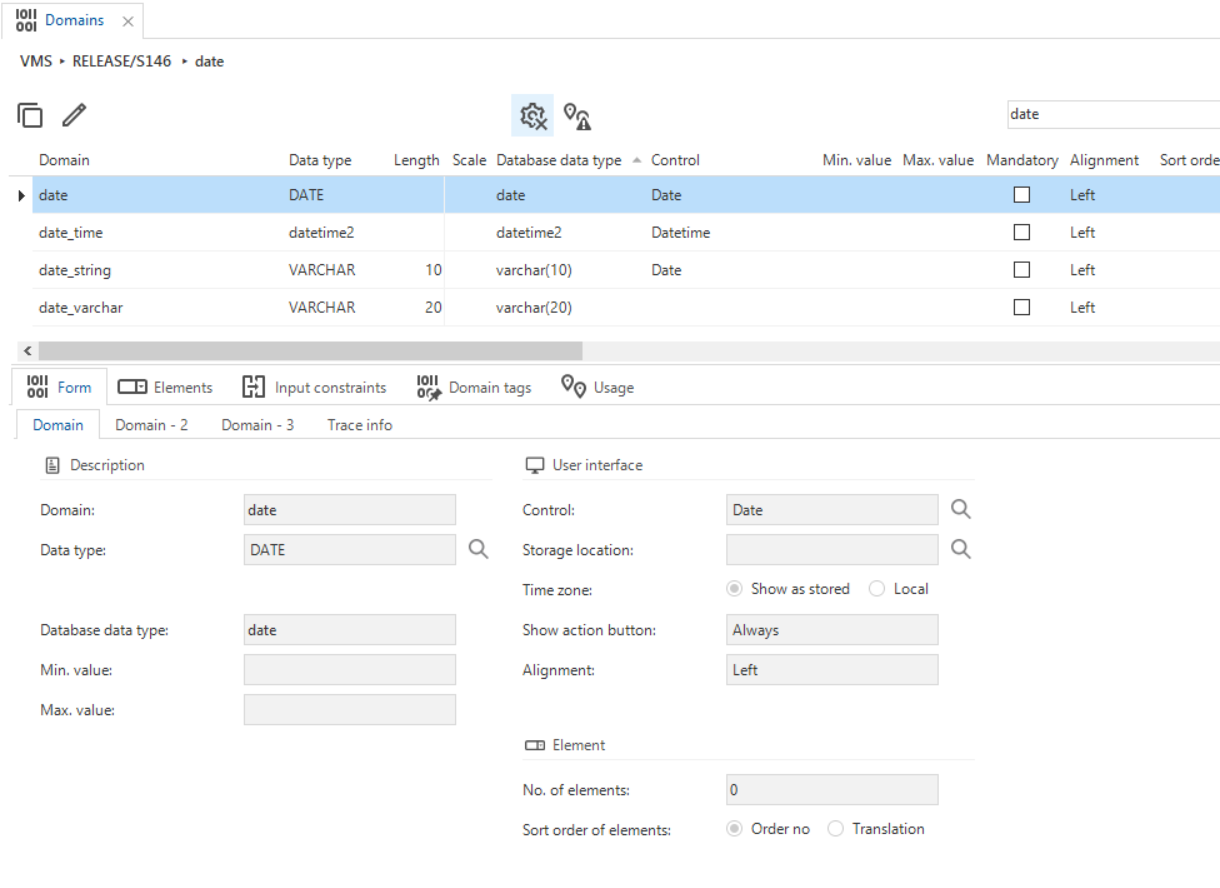
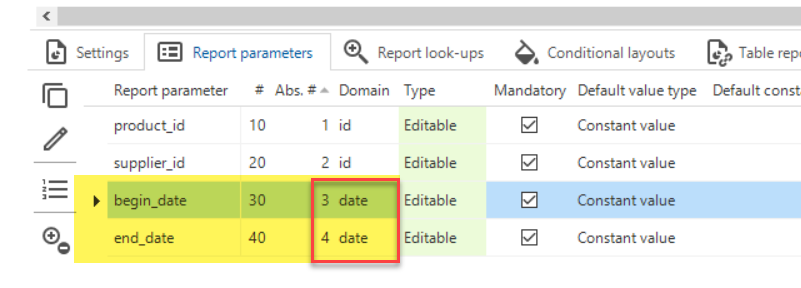
The report parameters in Thinkwise are setup with the “date” domain which is effectively a normal SQL DATE datatype:


Jeroen van den Belt
Administrator
Forum|alt.badge.img+10

Hi @Alban_T,

I'm not exactly sure where this issue lies, it could very well be related to Crystal Reports. I understood that there were previously some issues with certain date/datetime/datetime2 data types in combination with Crystal Reports parameters. Perhaps that it works when a ‘date_time’ data type is used?

In any case, it's been a month now, so it might also be a good idea to ask if you still need support with this. In that case, a TCP issue might be more appropriate.