



Solved

How can I add the new record navigation actions to a custom action bar?

  • Nov 24, 2026 11:06 AM UTC
  • 4 replies
  • 44 views

Harm Horstman
Superhero
Forum|alt.badge.img+21

I would like to use the new feature "Record navigation actions for action bars" introduced in release 2026.3.12.

I understand that the actions (First row, Previous row, Next row, Last row) need to be added to a custom action bar, but I can't find where these actions can be configured or added in the Software Factory.

Is there any additional configuration required, or could someone provide an example of how to add these actions to an existing custom action bar?

Will it be possible without upgrading the platform version?

Thanks!

Best answer by Harm Horstman

Hello ​@Remco ,

Thanks, and ticket created (16769I)

BR,

Harm

View original

4 replies

Renée Evertzen
Moderator
Forum|alt.badge.img+4

Hello ​@Harm Horstman ,

Are you sure that it's a custom action bar you're looking at, not the default action bar?

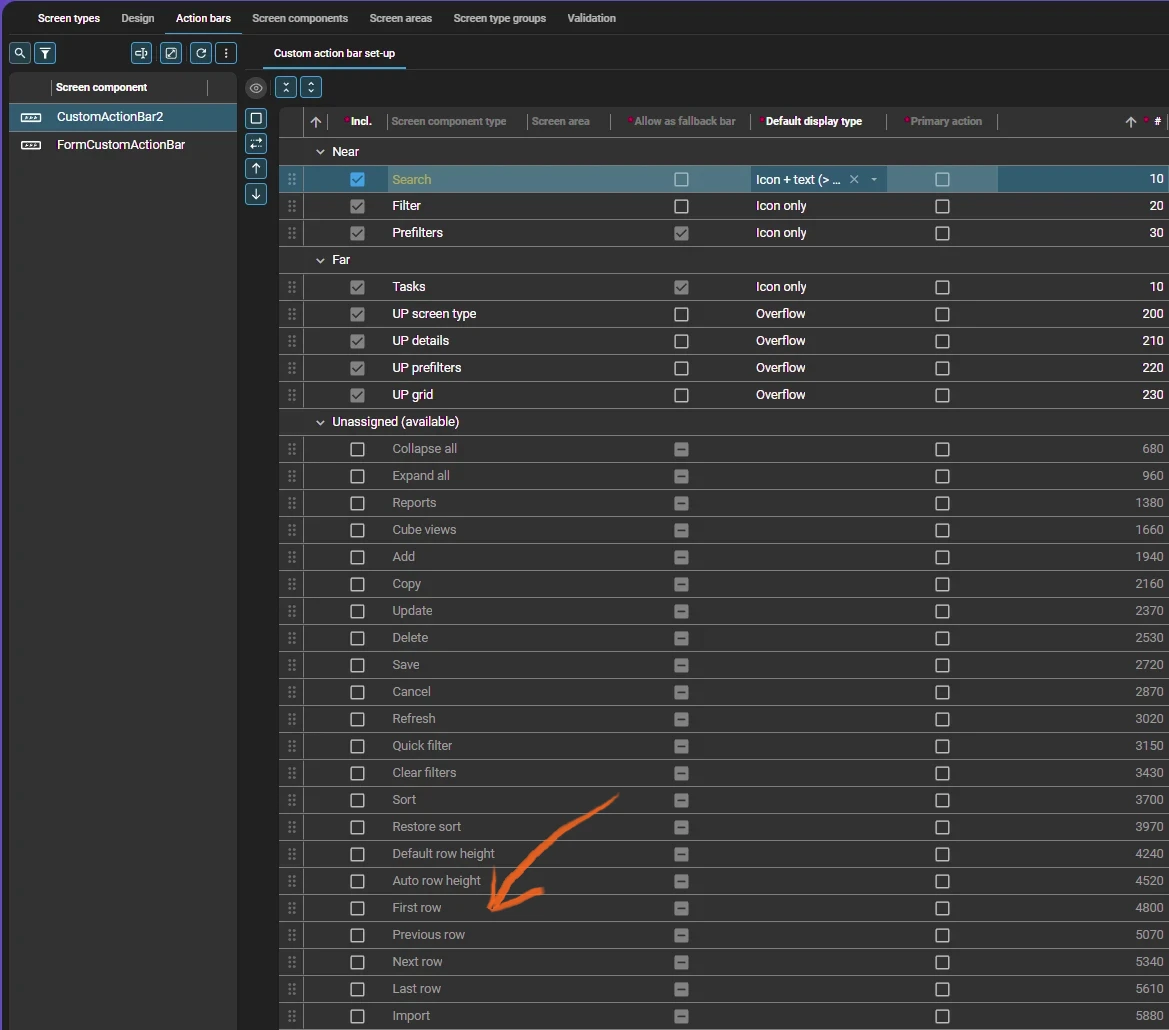
In the case of any existing custom action bar in existing screen types the optins for First row, Previous row, Next row and Last row should show up in the following location: User Interface > Screen types > Actions bars > Select your action bar of choice > Check the Unassigned (available) list of options.

For example:


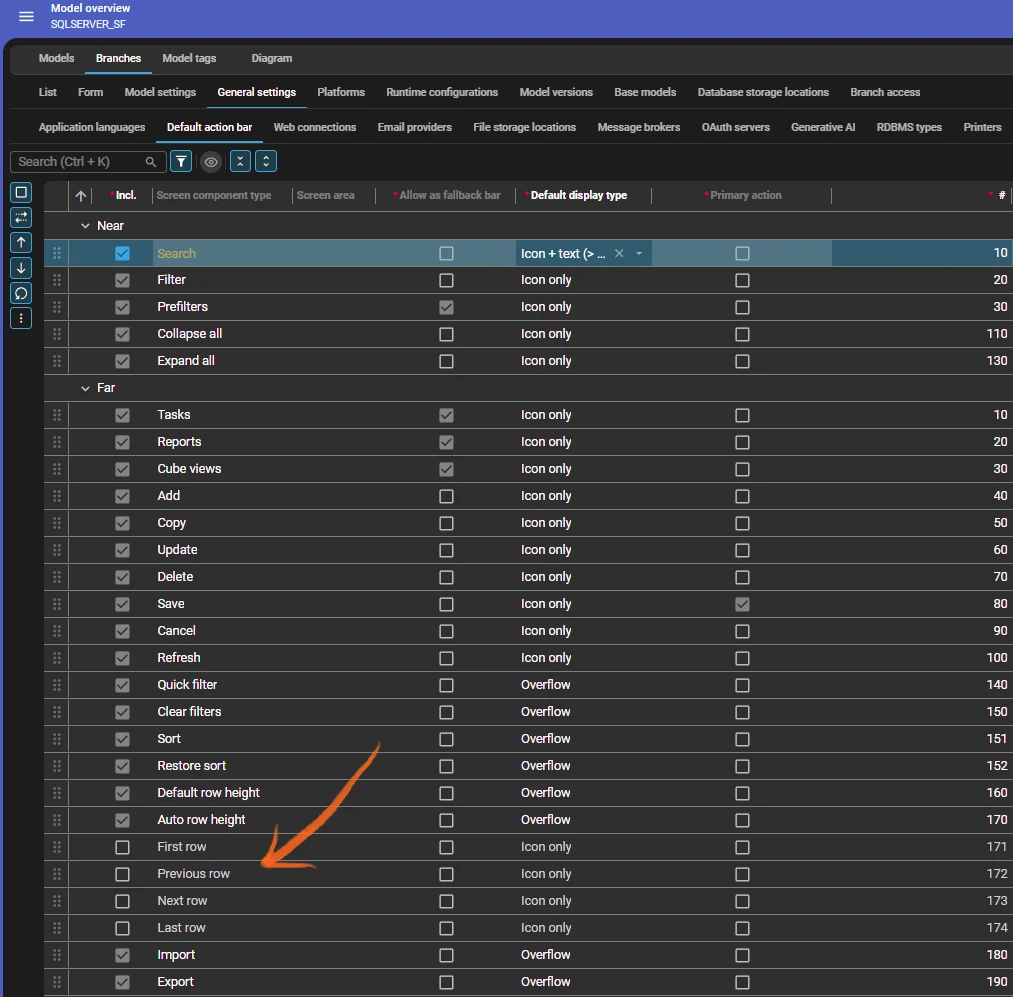
In the case of the default action bar you will have to include it in the following location: Models > Model overview > Branches > General settings > Default action bar.

For example: 


Obviously it is required to actually have upgraded to the 2026.3.12 version of the platform in order for these options to appear in your Software Factory :) 

Hope this helps!

Kind regards, 

Renée 


Harm Horstman
Superhero
Forum|alt.badge.img+21
  • Author
  • Superhero
  • Nov 25, 2026 8:26 AM UTC

Hi ​@Renée Evertzen,

It is clear, but at the moment, we are not able to upgrade the model database to 2026.3.12 because at various projects we are still in the middle of our migration from the Windows GUI to the Universal GUI.

We are currently operating in a hybrid setup, where part of our users are still working in the Windows GUI while another part has already moved to the Universal GUI. Upgrading Indicium and the Universal GUI to 2026.3.12 is not a problem.

For that reason, I would very much like to have access to the new Actions, as they would help us accelerate the migration of users to the Universal GUI.

Would it be possible to make these Actions available through a hotfix, similar to what was recently done for the Expand and Collapse actions (Hotfix: 20261022 - Add missing action bar actions.sql)?

Best regards,
Harm


Remco
Moderator
Forum|alt.badge.img+4
  • Moderator
  • Nov 25, 2026 8:53 AM UTC

Hi ​@Harm Horstman 

Could you please create a ticket for this in TCP? That way we can look into the possible options.

Kind regards,
Remco


Harm Horstman
Superhero
Forum|alt.badge.img+21
  • Author
  • Superhero
  • Answer
  • Nov 25, 2026 9:17 AM UTC

Hello ​@Remco ,

Thanks, and ticket created (16769I)

BR,

Harm