
Solved

Explode all in Universal

  • Oct 29, 2026 2:54 PM UTC
  • 9 replies
  • 48 views

Forum|alt.badge.img+14

What is the way to explode all the groups in one shot in Universal.
In the WIN GUI we have the right mouse function explode all / collapse all.
We miss this in the Universal!

Best answer by Remco Kort

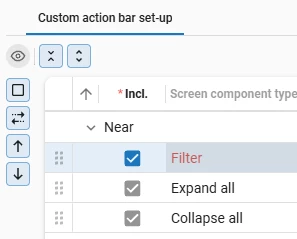
​@Edwin Saan You can enable expand all and collapse all by adding them to an (custom) action bar: 

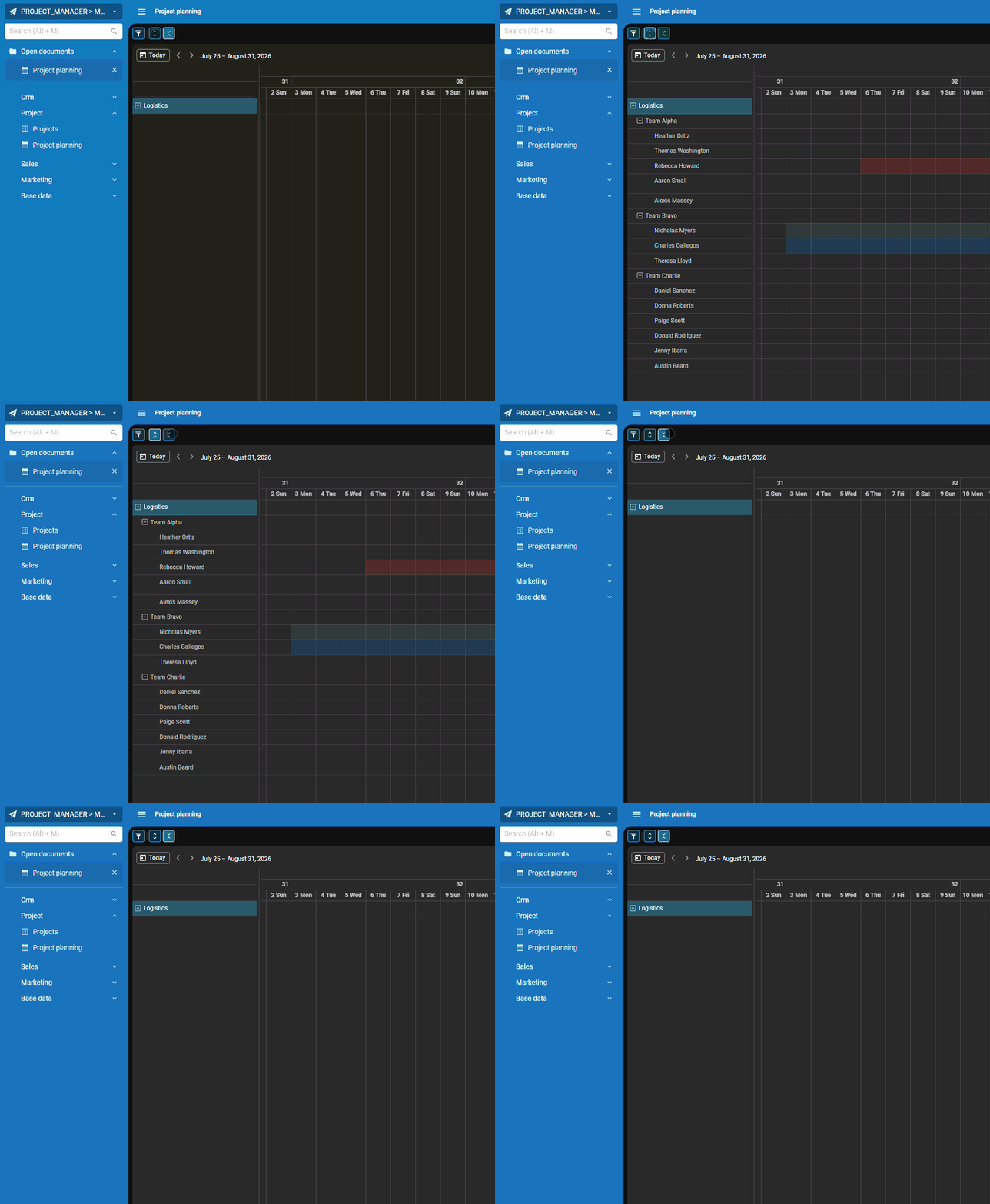
That way they can be used by for example a scheduler with a hierarchy in the resources to immediately expand or collapse the groups.
 

View original

9 replies

Remco Kort
Administrator
Forum|alt.badge.img+3
  • Administrator
  • Answer
  • Oct 29, 2026 3:02 PM UTC

​@Edwin Saan You can enable expand all and collapse all by adding them to an (custom) action bar: 

That way they can be used by for example a scheduler with a hierarchy in the resources to immediately expand or collapse the groups.



Arie V
Community Manager
Forum|alt.badge.img+13
  • Community Manager
  • Oct 29, 2026 8:38 PM UTC

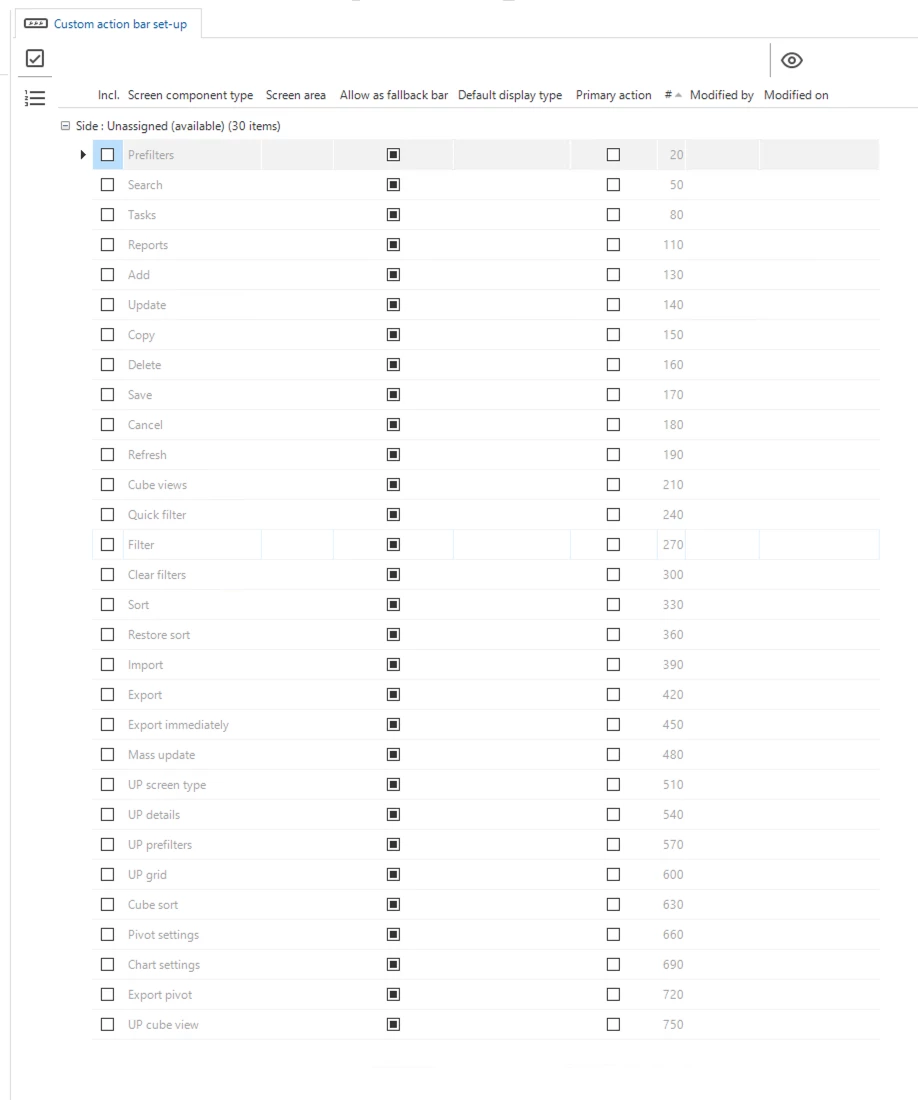
In case these actions are missing in your SF, make sure to apply the hotfix 20261022 - Add missing action bar actions.


Forum|alt.badge.img+14
  • Author
  • Sidekick
  • Oct 30, 2026 7:57 AM UTC

Great, I assume it will be released in the next Universal. So there’s no hurry for this now but good to know it is solved already.


Arie V
Community Manager
Forum|alt.badge.img+13
  • Community Manager
  • Oct 30, 2026 8:01 AM UTC

​@Edwin Saan It’s actually available in Universal for a long time already and the same buttons work for Tree, grouped Grid, grouped Scheduler and Pivots! 

It is however missing in quite some existing SF Models that predate the 2025.1 release. The hotfix will add them to your Model and you can instantly put them to good use.


Forum|alt.badge.img+14
  • Author
  • Sidekick
  • Oct 30, 2026 9:32 AM UTC

Sorry, but we’re on 2025.3.
There are no hotfixes available and I don’t see the collapse/expand options.


Mark Jongeling
Administrator
Forum|alt.badge.img+23

Hi Edwin,

In the Software Factory, there is a menu item called Hotfixes (within menu group Maintenance). After opening, it will show a list of the hotfixes applied to your Software Factory and, if everything is set up right, the list is automatically appended with new hotfixes.

In the Hotfixes list, do you see "20261022 - Add missing action bar actions” mentioned and is it applied?

If not, download a new Installation package for 2025.3 from TCP and select "Only hotfixes”. This will give you all the available hotfixes for 2025.3 for you to run on the Software Factory (and Intelligent Application Manager)


Forum|alt.badge.img+14
  • Author
  • Sidekick
  • Oct 30, 2026 9:50 AM UTC

Yes, found it. And the hotfix is not applied. 
There is no option there to apply the hottix. (As far I can see..)
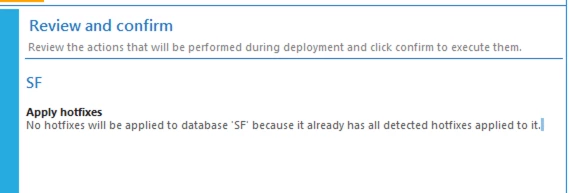
But the TW Deployer says, all hotfixes are applied….
Und jetzt?


Mark Jongeling
Administrator
Forum|alt.badge.img+23

Download a new Installation package for 2025.3 from TCP and select "Only hotfixes”. This will give you all the available hotfixes for 2025.3 for you to run on the Software Factory (and Intelligent Application Manager)

The TW Deployer only installs the files that are inside the installation package that you have. Getting a new one will have all the latest hotfixes.


Forum|alt.badge.img+14
  • Author
  • Sidekick
  • Oct 30, 2026 9:54 AM UTC

Clear. I’ll do