



Answer

Columns tend to be out of proportion on the Universal GUI

  • November 22, 2024
  • 1 reply
  • 63 views

SanderAdam
Captain
Forum|alt.badge.img+5

Hello everyone,

In our software sollution, on some screens, the columns tend to be out of proportion. Here is such an example:
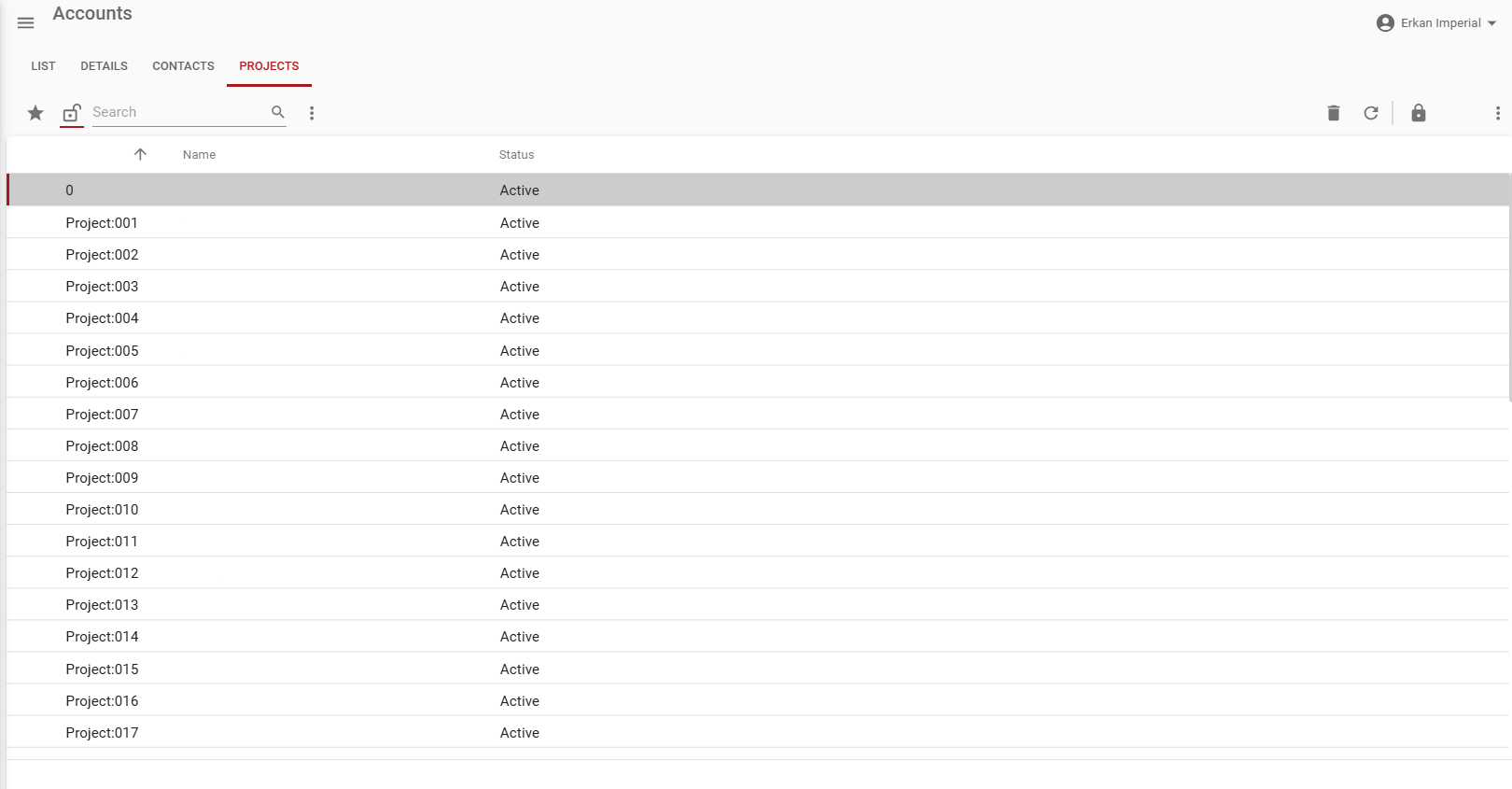
The status column is out of proportion, because it is way too big for the small word in there. It gets even more creative with the responsiveness when we hit the task with the padlock icon:
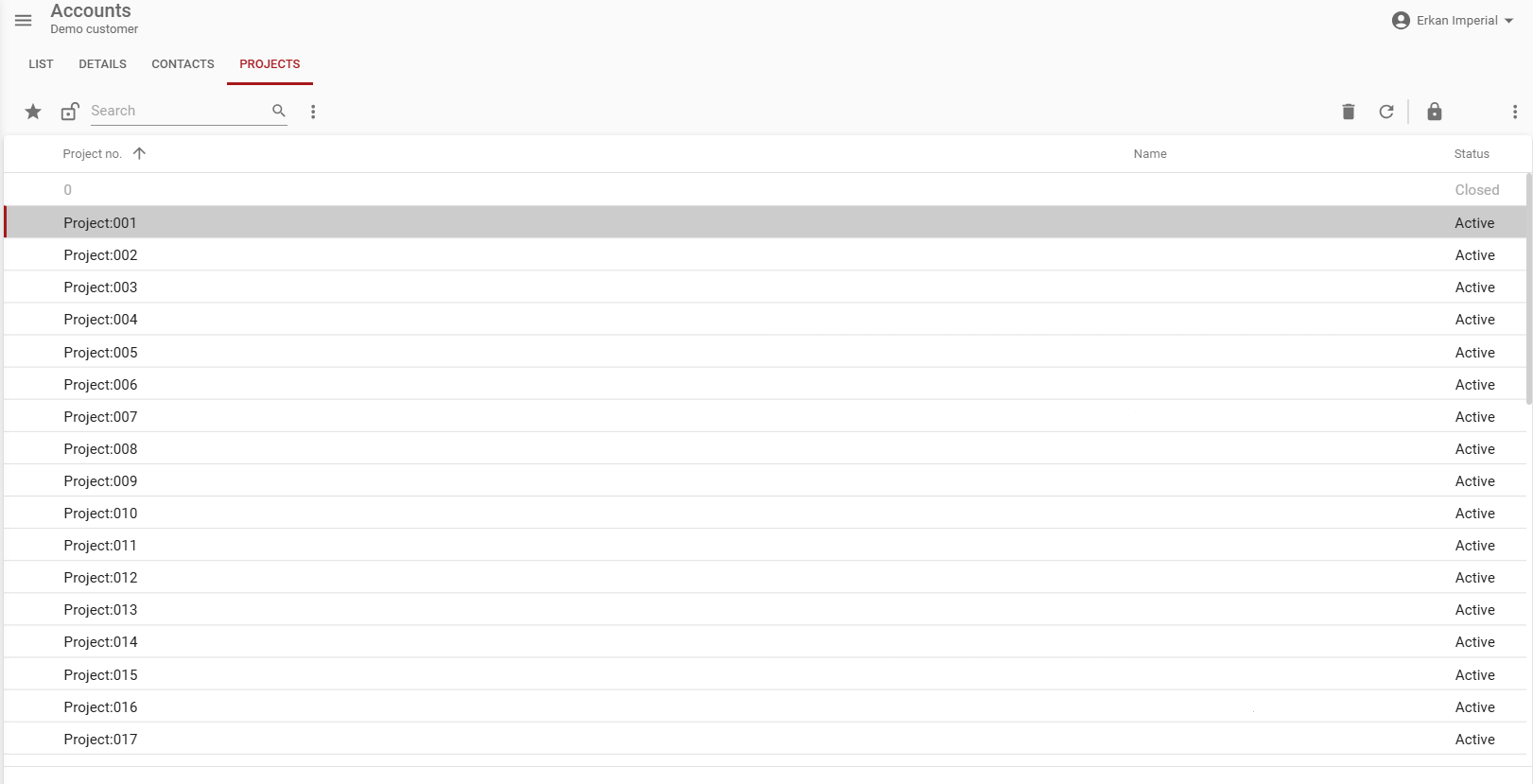
now suddenly the projects get out of proportion, we don't know what causes this. It might be one of our settings, but we simply cannot find it.

Does anyone else have this and had a solution?

Best answer by Alexandra Egri

Hello ​@SanderAdam,
Could you create a ticket for this in TCP?

Please include the following details:

  • Is auto grid column sizing turned on?
  • Are there any specific settings for column size in the grid definition?
  • Are there records anywhere with larger project names that could affect the column sizing?

Thank you!

This topic has been closed for replies.

1 reply

Alexandra Egri
Moderator
Forum|alt.badge.img
  • Moderator
  • Answer
  • November 28, 2024

Hello ​@SanderAdam,
Could you create a ticket for this in TCP?

Please include the following details:

  • Is auto grid column sizing turned on?
  • Are there any specific settings for column size in the grid definition?
  • Are there records anywhere with larger project names that could affect the column sizing?

Thank you!