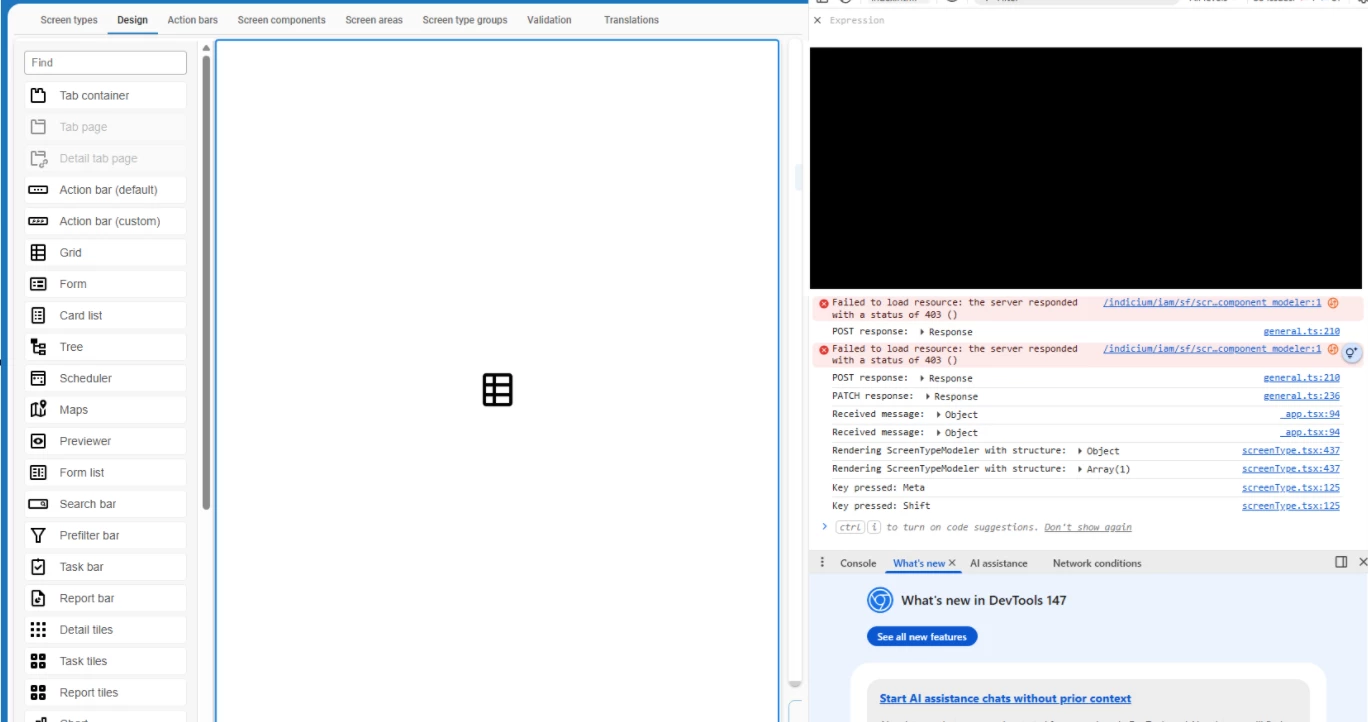
I have created a new screen type and while trying to add a couple of components I saw that they are not added.
I also have copyed one existing to a new one. I was able to delete elements but same result when it comes to adding them
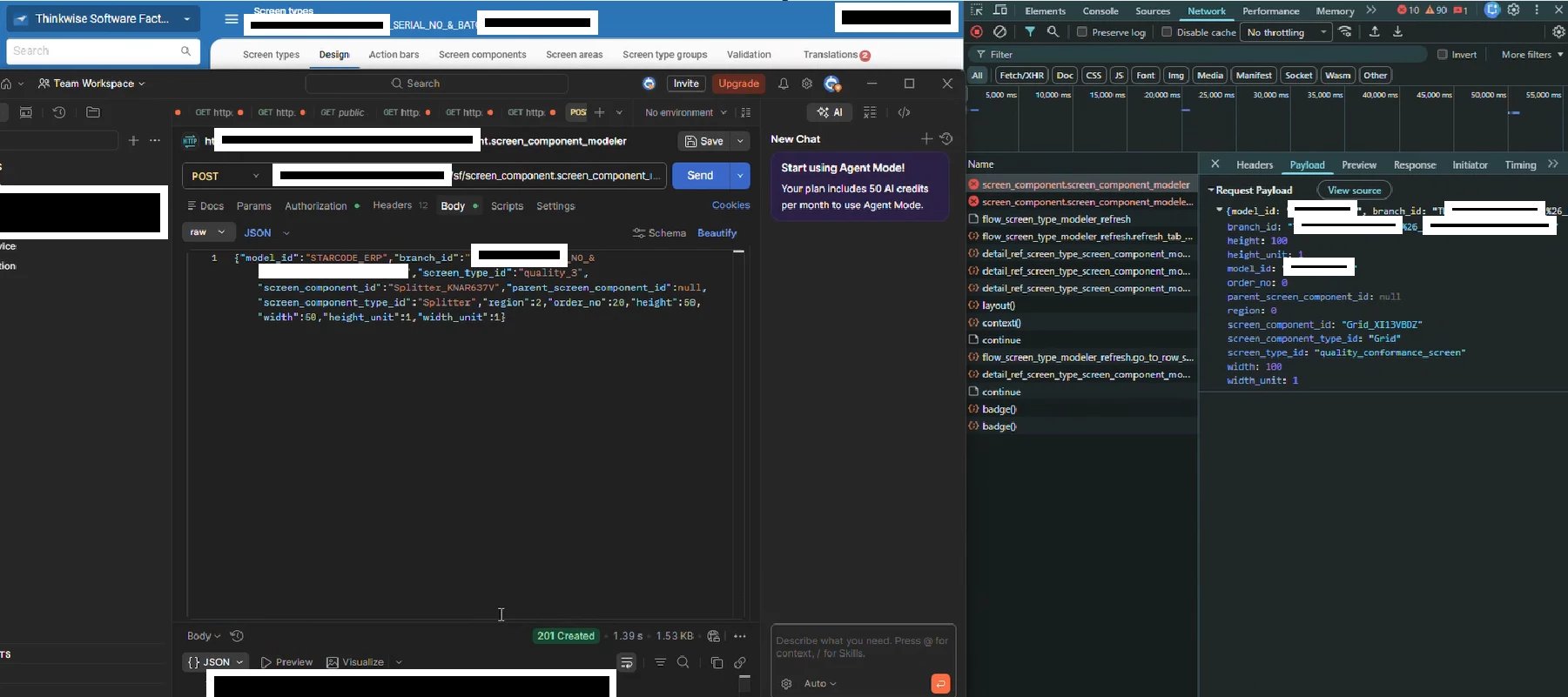
I checked the network and saw i get 403 error message
After a deeper investigation found the followings:
In the payload of the drag and drop we have this
So the "&” character (from my branch name) gets replaced by "%26” and it tries to search for that branch_id wich does not exist in reality.
At that moment im afraid to not have those type of issues on the Merging
Best answer by Mark Jongeling
Hi,
We do have another ticket surrounding a branch name with spaces having trouble with the ERD modeler, so we are looking into enforcing branch names to be consistent with the naming conventions of object names, which means only A-Z, 0-9, and an underscore is allowed to be used. This topic shows yet another reason to stop allowing special characters.
There is currently no way to rename your branch name as all history data of this branch and the model objects are bound to it. So, if possible, create a new branch and start a merge session from this “&" branch to the new branch. Then continue working in the new branch.
We do have another ticket surrounding a branch name with spaces having trouble with the ERD modeler, so we are looking into enforcing branch names to be consistent with the naming conventions of object names, which means only A-Z, 0-9, and an underscore is allowed to be used. This topic shows yet another reason to stop allowing special characters.
There is currently no way to rename your branch name as all history data of this branch and the model objects are bound to it. So, if possible, create a new branch and start a merge session from this “&" branch to the new branch. Then continue working in the new branch.