



Solved

zoom detail in Universal

  • September 18, 2026
  • 1 reply
  • 36 views

Forum|alt.badge.img+6

Hi,

I have a main grid (complaints) and a detail grid (complaint actions).
This detail grid in my test shows 3 records:
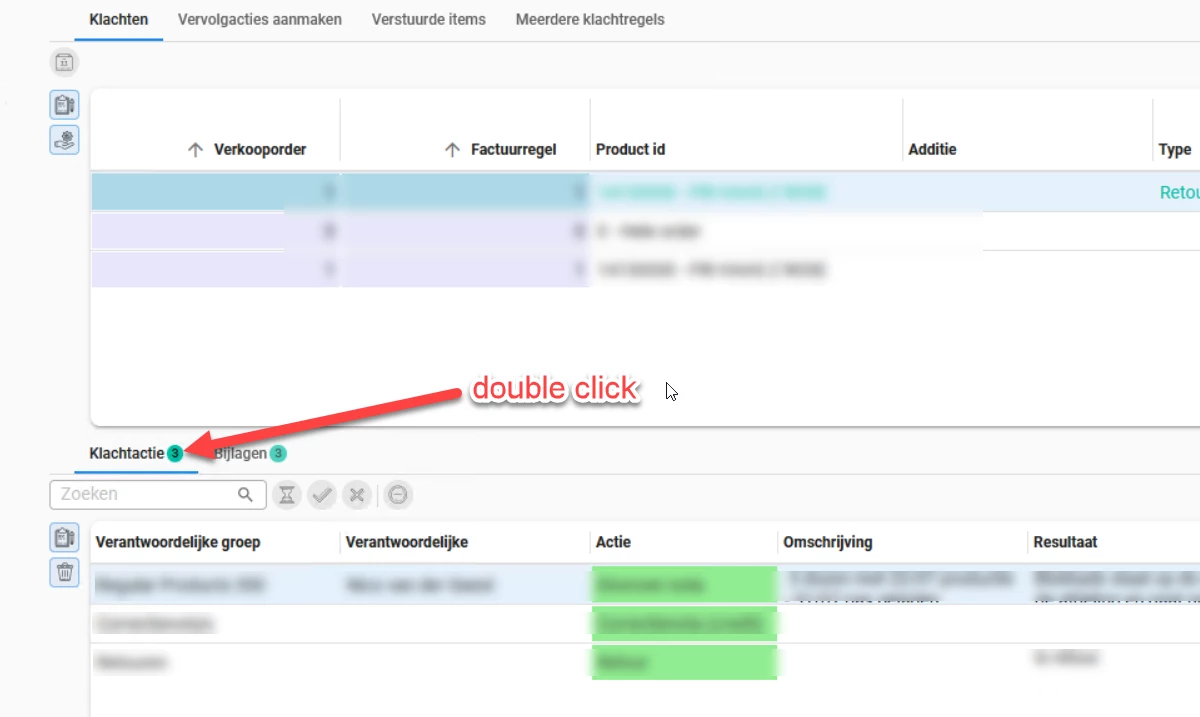


Scrolling thru the community I discovered that instead of double clicking on the row (as we used to in the Windows GUI) we need to double click on the tab!?
When I do that I always get to see the contents of the first row, not the contents of the selected row!?
I suspect that this isn't what it is supposed to do?
Might it be that this is caused by the fact that we are still on platform version 2025.1 and universal gui version  2026.2.11.1.0 ? Or is this something else? Any ideas?

Best answer by Jeroen van den Belt

Hi ​@Alban_T,

Row-level zoom
You're right that double-clicking a row currently doesn't open the zoom/detail screen by default in Universal, the way it did in the Windows GUI. Feel free to create an idea for this so it can be tracked and voted on.

As a workaround in the meantime: you can configure a double-click task on a process flow to achieve the same effect, but that has to be set up per table.

Tab-level zoom
The behavior you describe for double-clicking the tab itself is correct, and it's working as designed. Double-clicking a detail tab opens a new document scoped to the selected parent record, not to whichever row was highlighted in that detail grid. So the new document shows the detail grid filtered on the parent, landing on the first row rather than preserving your previous row selection. This is the same as it was in the Windows GUI, and it's not something we expect to change in Universal.

I hope this helps.

1 reply

Jeroen van den Belt
Administrator
Forum|alt.badge.img+10

Hi ​@Alban_T,

Row-level zoom
You're right that double-clicking a row currently doesn't open the zoom/detail screen by default in Universal, the way it did in the Windows GUI. Feel free to create an idea for this so it can be tracked and voted on.

As a workaround in the meantime: you can configure a double-click task on a process flow to achieve the same effect, but that has to be set up per table.

Tab-level zoom
The behavior you describe for double-clicking the tab itself is correct, and it's working as designed. Double-clicking a detail tab opens a new document scoped to the selected parent record, not to whichever row was highlighted in that detail grid. So the new document shows the detail grid filtered on the parent, landing on the first row rather than preserving your previous row selection. This is the same as it was in the Windows GUI, and it's not something we expect to change in Universal.

I hope this helps.

