



Solved

Universal GUI does not render detail in second splitter area (shown via context), although show_detail = true and data loads

  • Nov 24, 2026 9:16 AM UTC
  • 4 replies
  • 22 views

Forum|alt.badge.img

Hi all,

I have a detail tab that the Universal GUI refuses to display, even though the model appears to be configured correctly and the network traffic shows that Indicium is returning everything the GUI needs.

I've run out of ideas and would appreciate a second pair of eyes.

Environment: Software Factory 2026.3, SQL Server, Indicium, Universal GUI (version).

Setup The screen uses a screen type with a splitter and two tab containers: area A (68%) holds the production orders, area B (32%) should hold the employee detail. No breakpoints are defined.

What I'm trying to achieve

When I click the Show employees button, it executes a task that sets the show_employee_tab flag to 1. This flag should make the employee detail tab visible.

The detail is being generated correctly, and the response from Indicium contains the expected configuration:

{
"tab_id": "production_board",
"tab_variant_id": "production_order",
"ref_id": "ref_production_board_employee",
"detail_transl": "Medewerkers",
"order_no": 60,
"screen_area_id": "B",
"detail_tab_id": "employee",
"detail_tab_variant_id": "production_order_employee",
"show_detail": true,
"related": true,
"context_type_output": true,
"visible_for_filter_detail": 1
}

However, the detail tab never actually appears in the GUI.

What makes it even stranger

When I open the Inspector and search for the detail, it actually shows up there:
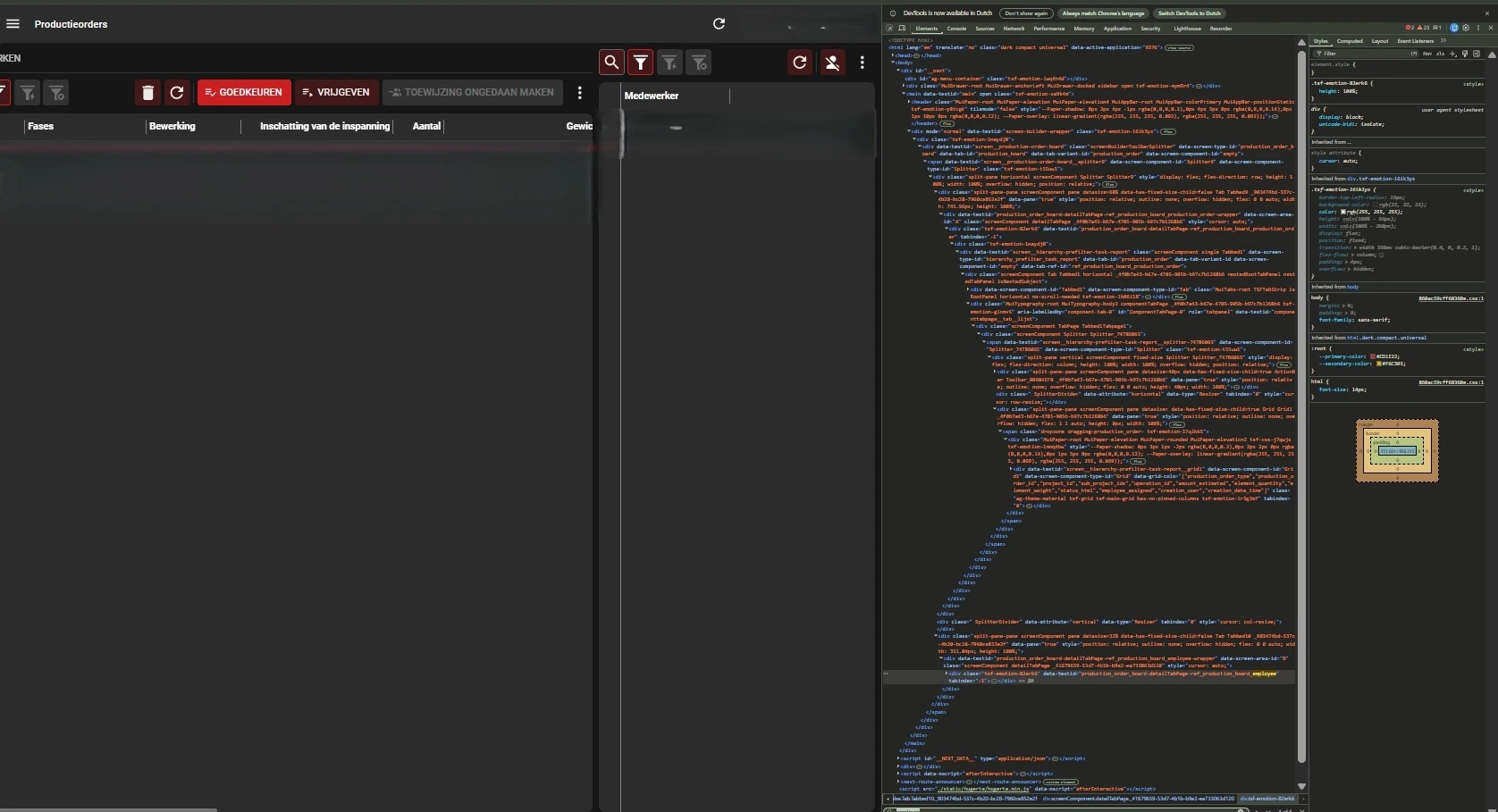
So the GUI seems to know that the detail exists, but it doesn't actually render it.

Another thing I've noticed is that when I resize the browser window, the screen briefly flashes and the detail seems to appear for a moment before disappearing again.

Could it be that the splitter isn't recalculated when area B gets its first visible detail through the context?

I've tried investigating this myself and even asked Claude for advice, but unfortunately, I have not been able to figure out what's causing it.

Has anyone experienced something similar or have any ideas about what could cause this behaviour?

Any tips or suggestions on how to fix this would be greatly appreciated!

Thanks in advance!

Best answer by TomZ

Hi @Remco,

Thanks for your help, your hint about the splitter put me on the right track! I found the cause in our own custom CSS. This selector forced the first splitter area to the full width:

span[data-testid="screen__production-order-board__splitter9"] .Tabbed9 {
width: 100% !important;
}

It was meant to stretch the production orders when the employee panel is hidden, but it also applied when the panel was shown. That pushed the second area off-screen and hid the splitter divider.

Kind regards, Tom

View original

4 replies

Remco
Moderator
Forum|alt.badge.img+4
  • Moderator
  • Nov 24, 2026 9:57 AM UTC

Hi ​@TomZ 

Could you run a quick test? Temporarily make the employee detail visible from the start, for example by letting the context procedure always return show_detail = 1. Then open the screen again.


And could you also tell me which Universal GUI version you’re using?


Kind regards,

Remco


Forum|alt.badge.img
  • Author
  • Apprentice
  • Nov 24, 2026 10:15 AM UTC

Hi @Remco,

Thanks for your reply! I changed the context procedure so it always returns 0 for the employee detail (select @ref_production_board_employee_type = 0, nothing else), generated and executed it, and reopened the screen. The context() response confirms "ref_production_board_employee_type": 0. Note: show_detail was already set to true in the model.

The employee detail is still not visible. It still only appears when I open the inspector and search for it.

Version:

  • Universal GUI: 2026.3.11.2.0 (released 09-11-2026)

Kind regards, Tom


Remco
Moderator
Forum|alt.badge.img+4
  • Moderator
  • Nov 24, 2026 10:37 AM UTC

Hi ​@TomZ 

When you hover over the splitter in the inspector, it should be highlighted. Could it be that the splitter is hidden, leaving too little room for the data to show?

If that's not the case, could you create a ticket in TCP so we can look into it further?


Forum|alt.badge.img
  • Author
  • Apprentice
  • Answer
  • Nov 24, 2026 10:56 AM UTC

Hi @Remco,

Thanks for your help, your hint about the splitter put me on the right track! I found the cause in our own custom CSS. This selector forced the first splitter area to the full width:

span[data-testid="screen__production-order-board__splitter9"] .Tabbed9 {
width: 100% !important;
}

It was meant to stretch the production orders when the employee panel is hidden, but it also applied when the panel was shown. That pushed the second area off-screen and hid the splitter divider.

Kind regards, Tom