Answer

Type kolom, reports

  • July 11, 2022
  • 5 replies
  • 59 views

Forum|alt.badge.img+4


Why is there no column type anymore in the reports in the SF, can we get it back?

Best answer by Jeroen van den Belt

Hi @H. Lukassen,

After you've installed all the available IAM hotfixes, the column should now be visible again.

This topic has been closed for replies.

5 replies

Mark Jongeling
Administrator
Forum|alt.badge.img+23

Hi,

What are you referring to? Which column is missing and in which version? Can you supply a screenshot?


Forum|alt.badge.img+4
  • Author
  • Sidekick
  • July 11, 2022

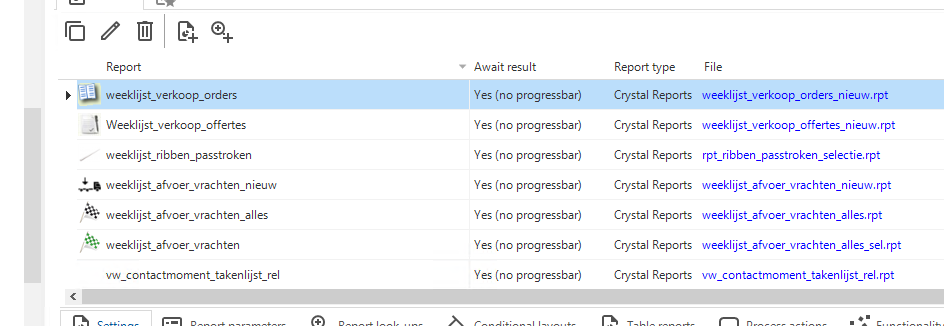
Version 2021.1.10.0  => File column is not in de 2022.1.16.0 version.


Mark Jongeling
Administrator
Forum|alt.badge.img+23

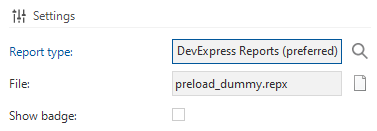
Between 2021.1 and 2021.2, the visibility of this column has indeed changed and is no longer visible in the Grid. The exact reason I don't know but it may be because the File column can take up quite a lot of available space in the Grid. Also, since Reports are no longer stored on Disk but rather uploaded to the Software Factory, the importance of opening the report file through the SF has been reduced. That could have the reasons.

The File specification column is available in the Form, does that suffice or is the column in the Grid important to you? I would love to hear your thoughts 😄 


Forum|alt.badge.img+4
  • Author
  • Sidekick
  • July 11, 2022
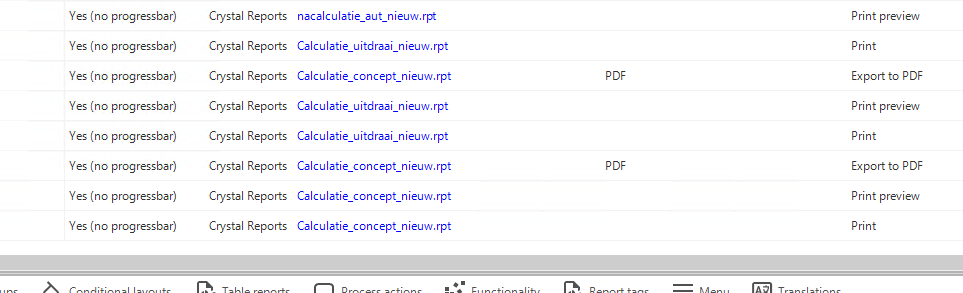
We use a report in several places, in connection with different report action. In the previous version you had a clear overview of where the report was assigned. Now this is no more, so is not an improvement.


Jeroen van den Belt
Administrator
Forum|alt.badge.img+10

Hi @H. Lukassen,

After you've installed all the available IAM hotfixes, the column should now be visible again.