Question

Trailing zero's and decimal count

  • March 4, 2026
  • 2 replies
  • 35 views

Forum|alt.badge.img

By default our application shows 4 decimals in Numeric fields, but we don't want to show any trailing zero's for standard nummeric fields and 2 decimals for currency fields.

Our Windows gui does this, but Universal is always showing 4 decimals.
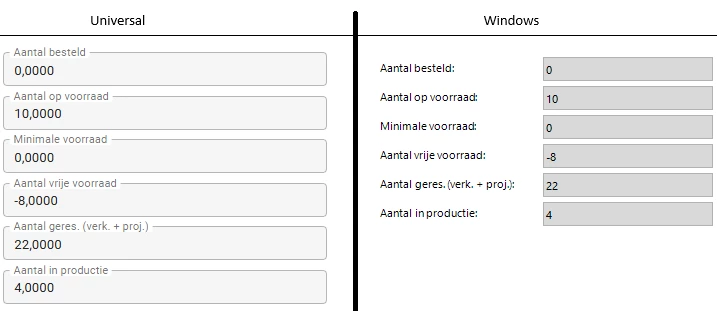
How do we get Universal the same as our Windows Gui?


2 replies

Arie V
Community Manager
Forum|alt.badge.img+12
  • Community Manager
  • March 6, 2026

@DanielBouwmeester_Manter Based on the example you’re giving, there doesn’t seem to be a need to show decimals for these field at all. You can change that in the Domain settings. 

To double check a few things:

  • Could you share what Domain settings you currently have for these Columns? 
  • Could you check if you are using an Extender called custom_display_format

I would like to establish that this is not a bug, but a missing feature.

If you do need the ability to store values with 4 decimals, while only displaying 2 in the UI, then please vote on this Idea:

It is not yet possible to configure this for the Universal UI, but I’ll see if we can get to it with a bit more priority. The current workaround is to use Expression fields in Read mode.


Forum|alt.badge.img

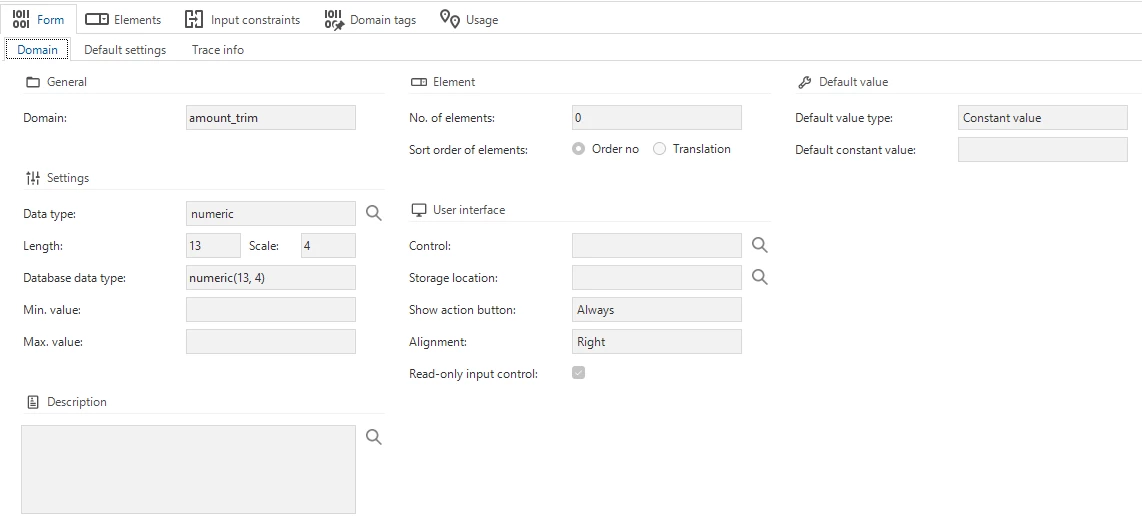
My colleague Johan checked: the numeric fields in our application are setup with domain setting ‘amount_trim’: 


So, numeric with a length of 13 and 4 decimal places.

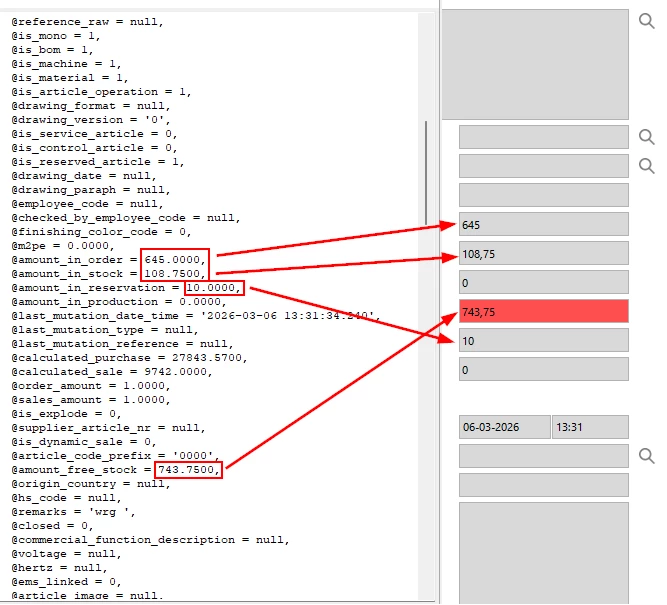
There are no extenders present in the Software Factory. He couldn't find anything that would cause our application to omit the trailing zeros. I suspect this is happening in our current Desktop GUI, because the data coming from the database does show 4 decimal places in the Debug screen.