



Solved

Software Factory IAM user

  • January 12, 2026
  • 2 replies
  • 33 views

Stijn Schuurman
Vanguard
Forum|alt.badge.img+1

Preparing for the releases in 2026.1, we are attempting to create an IAM user in the SF.

Upon successful registration in the IAM and role / main adminstrator rights, the user can not access the applications through the Indicium of this SF install. 404 errors when querying the API routes for applications.

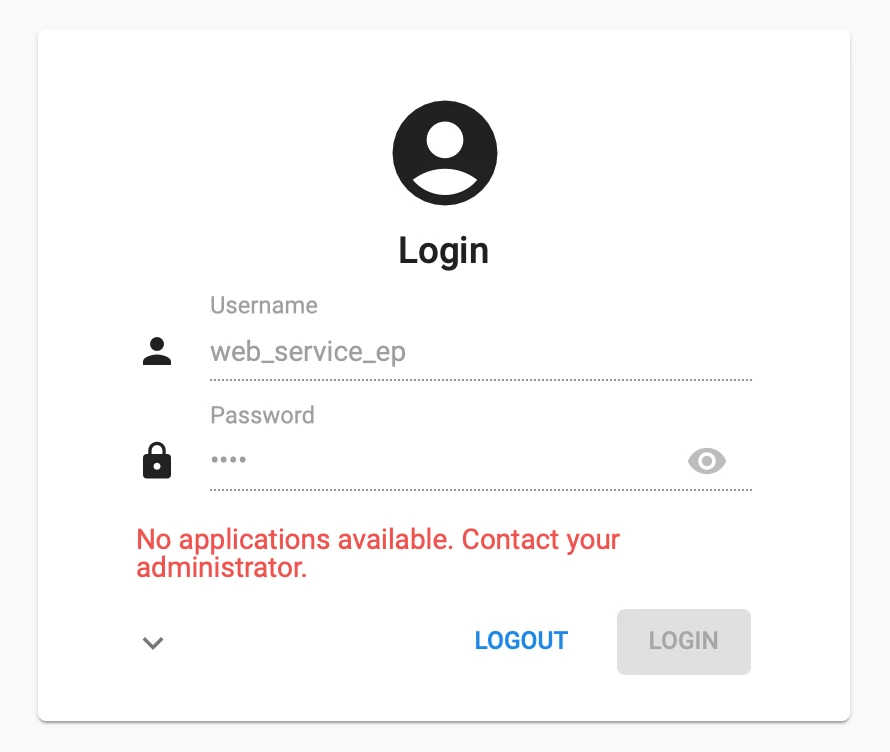
The following error when logging into the UGUI.
 

Best answer by Sebastiaan Meijerink

Are you trying to add this user as an SF Developer that can access the Software factory?

Or are you trying to give a user access to an application runtime that is running under https://yourserver/indicium/sf, because then you are bypassing the IAM authorisation.

In order to add a user that way, in the software factory menu, you need to go to;

Maintenance > Users > Add the user if needed;

And then under run time configurations, find the SF application you are trying to let the user have access to, needs to be set to Active.


2 replies

Forum|alt.badge.img+2

Are you trying to add this user as an SF Developer that can access the Software factory?

Or are you trying to give a user access to an application runtime that is running under https://yourserver/indicium/sf, because then you are bypassing the IAM authorisation.

In order to add a user that way, in the software factory menu, you need to go to;

Maintenance > Users > Add the user if needed;

And then under run time configurations, find the SF application you are trying to let the user have access to, needs to be set to Active.


Stijn Schuurman
Vanguard
Forum|alt.badge.img+1

@Sebastiaan Meijerink 
My objective was indeed to give access to to an application runtime that is running under https://yourserver/indicium/sf 
Thanks for the tip to do it under the Maintenance window. The rest sorted itself out.