
Does anyone have experience with printing SSCC barcodes (GS1-128) on a SSRS report?
Font Code128 doesn't seem to work for this type of barcode. How can this be resolved?
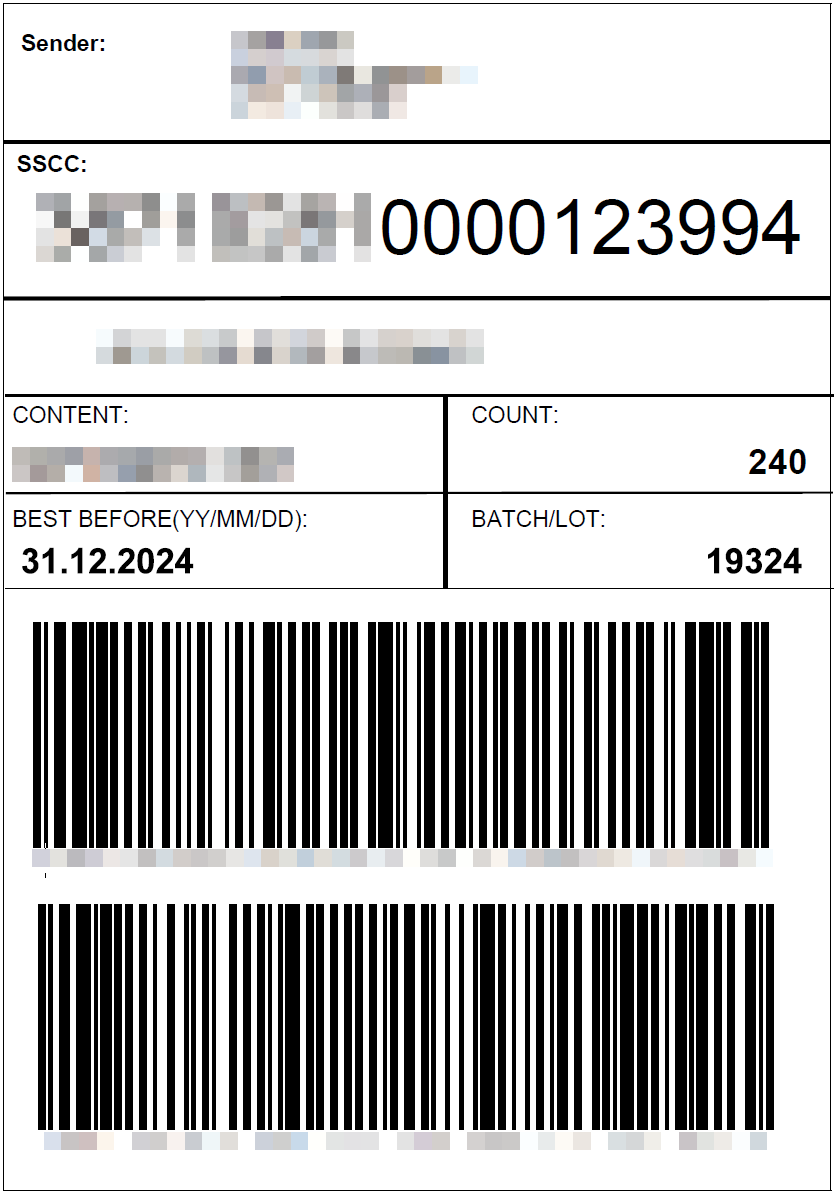
I'm trying to get an output (Pallet Label) like below:



 +21
+21Does anyone have experience with printing SSCC barcodes (GS1-128) on a SSRS report?
Font Code128 doesn't seem to work for this type of barcode. How can this be resolved?
I'm trying to get an output (Pallet Label) like below:
Best answer by Harm Horstman
Hi Erwin,
I was not aware of that. Do you know which characters to use?
For your info, I switched to a DevExpress report for this and that worked fine out of the box.
Enter your E-mail address. We'll send you an e-mail with instructions to reset your password.
