


In the feature matrix it is stated that the refresh process action does work. However when I update a detail (with a task, which triggers the process flow) and I do a refresh of the master object table, that seems not to work. Is this possible yet. Also the auto refresh function does not have effect (yet) in the Universal GUI. I'm afraid my conclusion at the moment is that users need to refresh themselves all the time?

Solved
Refresh process action universal
- Sidekick
Best answer by Mark Jongeling
Hi Edwin,
Auto-refresh is planned for Sprint 41 (21 May) according to the Universal Planning.
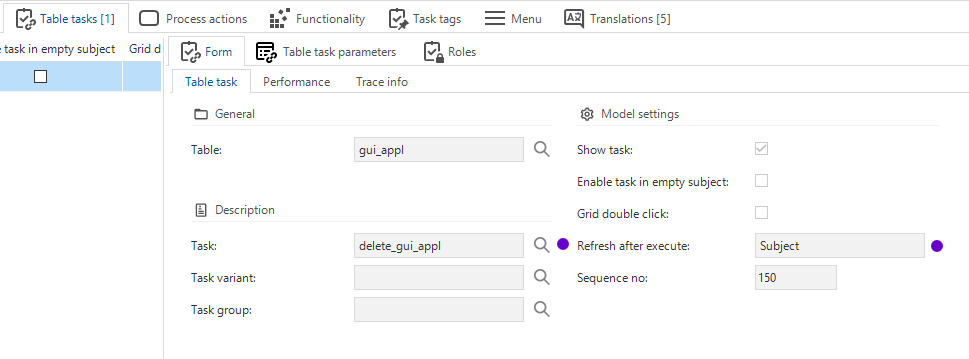
I just got confirmed too that a Refresh of a parent object does not work yet with the Refresh process action; they do plan to support it. As alternative, you can use the Refresh after execute option of the Task itself and set the value to 'Document’. That will do the trick.
Edit: Universal GUI supports Auto-refresh in the 2021.2.12 version (beta available)
This topic has been closed for replies.






Enter your E-mail address. We'll send you an e-mail with instructions to reset your password.