


Question

Read folder location and move it to another folder location

  • April 13, 2026
  • 7 replies
  • 55 views

Geurt
Captain
Forum|alt.badge.img+5

I want to retrieve a file from a folder using a Thinkwise application and move it to another folder so an external organization can collect it.

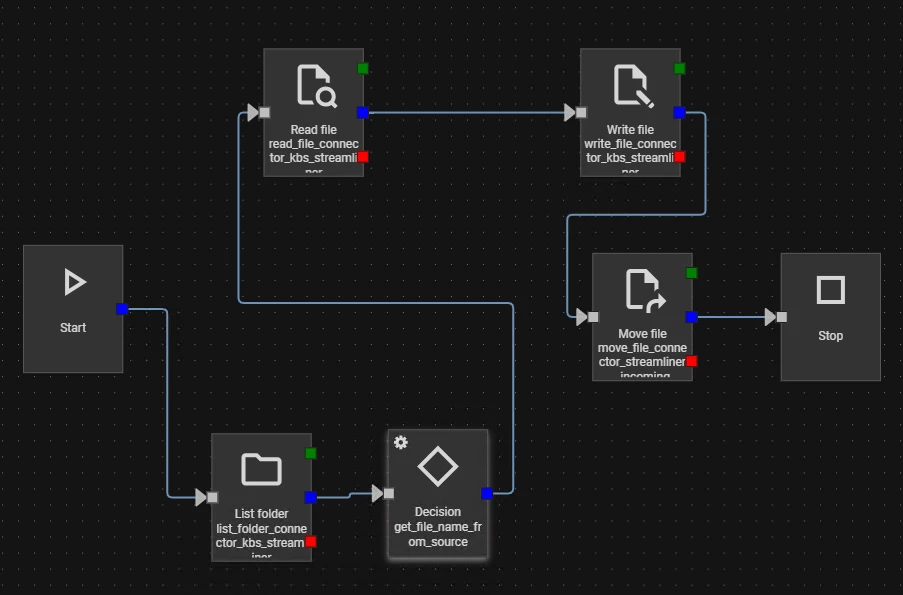
My starting point is a folder containing multiple files. I am using the List Folder process action to search through them. I intend to use the returned JSON to extract the filename, read the file, and eventually move it.

The 'Read File -> Write File -> Move File' sequence worked correctly when I wasn't using process variables. However, after adding the List Folder action, I am not receiving any data back.

In my process flow, the List Folder action has a storage location assigned but no input parameters. The output parameters are set to status_code and json_output

What is the solution to get this working? This is the flow I am currently testing.
 

7 replies

Does the process flow monitor give any information on if it succeeds on all steps, and if the parameter is filled with data? 


Geurt
Captain
Forum|alt.badge.img+5
  • Author
  • Captain
  • April 14, 2026

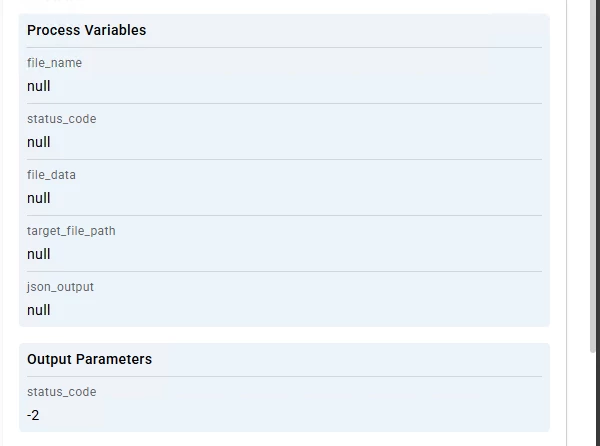
No, actually it leaves all output parameters empty and I get a status code of -2.


-2 means Unsuccessful (no path specified)
What did you use as the source folder for the list folder action? And is this an absolute path?


Geurt
Captain
Forum|alt.badge.img+5
  • Author
  • Captain
  • April 15, 2026

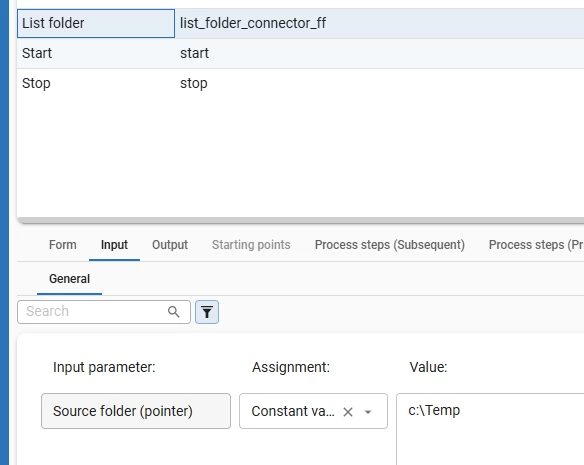
If I enter a constant value and then the folder for the input parameter source folder, I get a -1 error (Unsuccessful (unknown)), which doesn't get me any further. This is the same path as the storage location associated with the process action.


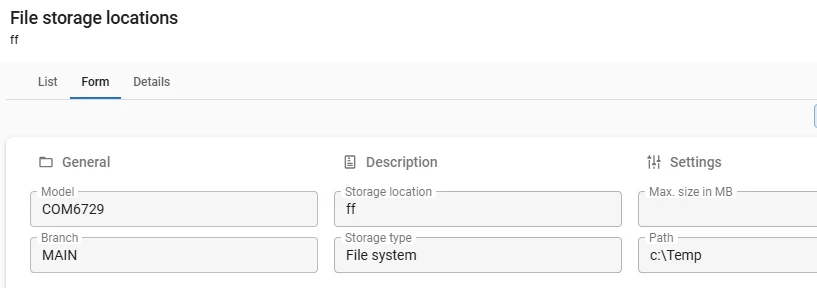
I tested this and I also get a -1 error. But then I found the problem. If the folder matches the storage location the action does not work because you have to specify a folder within the storage location. 

So this works:


But this won’t work and will result in a -1 since no folder is selected (temp is the main folder set in file storage location:


Geurt
Captain
Forum|alt.badge.img+5
  • Author
  • Captain
  • April 15, 2026

Thank you, that was the solution. So, the path of the storage location must be one level lower than the path of the list folder action.


Geurt
Captain
Forum|alt.badge.img+5
  • Author
  • Captain
  • April 16, 2026

@Erwin Ekkel I am still having an other issue with the move file connector. I retrieve the file_name and source_path in a parameter from the JSON in the list folder process action. This actually works fine until the move_file_ completed step. At that point, I get a -4 - Unsuccessful (the specified path is invalid). The file is copied to the other location, but I keep getting an error message. So it does work, but I would like to get rid of the error message. This is my input for the move file action:


Output in process flow monitor:
full_source_path:

D:\Thinkwise\Applications\xxxxx\testgr.xml

target_file_path:

\\location\xxxxx\DossierTest\Incoming\testgr.xml
file_name:

testgr.xml