Solved

Properties background image 2025.2 web domains

  • September 1, 2025
  • 5 replies
  • 51 views

Hugo Nienhuis
Superhero
Forum|alt.badge.img+12

What are the prerequisites for the background image using web domains? I am trying to upload our existing background image, but it fails to upload. If I reduce it's size to 100x79 pixels it is possible to upload, but a blurred image appears since it is resized.

Best answer by Arie V

@Hugo Nienhuis This issue might also be caused by the Azure WAF, see Azure setup | Thinkwise Documentation > Request body length exceeded the limit

This topic has been closed for replies.

5 replies

Tim de Lang
Moderator
Forum|alt.badge.img+4
  • Moderator
  • September 1, 2025

Hi Hugo,

That file is stored in the database in a varbinary(max) column, so there should fit ~ 2gb of data for that background image.

Can you share the image? Do you get any error while uploading? Do you have a failed request or something similar?

Kind regards,

Tim de Lang


Arie V
Community Manager
Forum|alt.badge.img+12
  • Community Manager
  • Answer
  • September 1, 2025

@Hugo Nienhuis This issue might also be caused by the Azure WAF, see Azure setup | Thinkwise Documentation > Request body length exceeded the limit


Hugo Nienhuis
Superhero
Forum|alt.badge.img+12
  • Author
  • Superhero
  • September 2, 2025

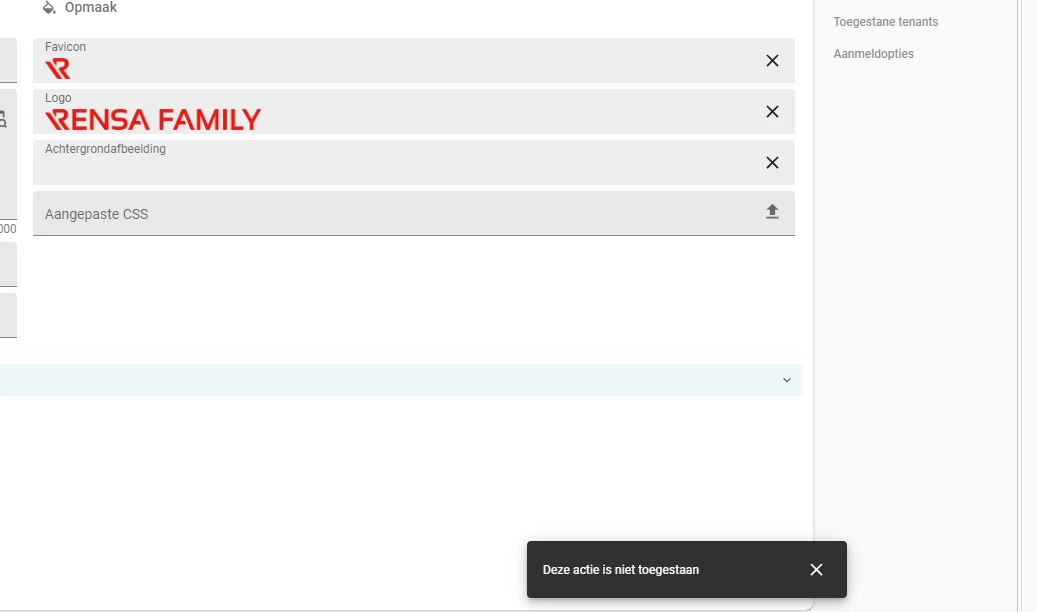
I get following error when uploading the image:


It looks like Arie may be right about this. I will try to see if I can have the WAF setup changed.


Jeroen van den Belt
Administrator
Forum|alt.badge.img+10

Hi ​@Hugo Nienhuis,

Did you manage to get this working?


Hugo Nienhuis
Superhero
Forum|alt.badge.img+12
  • Author
  • Superhero
  • September 26, 2025

Yes, changing the WAF settings worked.