Answer

Process flow monitor not working

  • June 3, 2024
  • 5 replies
  • 102 views

Freddy
Forum|alt.badge.img+16
  • Thinkwise Local Partner Brasil

I am not able to get the process flow monitor to work via SF or IAM. I have indicium via a container and Universal runs on Linux with Nginx and websockets enabled. How do I troubleshoot? 

Best answer by Dick van den Brink

Hi Freddy,

We will fix this issue in the next update by referencing the file with the correct casing.

Thanks for reporting this issue.

This topic has been closed for replies.

5 replies

Mark Jongeling
Administrator
Forum|alt.badge.img+23

Hi Freddy,

Are the answers on these topics here possibly a solution?: 


Freddy
Forum|alt.badge.img+16
  • Author
  • Thinkwise Local Partner Brasil
  • June 4, 2024

Hi Freddy,

Are the answers on these topics here possibly a solution?: 


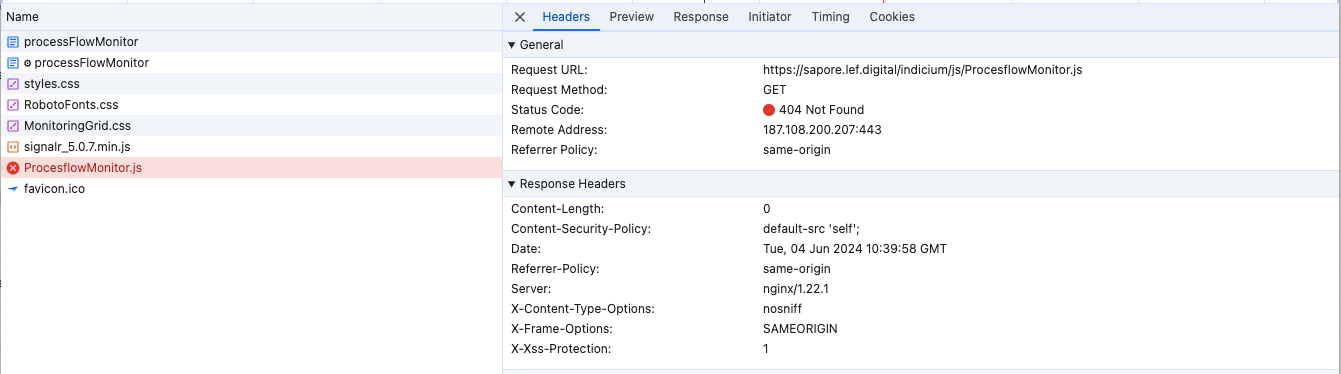
No, but I just saw that I get a 404 error on the indicium/js/ProcesflowMonitor.js, which would explain why it's not working. We use indicium via the container registry. 


Mark Jongeling
Administrator
Forum|alt.badge.img+23

Can you verify this file does indeed exist in the Indicium folder? I suspect that you either are missing this file or that the file is unavailable to you due to rights.


Freddy
Forum|alt.badge.img+16
  • Author
  • Thinkwise Local Partner Brasil
  • June 4, 2024

Can you verify this file does indeed exist in the Indicium folder? I suspect that you either are missing this file or that the file is unavailable to you due to rights.


I would say that if it's capital sensitive you should rename the flow monitor .js 

It's calling ProcesflowMonitor.js but in the container package it's ProcesFlowMonitor.js


Forum|alt.badge.img+3

Hi Freddy,

We will fix this issue in the next update by referencing the file with the correct casing.

Thanks for reporting this issue.