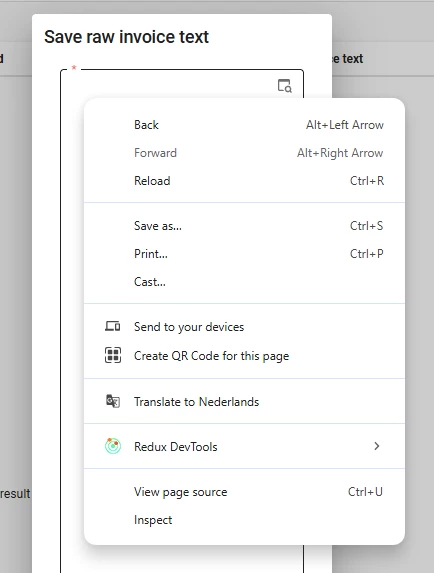
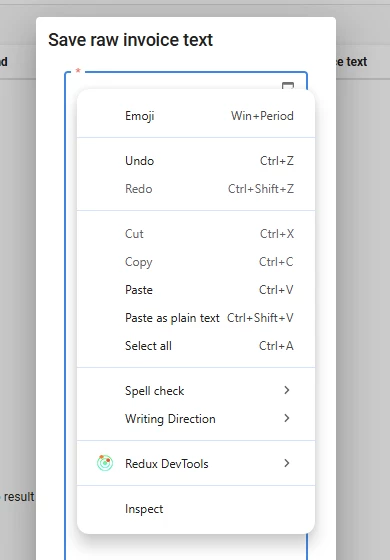
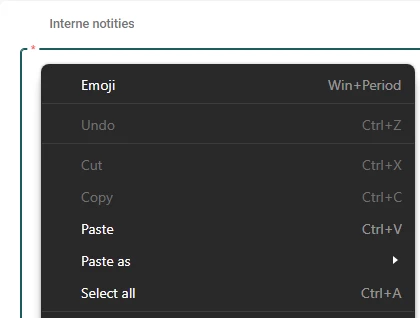
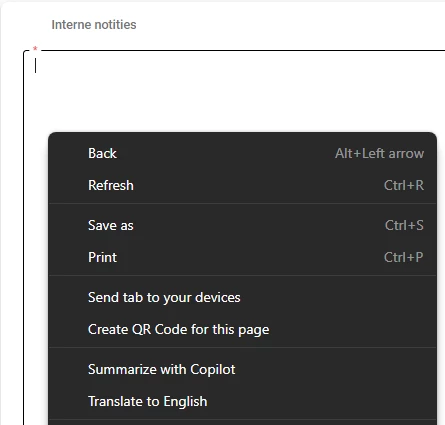
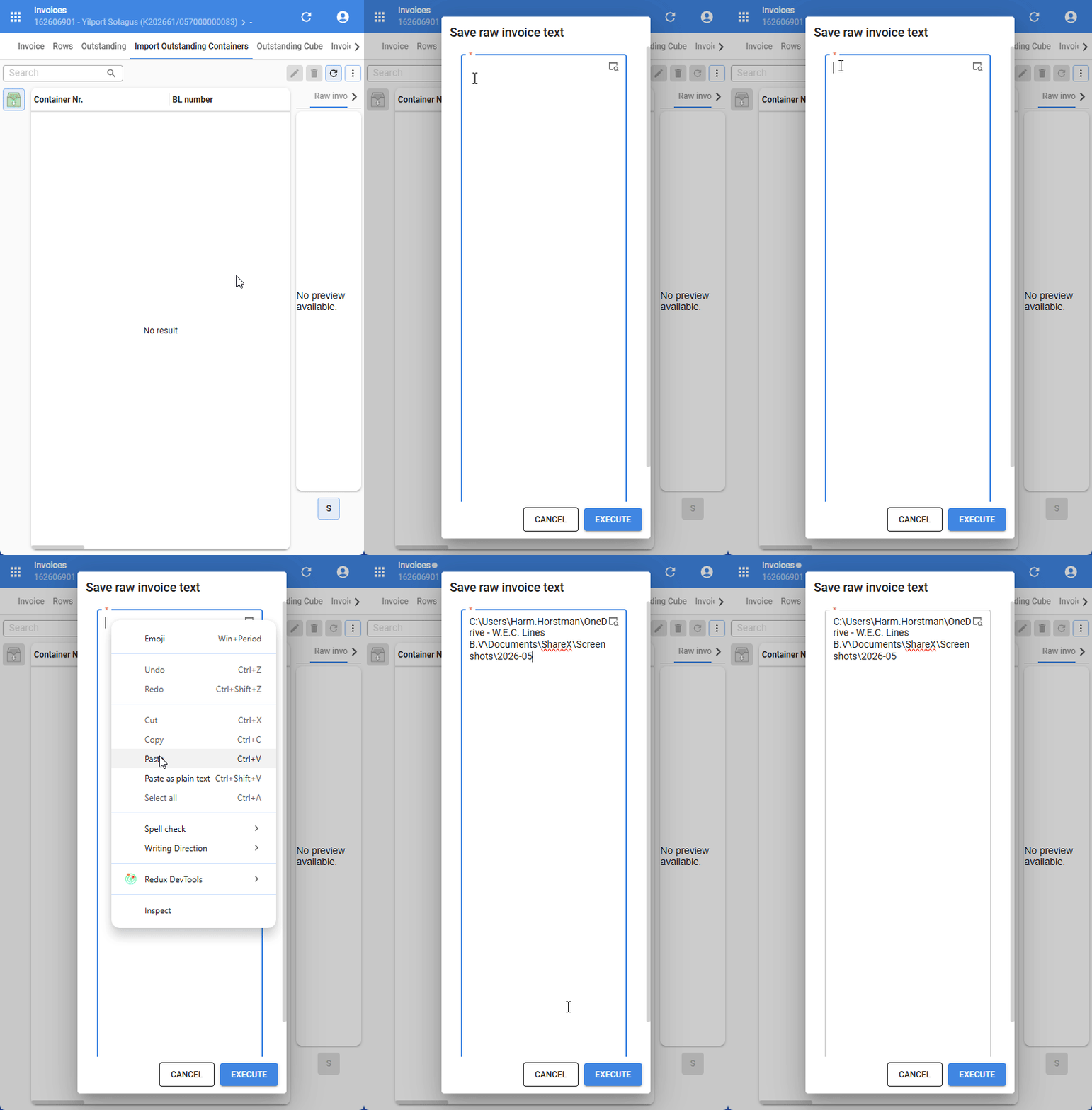
Some end users mentioned that the paste option is missing in the browser's context menu when they try to paste content in a text field, also when the application is installed.
The key combination Ctrl+V works, but is less intuitive
It also works as soon as the text field contains 1 character
Is this something that can be set in the Universal UI?
Best answer by Mark Jongeling
I feel that is because you right-click on the placeholder text in the Community, which is the Input line, whilst the Universal GUI currently doesn't support a placeholder text and you just slightly right-clicked on the second line (non-text input) rather than the first line.
The Community reply box does have a slightly larger text-input box it looks like as I can right-click further under the first line and still see Paste in the context menu, so I do imagine the Universal GUI can influence it a bit.
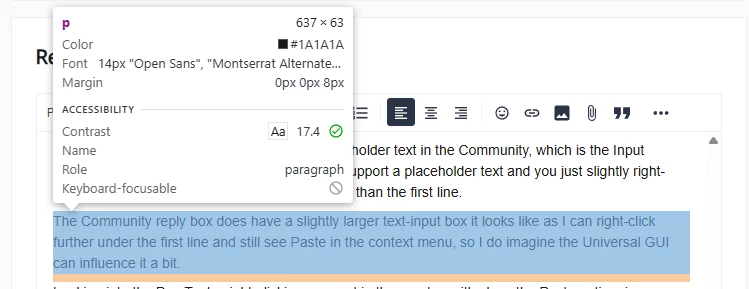
Looking into the Dev Tools, right-clicking any part in the <p> tag with show the Paste option, in Universal, only the (for me) Blue part gives the Past option. I suspect we could optimize that. Feel free to create a ticket!
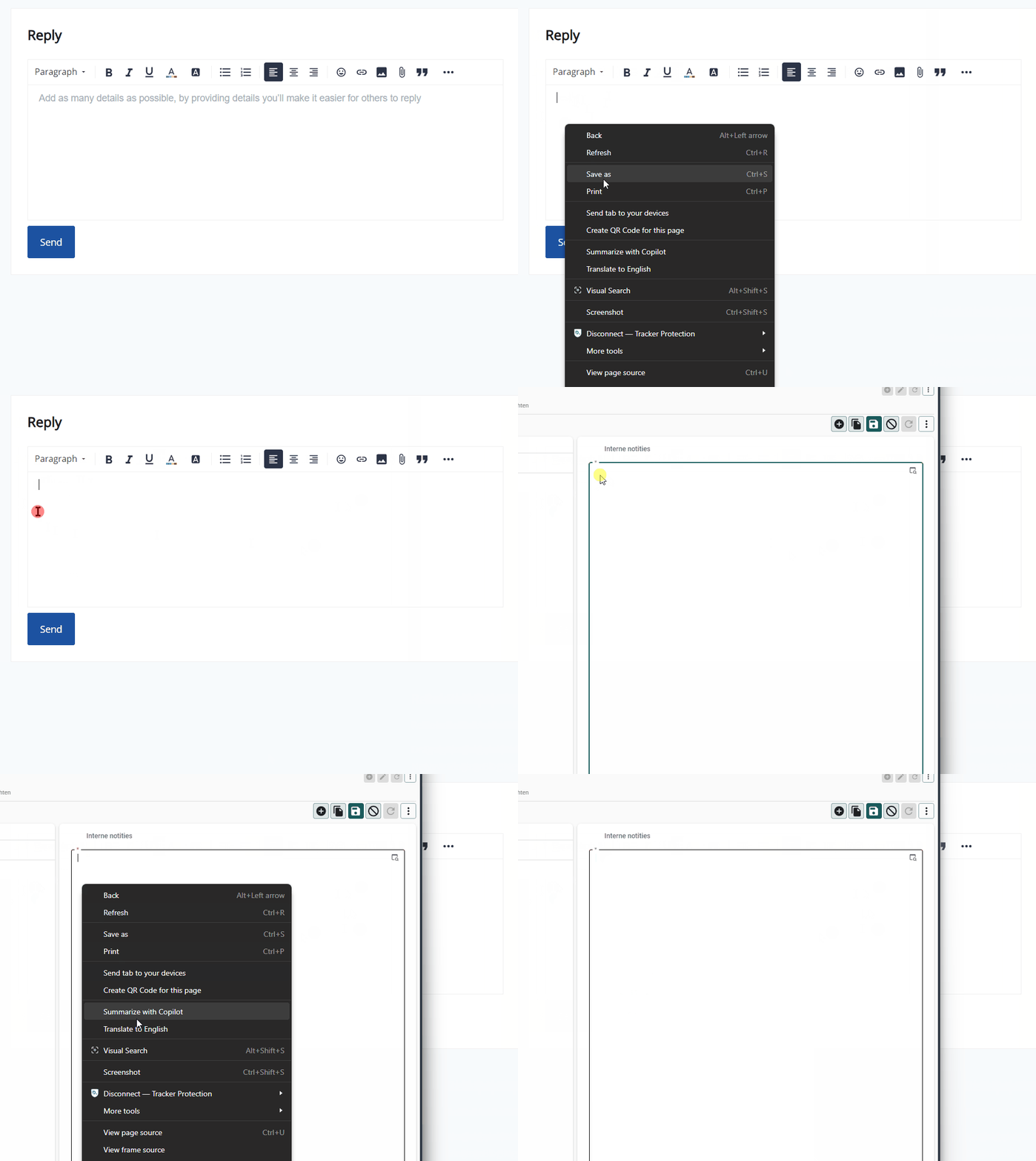
Community - Blue and Orange part right-click shows Paste in context menuUniversal - Blue part right-click shows Paste in context menu
When you click the place here the first characters of the text would appear, the browser understands and shows the Paste options in the context menu. However, if you click anywhere else in the field, the field is rather focused and not the text input, if that makes sense. The browser then doesn't show the paste option.
Your cursor also changes look when you hover over the text input part and the field part.
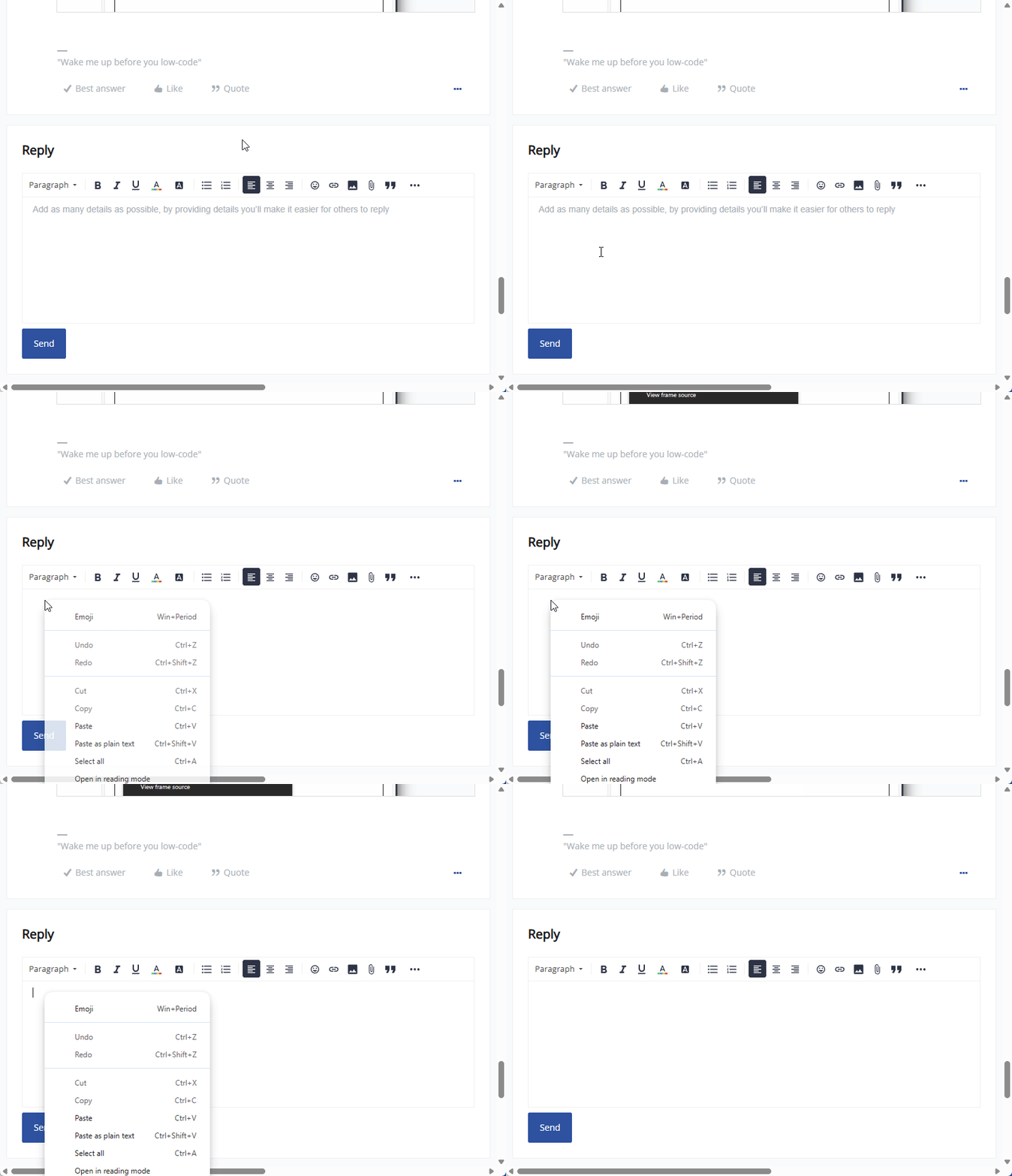
Right-clicking on the first line where text would be typedRight-click much lower than where text would be placed shows no Paste option
The browser sees right-clicking the field the same as right-clicking any part of a website. Only when you right-click in text-input, the Paste option becomes available, so this looks to be normal browser behavior.
This Community website also does the exact same thing. You can try it out when replying on this comment. Right click on the first text input line, and right click on let's say line 3. The Paste option only appears the first time.
I feel that is because you right-click on the placeholder text in the Community, which is the Input line, whilst the Universal GUI currently doesn't support a placeholder text and you just slightly right-clicked on the second line (non-text input) rather than the first line.
The Community reply box does have a slightly larger text-input box it looks like as I can right-click further under the first line and still see Paste in the context menu, so I do imagine the Universal GUI can influence it a bit.
Looking into the Dev Tools, right-clicking any part in the <p> tag with show the Paste option, in Universal, only the (for me) Blue part gives the Past option. I suspect we could optimize that. Feel free to create a ticket!
Community - Blue and Orange part right-click shows Paste in context menuUniversal - Blue part right-click shows Paste in context menu