


Solved

Missing UGUI translations after update

  • March 17, 2026
  • 7 replies
  • 68 views

Stijn Schuurman
Vanguard
Forum|alt.badge.img+1

Hello community,

Successfully migrated my application from old WebGUI (platform 2023.2) to UGUI (platform 2025.3), and soon willing to upgrade to 2026.1.

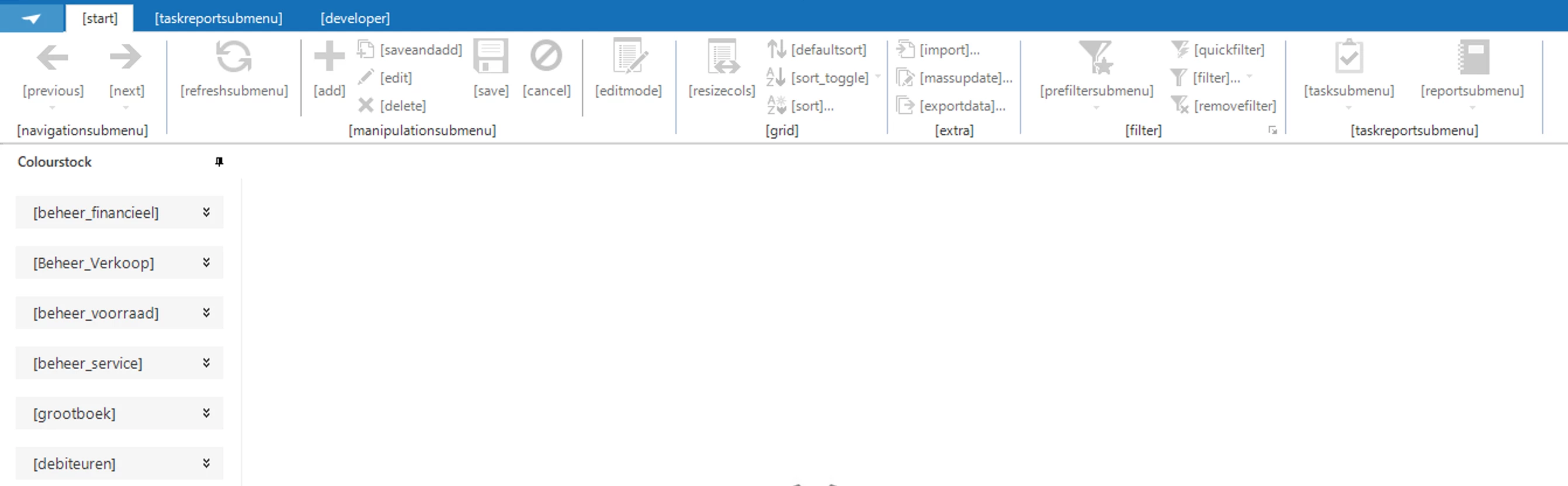
However, I am currently experiencing a translation problem in dev environment (SF) and production type environment (IAM), where it seems that there are translations missing in the UGUI. To clarify, my model translations are present, the UGUI translations themselves are missing. A couple of examples:
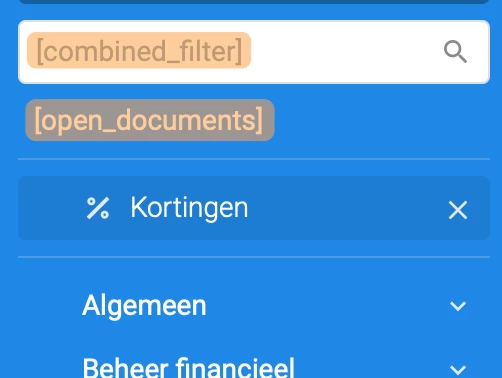



The idea of what is missing is clear I believe.

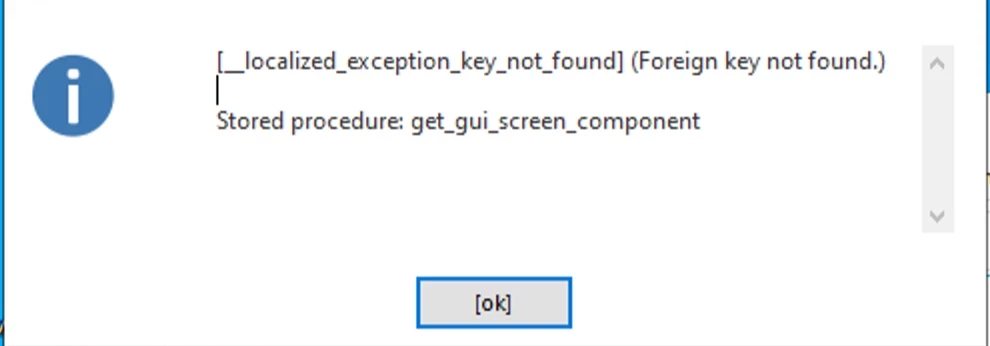
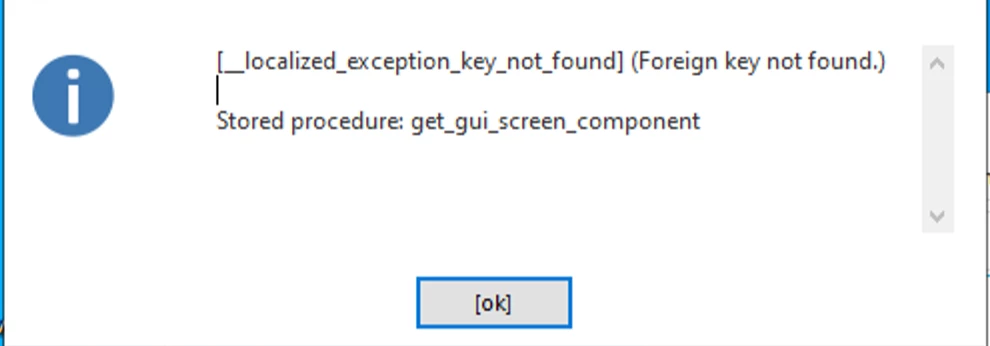
When attempting to start the application as a Windows application (no real reason to do so, except to test this), the application throws the following error.
 

Can someone help me out with getting these translations back?

A ‘somewhat’ relevant post it seems: 
 

Best answer by Arie V

I just noticed that other branches do not have this problem. 

‘This problem’ being the untranslated fields? So in other words: for other branches all works as expected with respect to Translations in the Universal UI?

  • Could you double-check if the Base models are assigned and each have a unique Generation order no. in Model overview > Branches > Base models?
    (There is no real use in adding more languages than the ones you actually translate your own model into, by the way.)
  • And running ‘Generate definition’ finishes successfully for the Branch with Translation issues?

If this all looks good on your side, then please raise a ticket in TCP so our Support can try and help out further. I’m unfortunately out of options.

7 replies

Arie V
Community Manager
Forum|alt.badge.img+12
  • Community Manager
  • March 17, 2026

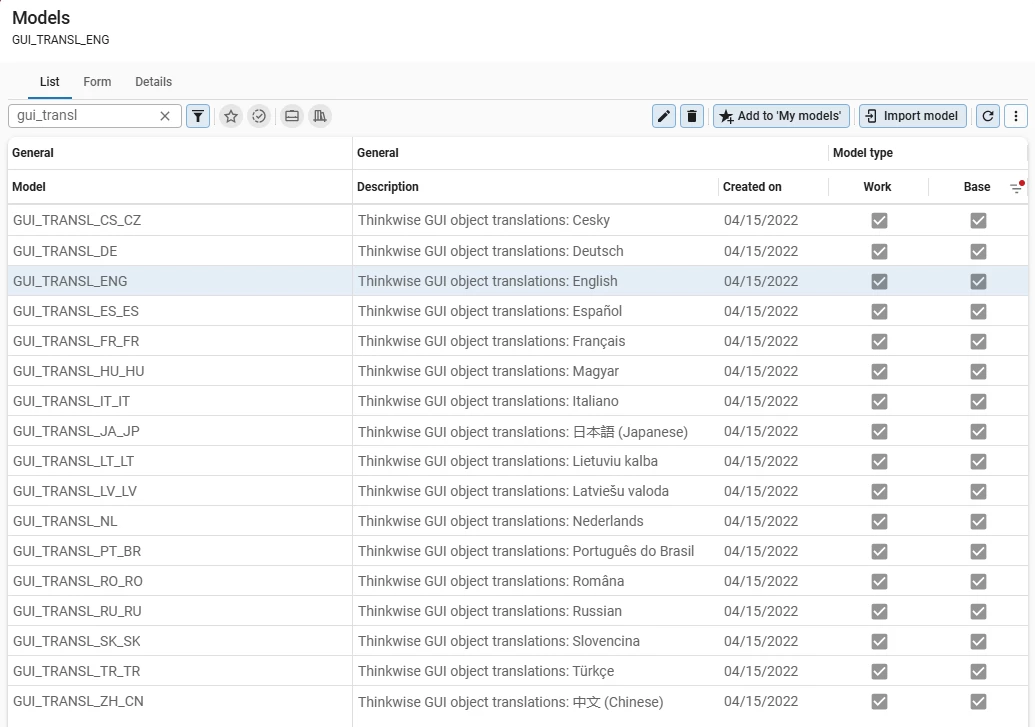
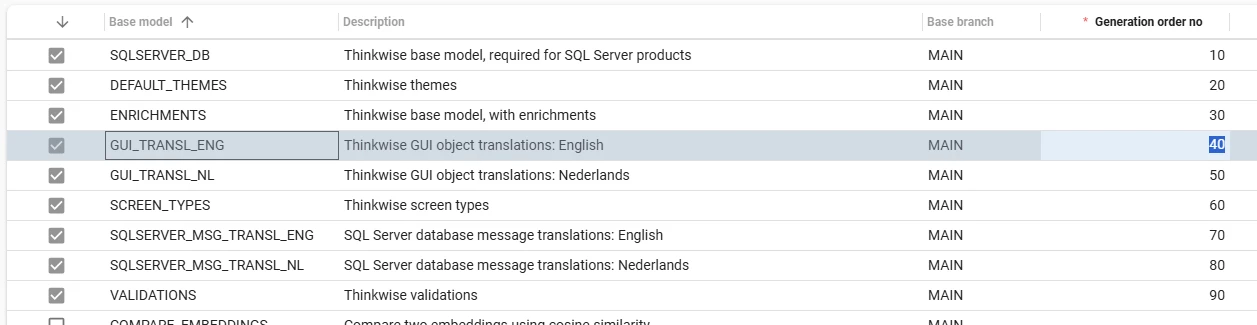
@Stijn Schuurman I’m not 100% if it is expected behavior that the Translations are missing after an IAM upgrade. These Translations normally come from Base models linked to your Application (see below screenshot). 

  • For SF I think that you can resolve the issue by performing the ‘Generate definition’ step in Creation.
  • For IAM I think that you can resolve the issue by then performing a ‘Synchronization to IAM’ of your latest Application model.

Let me know if this helps indeed!


Arie V
Community Manager
Forum|alt.badge.img+12
  • Community Manager
  • March 17, 2026

Congratulations by the way, cool that you managed to move away from the Web GUI to the Universal UI! 🚀🎉


Stijn Schuurman
Vanguard
Forum|alt.badge.img+1

@Arie V 
Thanks for your support.

The SF indeed prompts you to perform a `Generate definition` as soon as you link a base model. Which during the process does a copy of the base models (which are linked).

Previously I had only the _ENG, and _NL translation models linked. But that was previously also the case. Now I have all the translation models linked, like you have too. However, the missing translations are still the case.


The error of __localized_exception_key_not_found in get_gui_screen_component still persists in Windows GUI:


and like before, the Universal GUI is missing the translations of all items too.


Arie V
Community Manager
Forum|alt.badge.img+12
  • Community Manager
  • March 18, 2026

@Stijn Schuurman Interesting… Checked with a colleague and we have a few pointers you could check:

  • First of all, with 2025.3 we have slightly updated the language abbreviations, see Language code changes in the Release notes. Perhaps you haven’t updated the language code in your .ini file, which might explain the Windows GUI not showing the expected translations.
  • Second thing to check: what is the Application language in the SF Model in Model overview > Branches > Model settings? Please check via the Lookup if it is using the ISO abbreviation for any of our Supported languages.
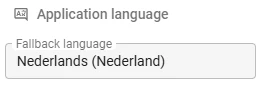
  • Same for IAM: what is the Fallback language in Applications > Application?
  • Lastly, can you check what language is assigned to your IAM User?

Stijn Schuurman
Vanguard
Forum|alt.badge.img+1

@Arie V 

  • For Windows GUI: That is correct, changing NL to nl_NL made the translations of the application pop up. Only for the objects defined by the model, the default items of the GUI remained untranslated. The ribbon and all others parts of the GUI. Also, the error of `get_gui_screen_component`, remained to show.
  • The Application language is properly set in the SF Model. Same as yours.
  • IAM fallback language of the SF IAM is set to English (United States)
  • I checked only the IAM SF settings, as the problem already originates there.

I just noticed that other branches do not have this problem. Could there be a clue that we investigate this problem further:

so that we uncover what triggered this Foreign key not found, perhaps the variable was not filled and checked for NULL ? (Just a wild guess) Since that is hard for me to investigate.


Arie V
Community Manager
Forum|alt.badge.img+12
  • Community Manager
  • Answer
  • March 18, 2026

I just noticed that other branches do not have this problem. 

‘This problem’ being the untranslated fields? So in other words: for other branches all works as expected with respect to Translations in the Universal UI?

  • Could you double-check if the Base models are assigned and each have a unique Generation order no. in Model overview > Branches > Base models?
    (There is no real use in adding more languages than the ones you actually translate your own model into, by the way.)
  • And running ‘Generate definition’ finishes successfully for the Branch with Translation issues?

If this all looks good on your side, then please raise a ticket in TCP so our Support can try and help out further. I’m unfortunately out of options.


Stijn Schuurman
Vanguard
Forum|alt.badge.img+1

@Arie V 

  • The Base models are assigned and they all have a unique Generation order no.
  • Generate definition finishes successfully for the Branch with Translation issues, yes!

I have submitted a TCP ticket.