



For a demo application we need to import files, saved to a specific azure file storage.
We setup a system flow to support this:
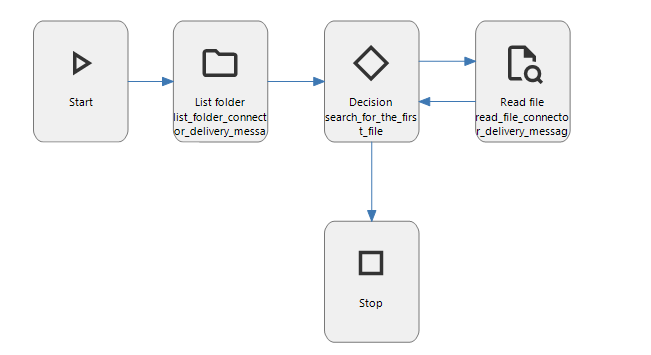
The list folder connector should retrieve all the file name s in the folder and with the decision node we should import them one by one into the database.
I'm only having trouble getting the List connector to work, it needs a source folder (Absolute path to the folder that is requested).
For example storage location
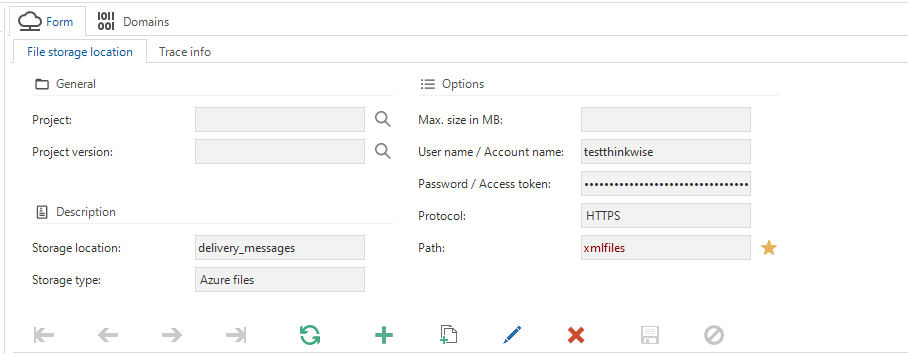
With source folder https://testthinkwise.file.core.windows.net/xmlfiles
But when I copy the url of the azure file storage, as configured in the process action, indicium throws a error about the file path that is outside of the allowed base path.
What am I supposed to do?