



Solved

Large process flow becomes unstable during fast user interaction

  • July 3, 2026
  • 2 replies
  • 61 views

Forum|alt.badge.img+1

Hello,

We are experiencing an issue with the following process flow, see attachment. As you can see, it is a very large process flow, but in general it does return the correct results and performs the expected actions.

However, when I quickly click through the process, open and close the task, etc., basically when I interact with it a bit faster, it starts to behave unexpectedly. For example, an intermediate screen sometimes no longer opens. In addition, cancelling also takes quite a long time, around 10 seconds.
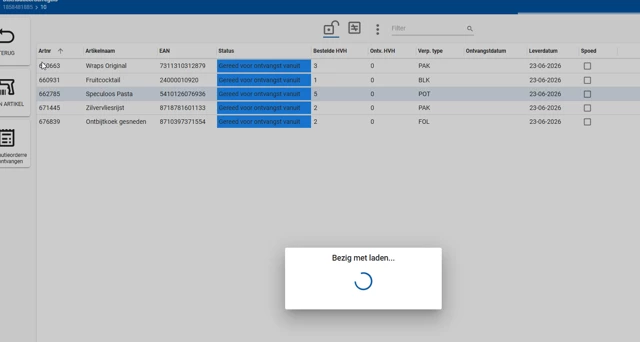
Could this behavior be caused by the process flow being too large, for example because the flow has not fully completed yet before a new start is triggered? Or is there likely something else going on?

Our preference would be not to split up the process flow, as this would require a lot of work and would also introduce additional risks. Therefore, we would first like to understand whether there is another way to make this process more stable.


Best answer by Erwin Ekkel

I don’t think the size of the process flow is the problem here. I’ve seen flows 4 or 5 times the size of this one working like a charm. 

I would expect either the process flow is cancelled haflway through or an error occurs. What information does the processflow monitor and F12 (debug tools) give you one this? 

2 replies

I don’t think the size of the process flow is the problem here. I’ve seen flows 4 or 5 times the size of this one working like a charm. 

I would expect either the process flow is cancelled haflway through or an error occurs. What information does the processflow monitor and F12 (debug tools) give you one this? 


Nick Janssen
Moderator
Forum|alt.badge.img+5
  • Moderator
  • August 4, 2026

Hello,

Because of inactivity, I marked Erwin’s answer as best answer.

If you have more information regarding this issue, we suggest creating a ticket for this in TCP and attach a .HAR file to it. This way, we can investigate your issue in more detail.

Hope to have informed you sufficiently.

Best regards,
Nick Janssen
