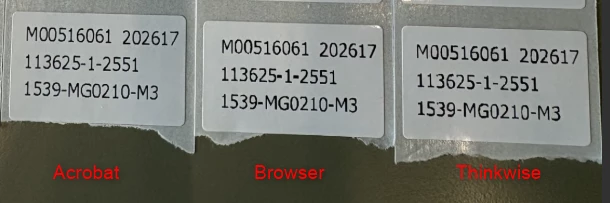
Somehow we are not able to print labels from Thinkwise with the quality that we would like to see.
In above picture the right label is printed directly from Thinkwise Universal (worst quality), the middle label was first generated as PDF from Universal and then opened in a browser and printed from the browser (Chrome). The left label was generated as PDF from Universal and printed from Acrobat Reader (best quality). All using the same label printer with the same driver settings. If we print from Acrobat and choose the option “print as image” the quality gets worse. We have done a lot of testing with changes in driver settings and playing with the print settings in the SF but without good result.
I wonder if anyone experienced the same problem and has a solution for this?