Solved

Is it possible to save custom Pivot grid views with Universal?

  • October 24, 2025
  • 7 replies
  • 119 views

Forum|alt.badge.img+8

I know it is possible for a user to save a custom pivot grid view (cube) in the Windows GUI. Is this also possible with the Universal GUI? 

Best answer by Mark Jongeling

Hi,

With this task, the default action bar and all its actions will be reset. The actions should have been there as when new ones arrive, we should add them to all default action bars:
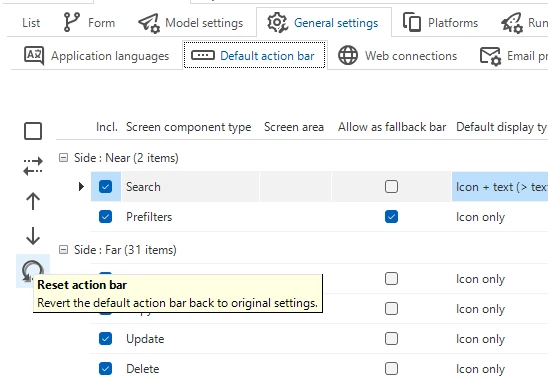
SF > Model overview > Branches > General settings > Default action bar


7 replies

Erik Brink
Moderator
Forum|alt.badge.img+5
  • Moderator
  • October 24, 2025

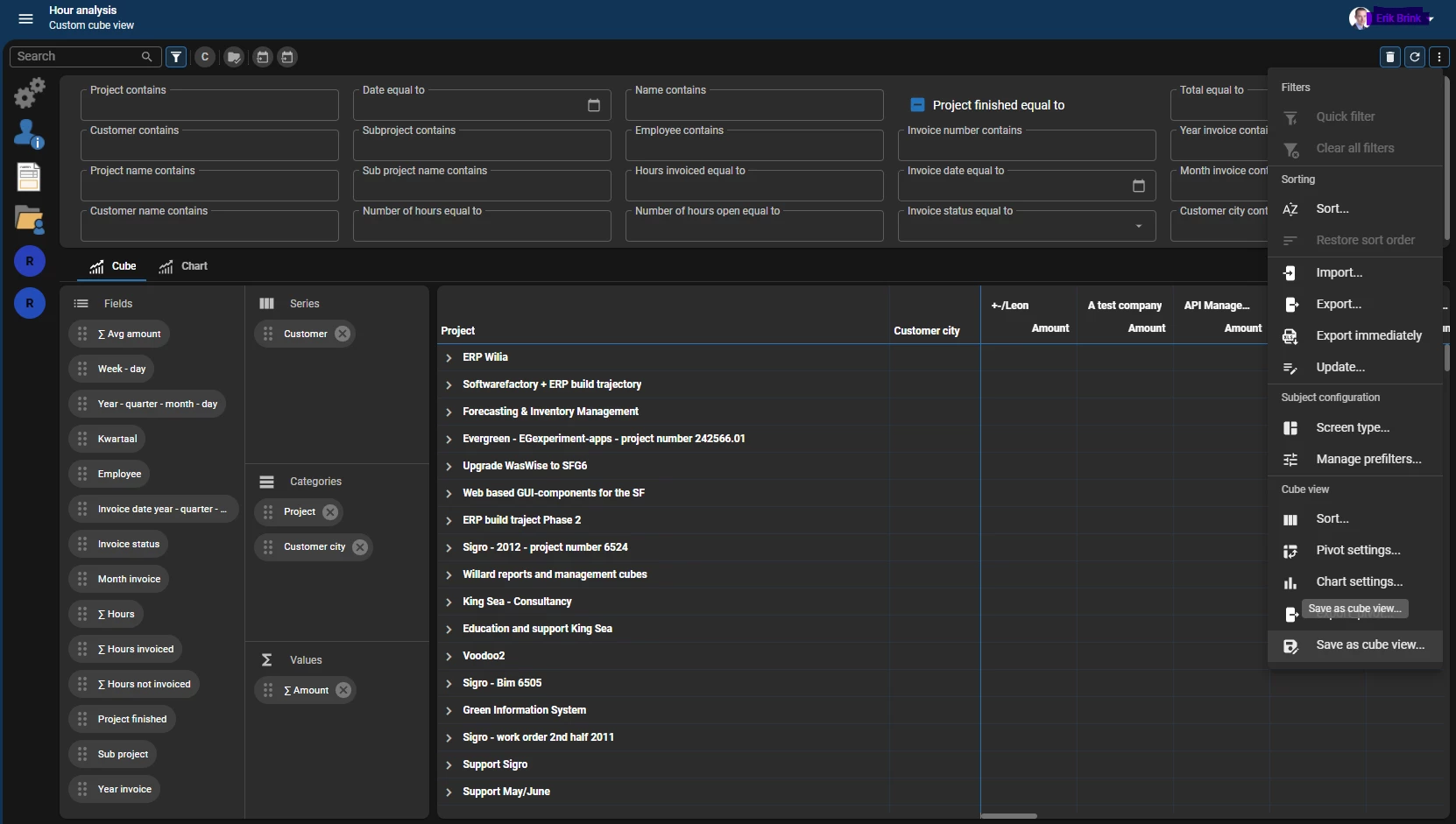
Yes you can. It is an User preference option stored in the right overflow menu of the actionbar:


Forum|alt.badge.img+8
  • Author
  • Captain
  • October 24, 2025

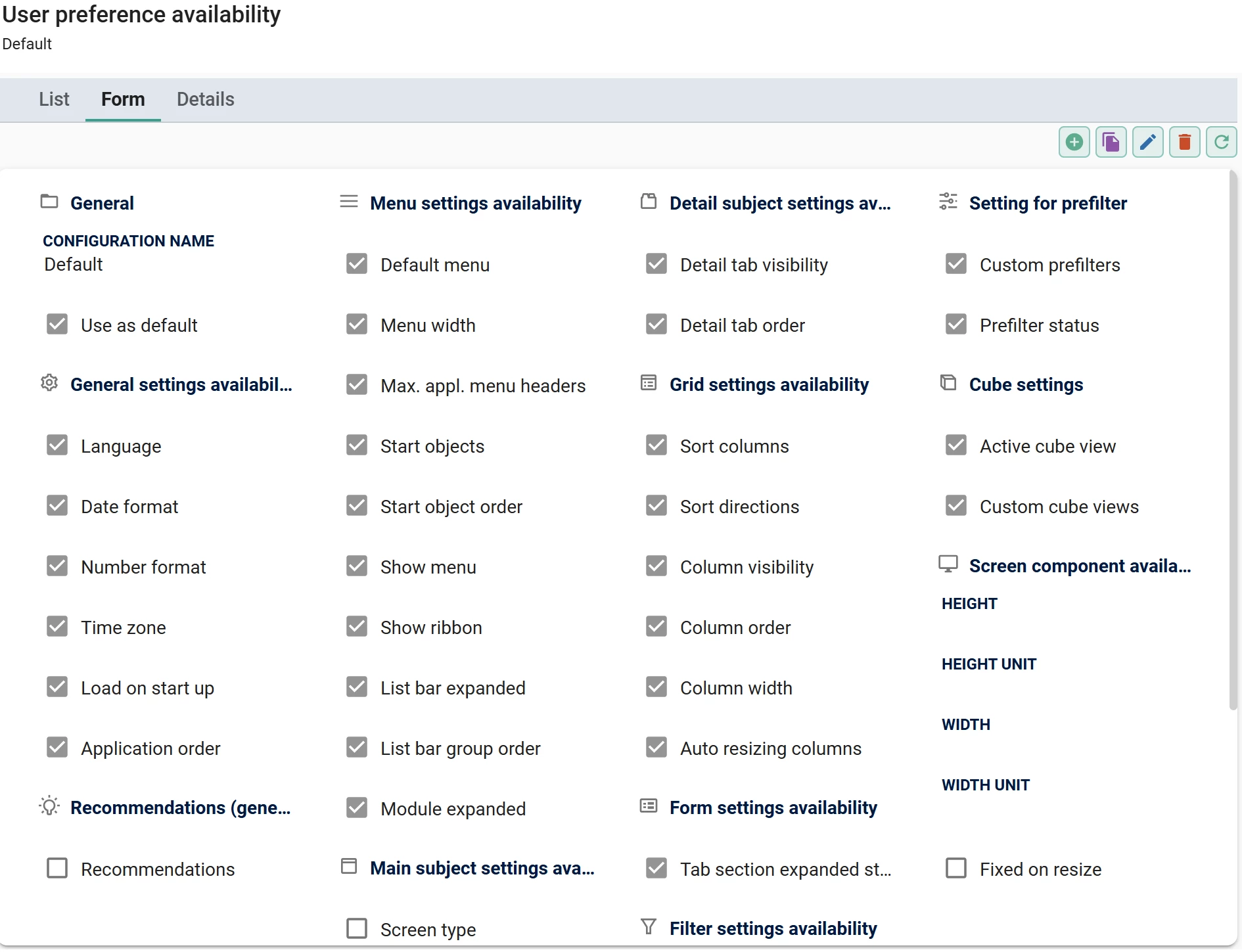
That option is not visible for me. I am using the ‘Complete’ user profile in IAM. All possible rights are granted to the underlying view. The screentype action bar has ‘UP cube view’ enabled.

What could be the cause?


Erik Brink
Moderator
Forum|alt.badge.img+5
  • Moderator
  • October 27, 2025

Your meta url on the login page has to end with “.../iam/iam” for this to be supported. Might that be the cause?


Forum|alt.badge.img+8
  • Author
  • Captain
  • October 27, 2025

Your meta url on the login page has to end with “.../iam/iam” for this to be supported. Might that be the cause?

I am using IAM as meta URL. Other user preferences work fine, I can for example create a custom prefilter on the same view. Only the option to save the cube view seems to be missing. I also tried making a new user profile but that didn’t help either.


Forum|alt.badge.img+8
  • Author
  • Captain
  • October 28, 2025

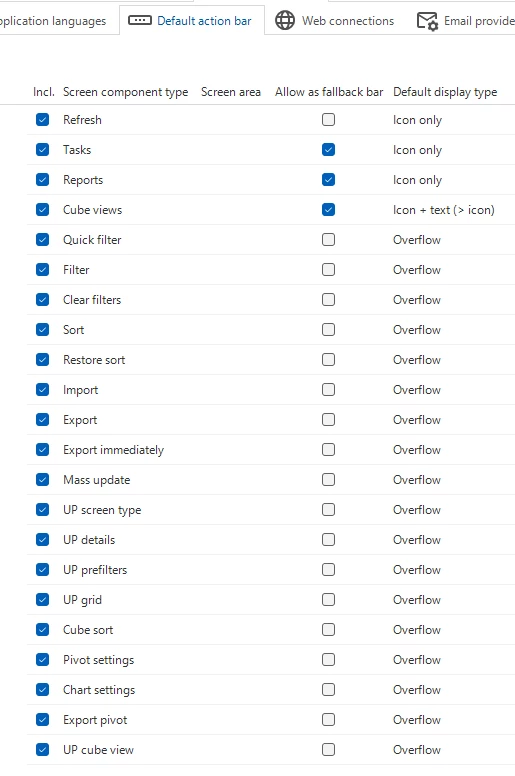
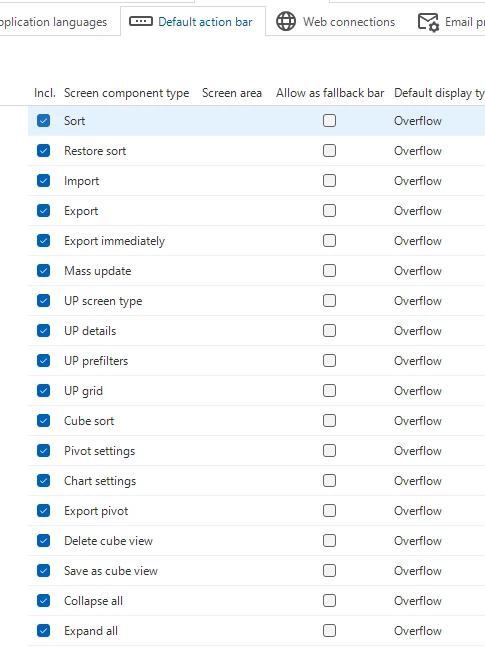
I did a test with a different model in the same IAM, and for the other model the option to save the cube view was visible. I found that the action bar of my application model does not have all options available (below ‘Export pivot’).

My model:

Test model:
 

How can I fix this? Do I just insert the missing options in the action_bar table?


Forum|alt.badge.img+8
  • Author
  • Captain
  • October 31, 2025

bump


Mark Jongeling
Administrator
Forum|alt.badge.img+23
  • Administrator
  • Answer
  • October 31, 2025

Hi,

With this task, the default action bar and all its actions will be reset. The actions should have been there as when new ones arrive, we should add them to all default action bars:

SF > Model overview > Branches > General settings > Default action bar