


Hi all,
If you're struggling to get HTTP/2 working in IIS despite having a valid SSL binding, the issue is likely your Windows Cipher/TLS configuration. IIS requires specific modern settings that are often not active by default.
The Fix:
-
Download IIS Crypto (Nartac Software).
-
Run it and click "Best Practices".
-
Apply and Reboot the server.
-
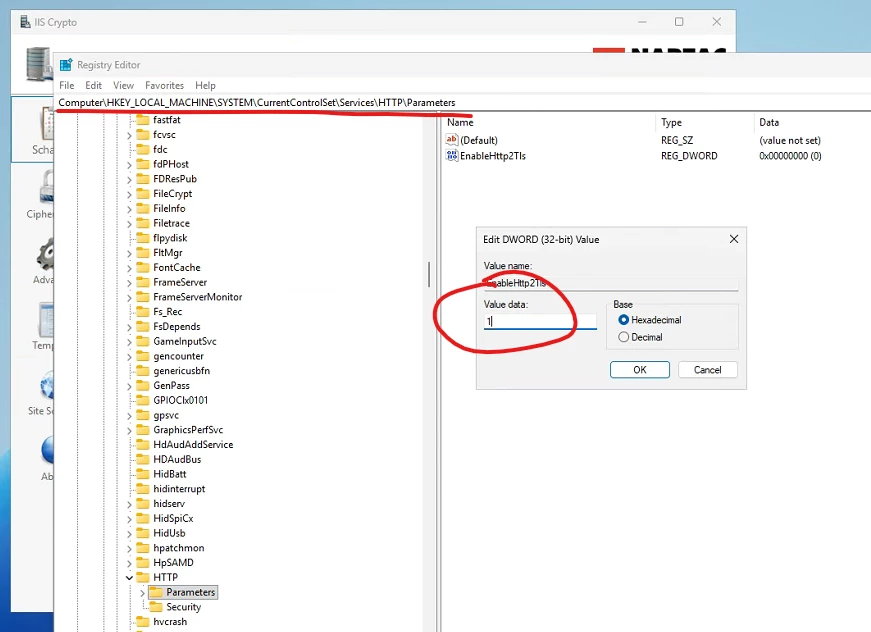
Edit registry-key*, change value to 1
This tool correctly configures Schannel for HTTP/2 support without manual registry edits.
Note for MSSQL users: Ensure your Microsoft OLE DB Driver is up-to-date. Disabling older TLS versions (1.0/1.1) via Best Practices can break connections for outdated SQL clients.
Hope this saves you some debugging time!
*