

I would like to restrict my users to a single session. The user may only be able to login from a single computer. If the user try to login from an other computer the session must be blocked.
Is this possible?

 +9
+9I would like to restrict my users to a single session. The user may only be able to login from a single computer. If the user try to login from an other computer the session must be blocked.
Is this possible?
Best answer by Mark Jongeling
Hi,
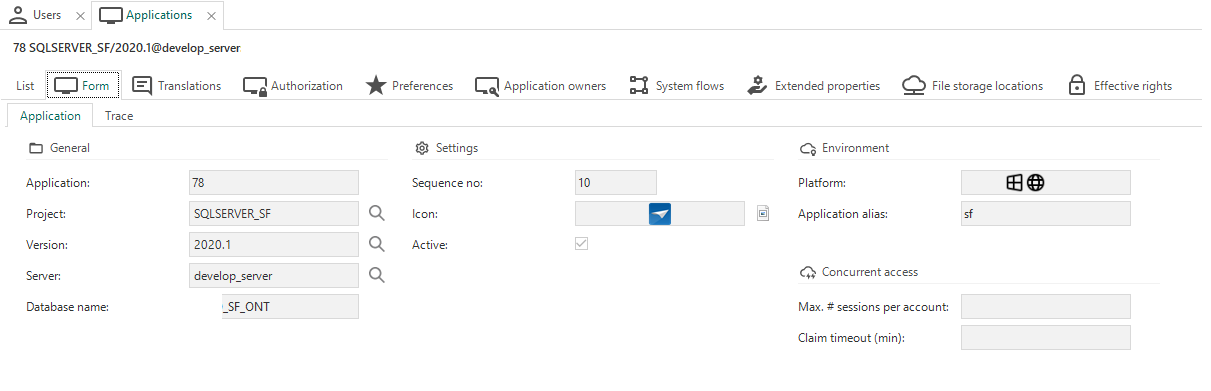
Yes, this is possible. In the Applications tab inside IAM, you are able to change the field 'Max # sessions per account’. If you set this value to 1, only 1 session can be active per account. If it's empty, it's unlimited.
Kind regards,
Mark Jongeling
Enter your E-mail address. We'll send you an e-mail with instructions to reset your password.


