



Hi,
In the past we managed to create a very nice form list grid in the Windows GUI:
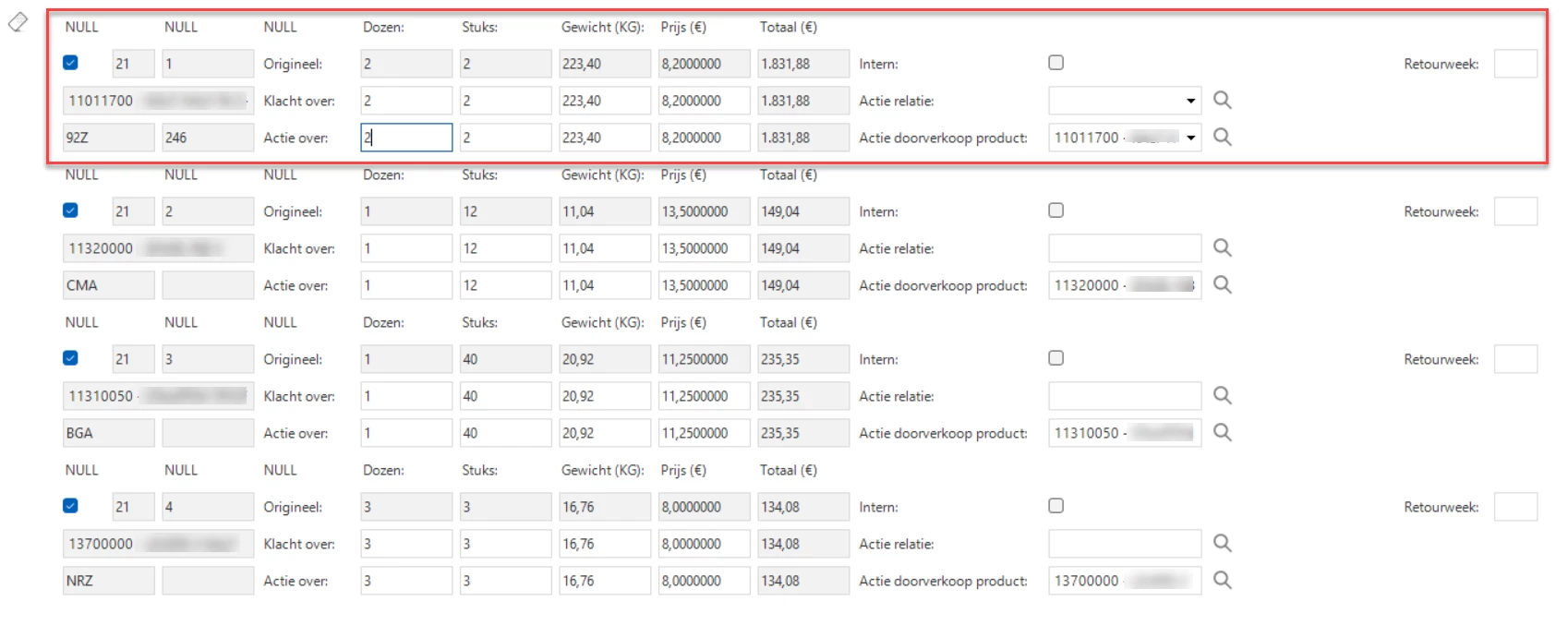
Every line in the invoice is shown here with dynamic labels.
It is build using a VIEW and for most fields the label width is set to 0. The shown labels are fields in the VIEW which we can manipulate. For example the ‘Totaal (€)` could have been `Totaal ($)` if that specific row had prcies in dollars. This way we were able to use dynamic field labels (I think that is a native option in Universal?) and by setting the exact sizes in pixels we were able to get it all nicely positioned.
The exact same screens looks wildly different in the Universal gui:
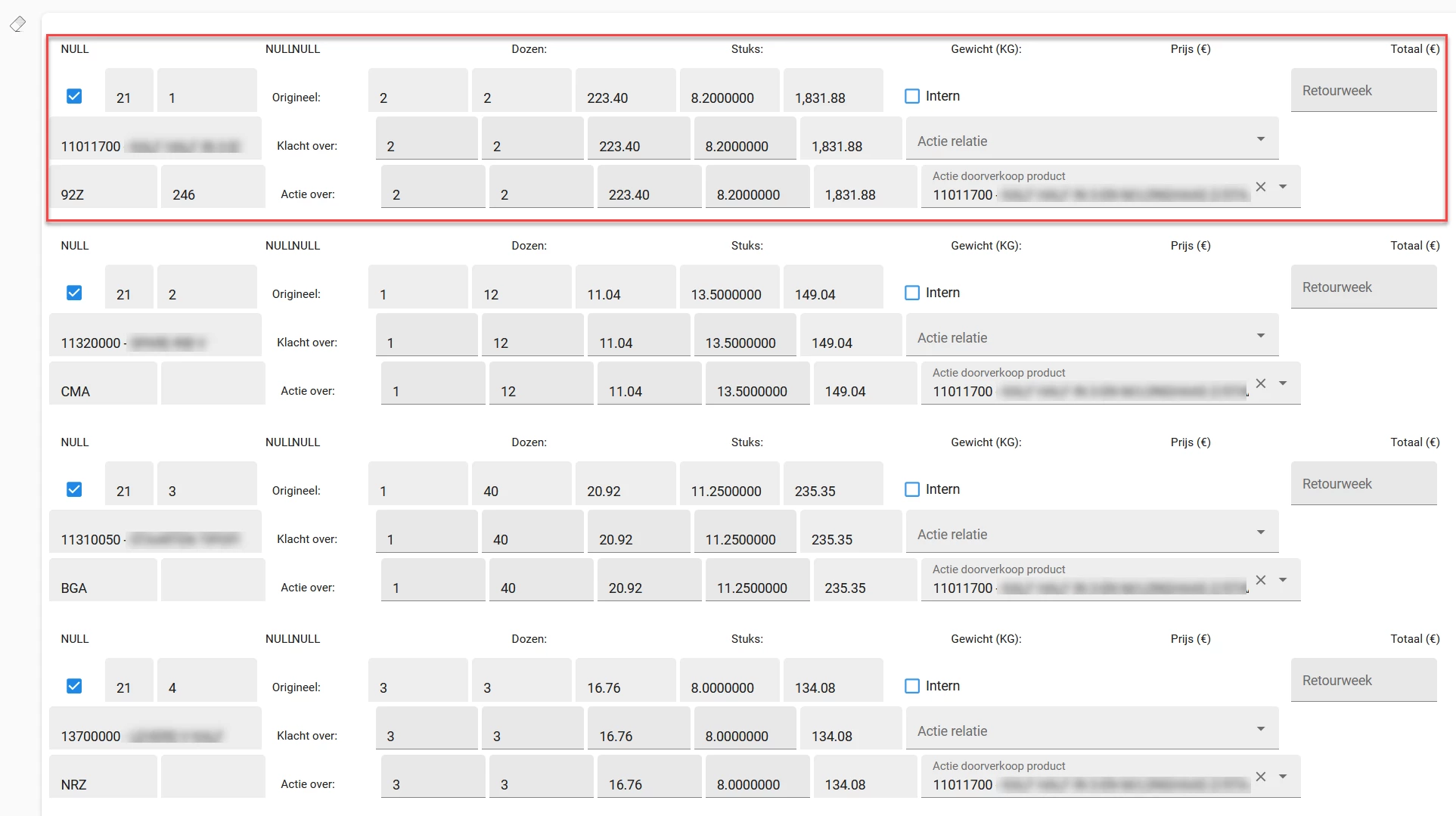
In the universal gui, as it is a web interface I guess, it doesn’t adhere to the pixel sizes but uses the Max. form-col space (%) which makes it virtually impossible to position the fields at the exact location I need them to be. It’s already way better than it originally was but for example the fields which I filled with “NULL” to make them visible are completely off.
Any suggestions, if in fact it is possible to alter the label text in runtime (layout or default procs) I might be able to ditch the label columns in my view and reinstate the real labels. In the universal gui these are inside the fields so maybe I can get a better result with that approach?
