



Hallo,
I tried to use a custom.css to overwrite the below class to make the padding 0 and border none, below snippet works perfectly, but I understand from the document that we should not be using this, but rather use a data-testid
.tsf-emotion-17bogqm {
padding: 0; /* removes any padding */
border-bottom: none; /* removes the bottom border */
}
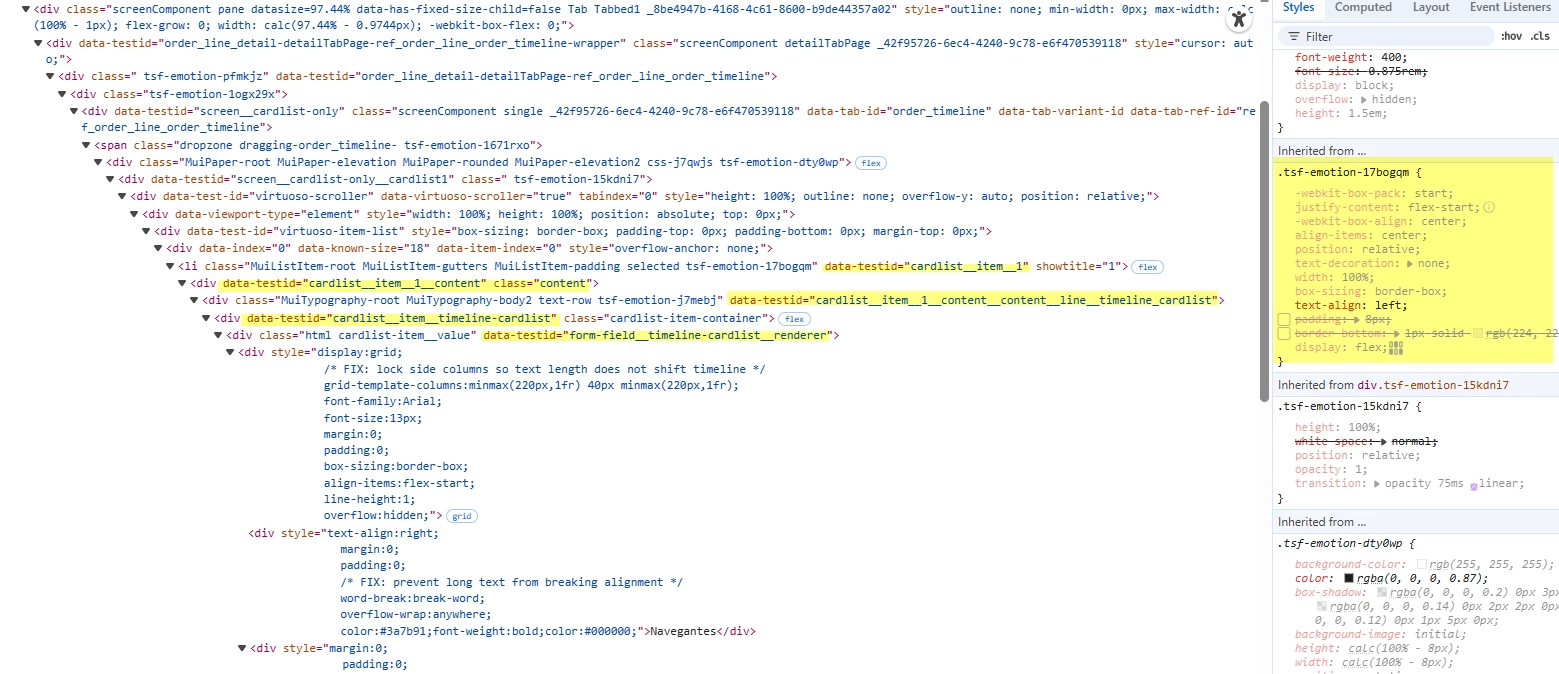
a sample using data-testid is below, but it doesn't work i tried many variation but how override the styles currently applied by the dynamically generated class tsf-emotion-17bogqm?
1)
[data-testid="cardlist__item__1__content"]
[data-testid$="timeline_cardlist"] {
padding: 0 !important;
border-bottom: none !important;
}
-
[data-testid="cardlist__item__timeline-cardlist"] {
padding: 0;
border-bottom: none;
margin: 0;
display: flex;
align-items: flex-start;
}
Here's the div styles applied from the page,
<li class="MuiListItem-root MuiListItem-gutters MuiListItem-padding selected tsf-emotion-17bogqm" data-testid="cardlist__item__1" showtitle="1"><div data-testid="cardlist__item__1__content" class="content"><div class="MuiTypography-root MuiTypography-body2 text-row tsf-emotion-j7mebj" data-testid="cardlist__item__1__content__content__line__timeline_cardlist"><div data-testid="cardlist__item__timeline-cardlist" class="cardlist-item-container"><div class="html cardlist-item__value" data-testid="form-field__timeline-cardlist__renderer">
Thank you