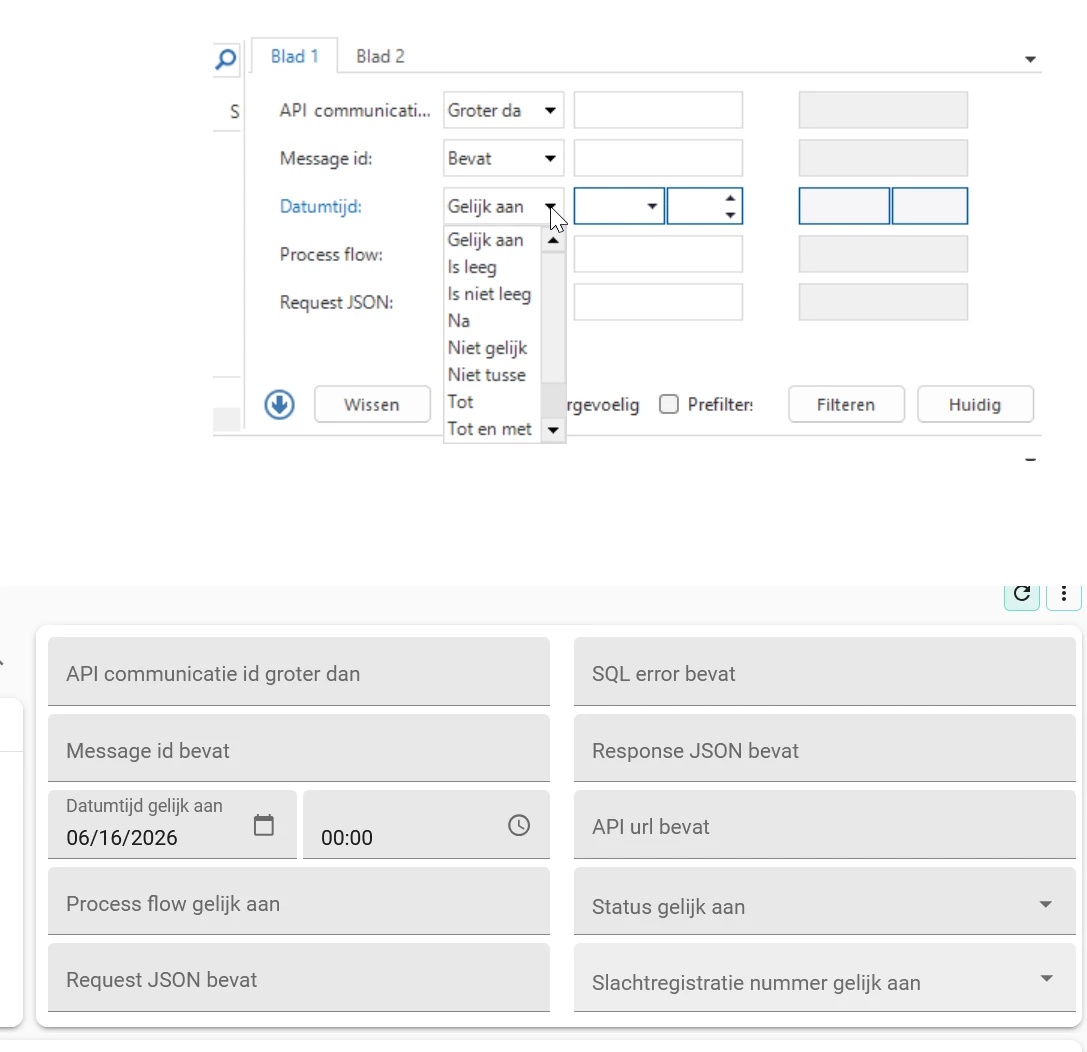
@Alban_T The Universal UI does indeed not support changing Operators in the Filter Form. The user can do that in the Filter popup instead.
We believe the added value of the Filter form is mainly in the ability to show a specific Column with a specific Operator to help users quickly find what they need based on specific Input they have (for instance by pasting an Article number from another source).
We believe Use Cases that require more flexibility are better served by the Search, the Grid header filter or the (Advanced) Filter pop-up.
- We recommend you add the Filter icon by default to your Action bar (next to the Search bar at the top left) and you can use the Enrichment ‘Sets the filter after the search in the action bar’ to help you with it.
- You can utilize the recently introduced ‘Open filter’ Process action to help user find the filter options more easily.
- Note that all Column headers in a Grid also offer the capability to Filter and that the Search does offer flexibility in Search.
Will any of these options work for your Use Case?