
In the same screen we use the import functionality in the windows GUI and the universal GUI, but the mapping of the fields is completely different. This makes it for the end users very complicated.
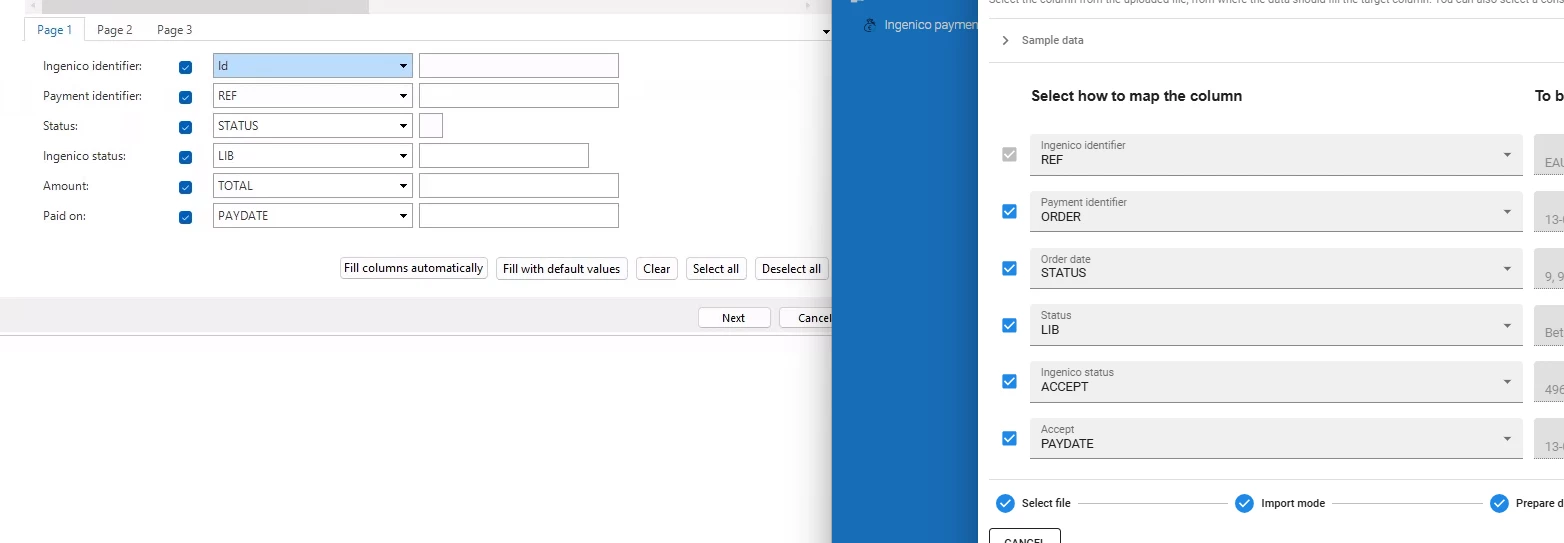
Is there a way to solve this?

In the same screen we use the import functionality in the windows GUI and the universal GUI, but the mapping of the fields is completely different. This makes it for the end users very complicated.
Is there a way to solve this?
Best answer by Anne Buit
Hi Martijn,
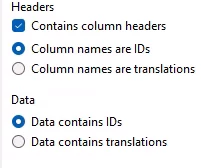
The Windows UI does not automatically map the columns. In your example, the user has chosen for ‘Fill columns automatically’ based on translation, id or column order?
Using Universal UI, an approach is automatically chosen by Indicium based on the ids or translations of the fields. I do feel like the automated mapping is a bit off here. Please create a ticket (for Indicium) so we can investigate.
Enter your E-mail address. We'll send you an e-mail with instructions to reset your password.