


Solved

Difference anaylsis screen in Universal

  • February 18, 2026
  • 2 replies
  • 46 views

Ionut
Warrior
Forum|alt.badge.img+2

Hello!

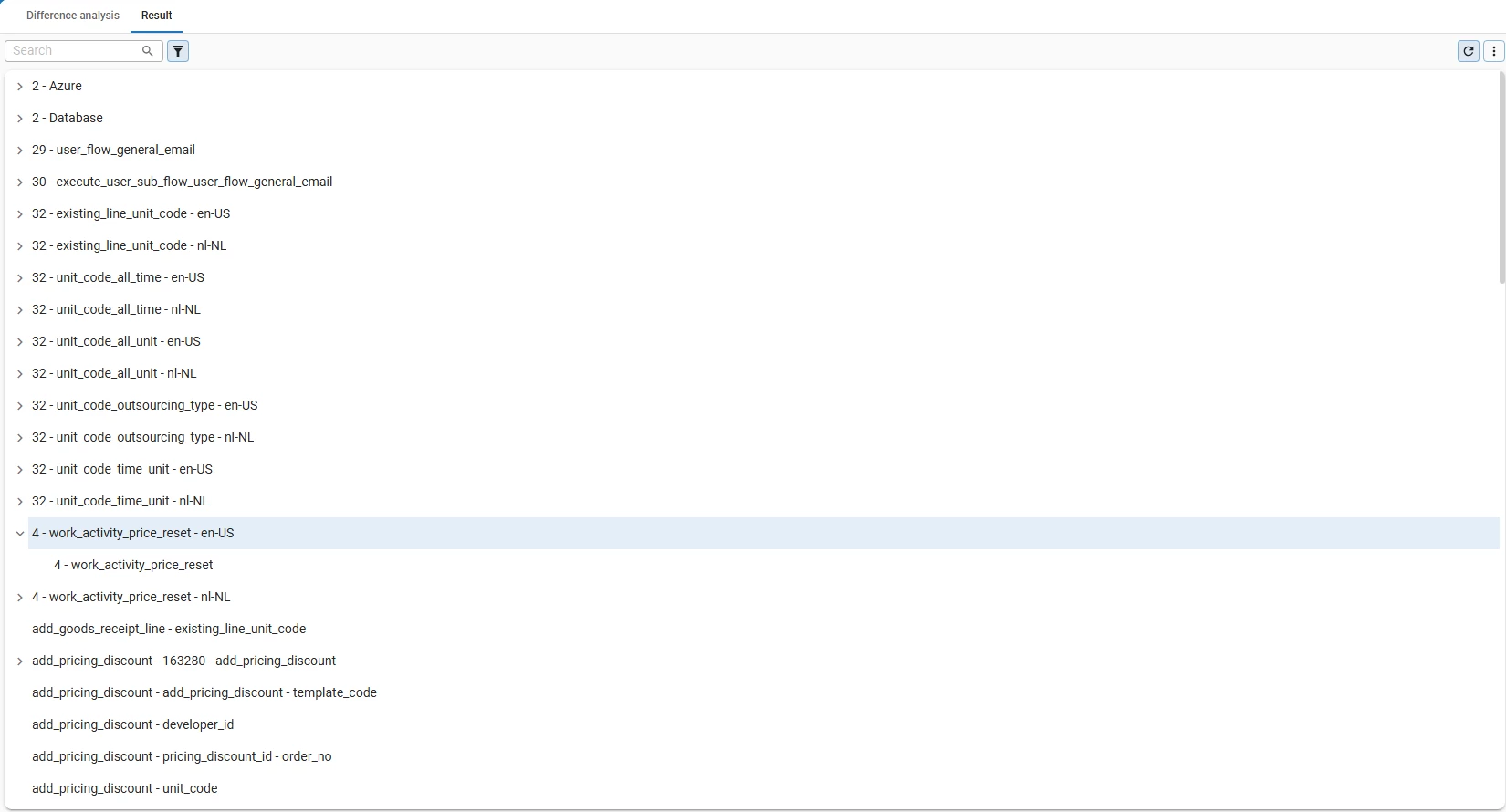
I just tried to create a difference analysis and looks at least in my case very weird, is this how it is supposed to look?

I know on the desktop app it was separated in Changed in both, Changes in branch1/branch2, now is just an annoying list.

Basically the question is if I do something wrong or this is happening because of the update.
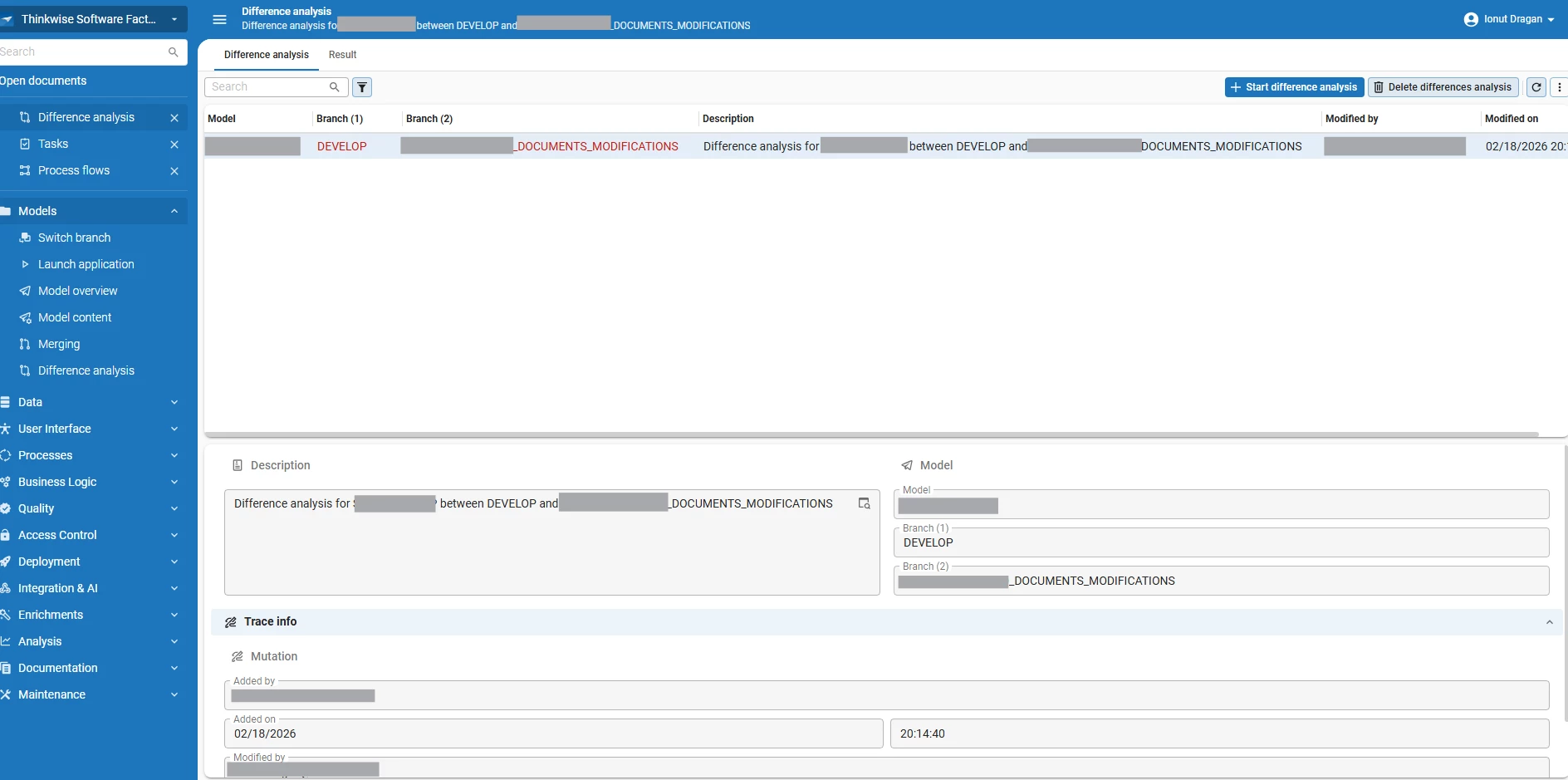
On double click nothing is happening, so I cannot see more details.

Best answer by bflachs

Hello ​@Ionut,

This is a known issue and has been put on the backlog. 

As a workaround, you could also start a regular merge session (https://docs.thinkwisesoftware.com/docs/sf/merging) to see the differences between two branches. 

I hope this helps!

This topic has been closed for replies.

2 replies

  • Moderator
  • Answer
  • February 19, 2026

Hello ​@Ionut,

This is a known issue and has been put on the backlog. 

As a workaround, you could also start a regular merge session (https://docs.thinkwisesoftware.com/docs/sf/merging) to see the differences between two branches. 

I hope this helps!


Ionut
Warrior
Forum|alt.badge.img+2
  • Author
  • Warrior
  • February 19, 2026

Hello ​@Ionut,

This is a known issue and has been put on the backlog. 

As a workaround, you could also start a regular merge session (https://docs.thinkwisesoftware.com/docs/sf/merging) to see the differences between two branches. 

I hope this helps!

Ok, good to know is on backlog.

Thanks!