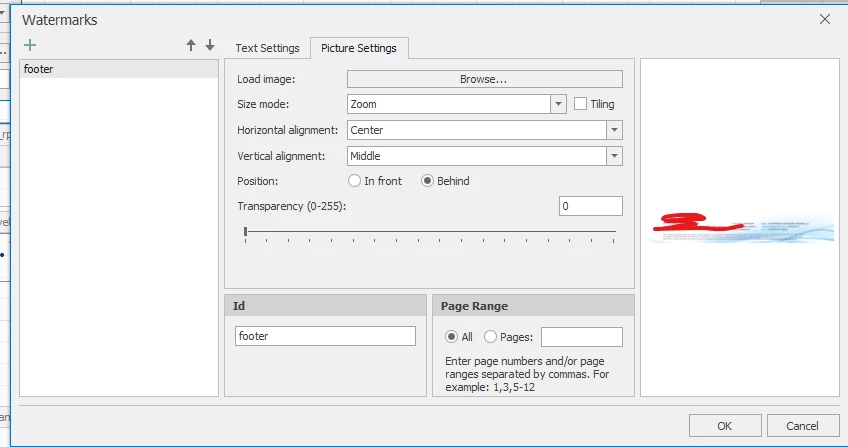
Is het nog mogelijk om een watermerk in een DevExpress rapport zelf te plaatsen? Ik heb geprobeerd een watermerk als afbeelding (in plaats van url) te importeren in het rapport, maar na het opslaan wordt deze weer verwijderd. Wanneer ik het rapport preview voordat ik het opsla, is het nog wel te zien op het rapport.
Is dit een bekend probleem of doe ik iets verkeerd?
Best answer by Ezgi Esen
Hi @Tim de Lang I followed the documentation. It specifies that I can add the watermark through the browse option. I can see the watermark the first time I preview the report. The second time it seems as if the picture is deleted.
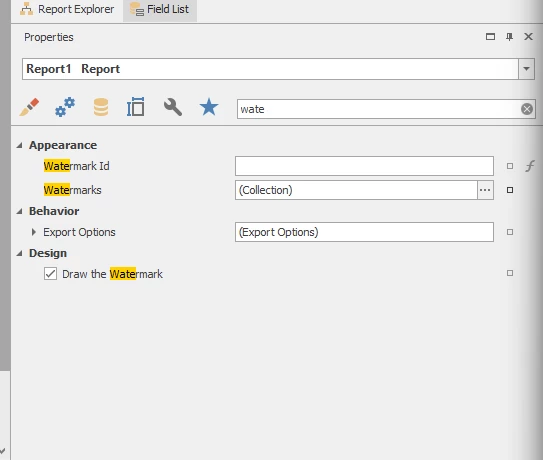
Unfortunately I didn’t find a direct solution in the documentation, but checking the ‘Draw the Watermark’ checbox eventually fixed the issue.
Hi @Tim de Lang I followed the documentation. It specifies that I can add the watermark through the browse option. I can see the watermark the first time I preview the report. The second time it seems as if the picture is deleted.
Unfortunately I didn’t find a direct solution in the documentation, but checking the ‘Draw the Watermark’ checbox eventually fixed the issue.
what seems to have solved it, is after adding the watermark image, save the devexpress file and close it, then reopen it. after that it did has not disappeared again.