




Question

DEV express: Changing the tab name of an Excel

  • April 16, 2026
  • 2 replies
  • 27 views

Mark Leunissen
Hero
Forum|alt.badge.img+4

Hi,


Within DEV express I have built a document that generates an Excel file with multiple tabs. The DEV express report looks like this:
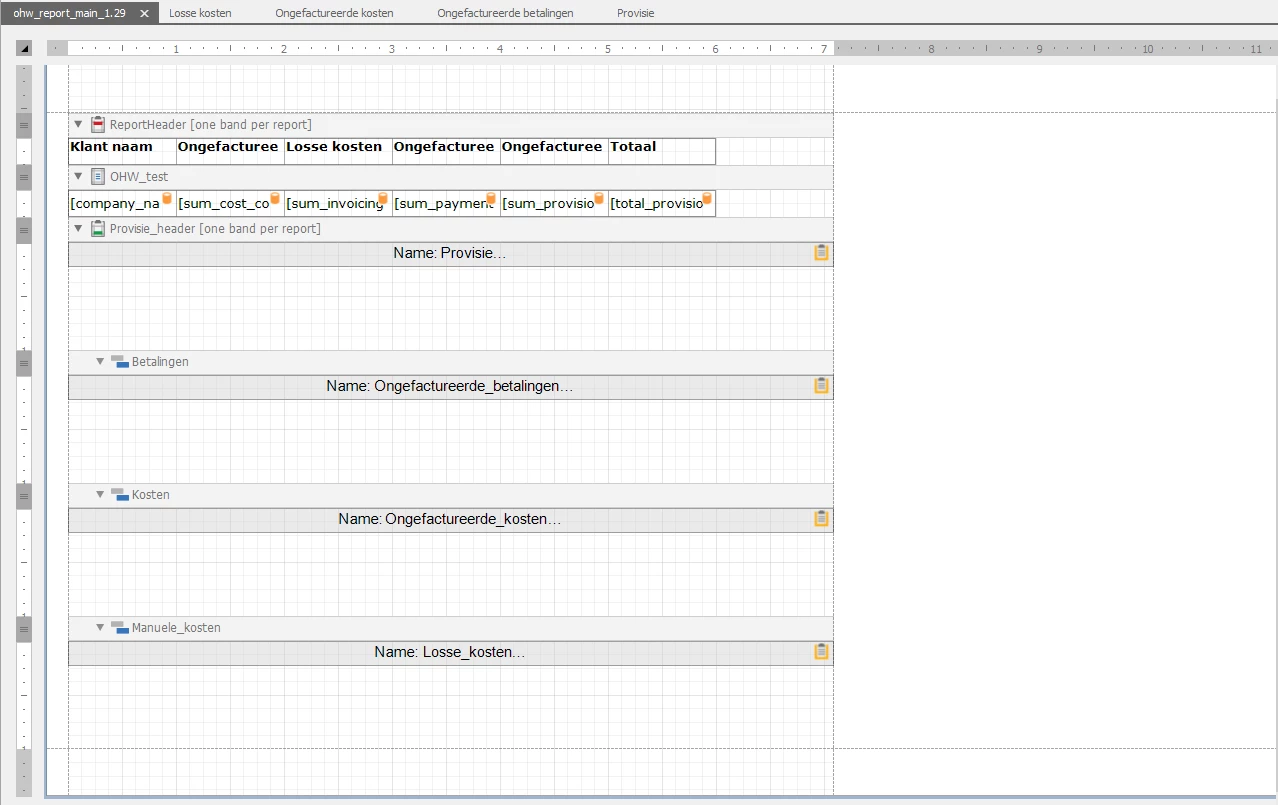
The problem I am running into is that in no way I am able to change the names of the tabs in the Excel file. The name is stays OHW overzicht(number) for each tab. I have changed the SheetName and Name of the subreport but the name doesn't change.
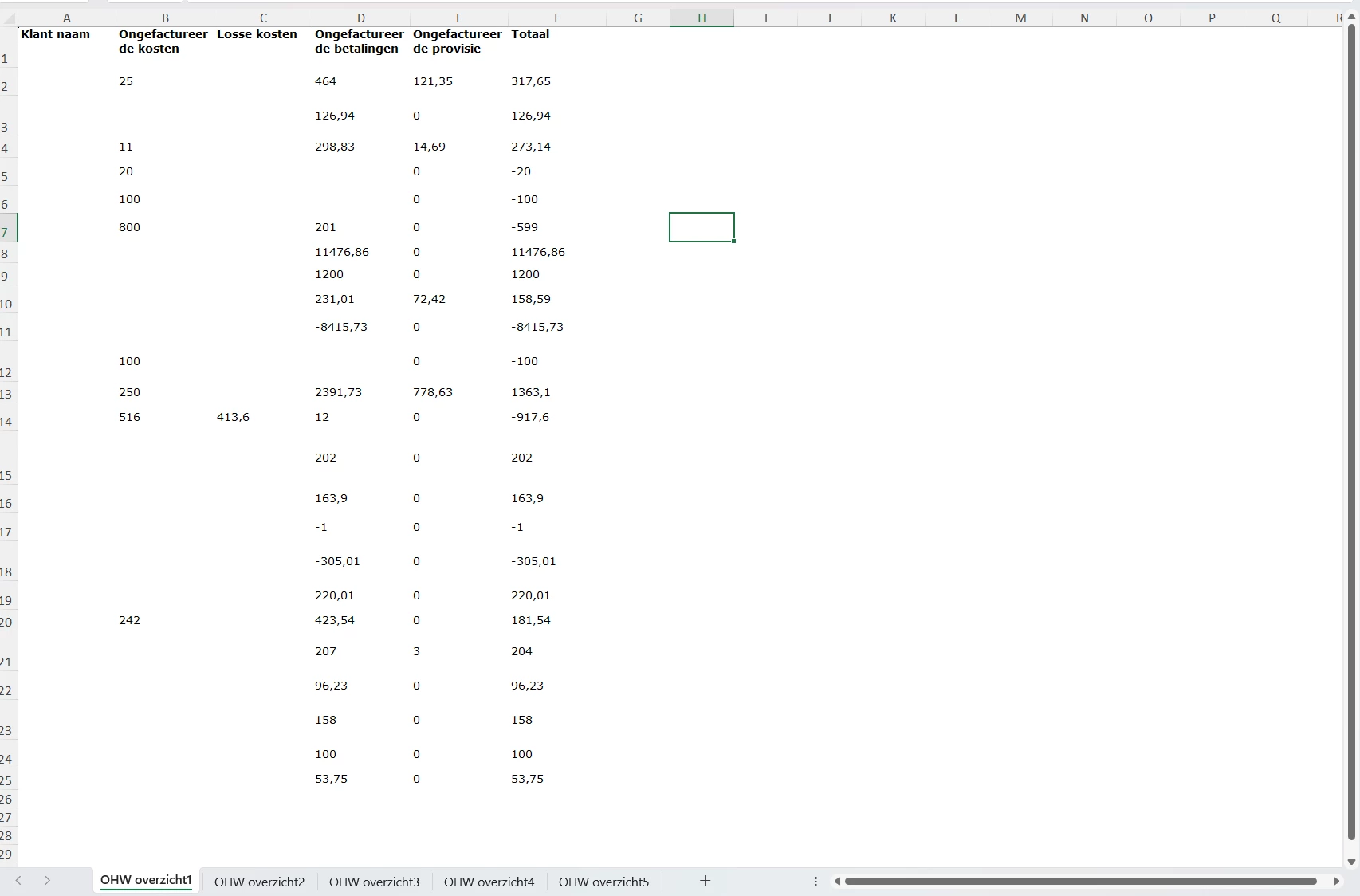
I have tried adding a script to the Report, but that doesn't work either. My gut says that in some way the tab names are blocked or written over. 

How do I change the tabs names to the names that I need?


Kind regards,

Mark

2 replies

  • Moderator
  • April 17, 2026

Hello ​@Mark Leunissen

I found this link. Can you try if this makes it work
Set different XLSX sheet names using Web Report Designer | DevExpress Support ?
 

Kind regards, 

Maartje


Mark Leunissen
Hero
Forum|alt.badge.img+4

Hi Maartje,


I found a similar site that worked via a script. However, I still do not get the names of the sheets to change. I have tried a couple of different scripts and settings, but either nothing changes or I get the following error:

Prockees.Bootstrapper.ExecutionException: DevExpress.XtraReports.ScriptExecutionException: The following error occurred when the script in procedure tkb_return_payment.BeforePrint was executed: Cannot bind to the target method because its signature or security transparency is not compatible with that of the delegate type. ---> System.ArgumentException: Cannot bind to the target method because its signature or security transparency is not compatible with that of the delegate type.

Does this ring a bell for you?


Kind regards,

Mark