

Answer

db stays out of sync

  • November 10, 2025
  • 4 replies
  • 62 views

Forum|alt.badge.img+6

I've had this issue before but this time I have more time to find a solution.


On my database I can see that a specific column is set to nullable:

[single_xml_file] [dbo].[checkbox] NULL CONSTRAINT [DF__label_hea__singl__628FA481] DEFAULT ('0'),


But in Thinkwise this column is set as mandatory and when I look in the creation sql code I can see that it is set to NOT NULL.
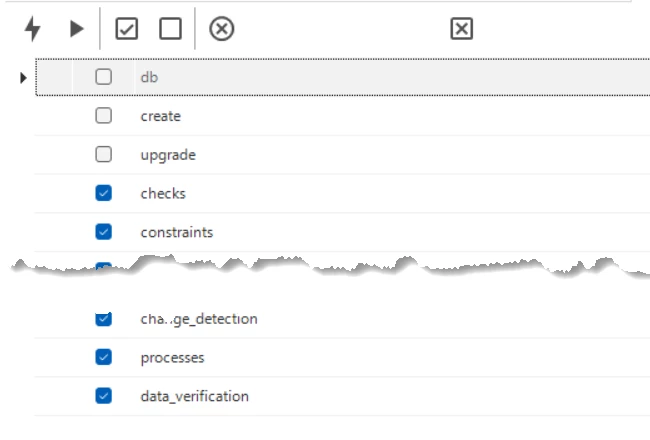
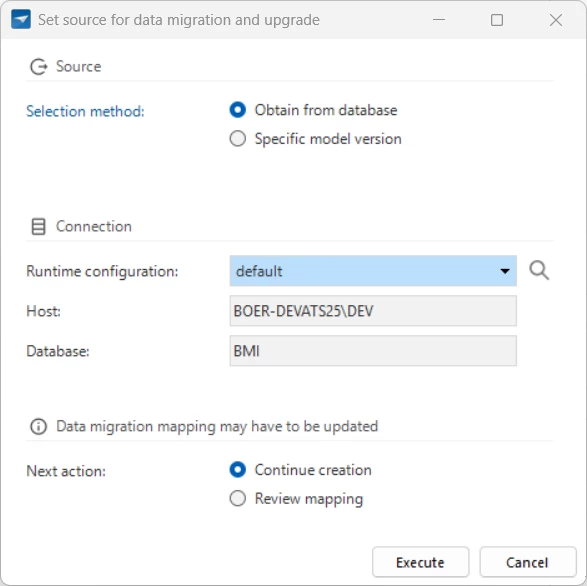
But when I execute “Create Definition”:
 

And then “Execute All Validations” and after that “Generate Sourcecode...”:
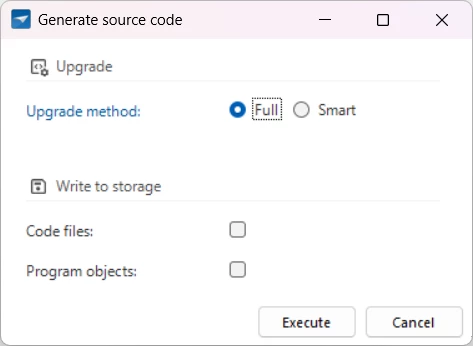


Next I connect to my DEV database and the SQL output shows: 



When I select create and search in the source code for the table this column belongs to I see:
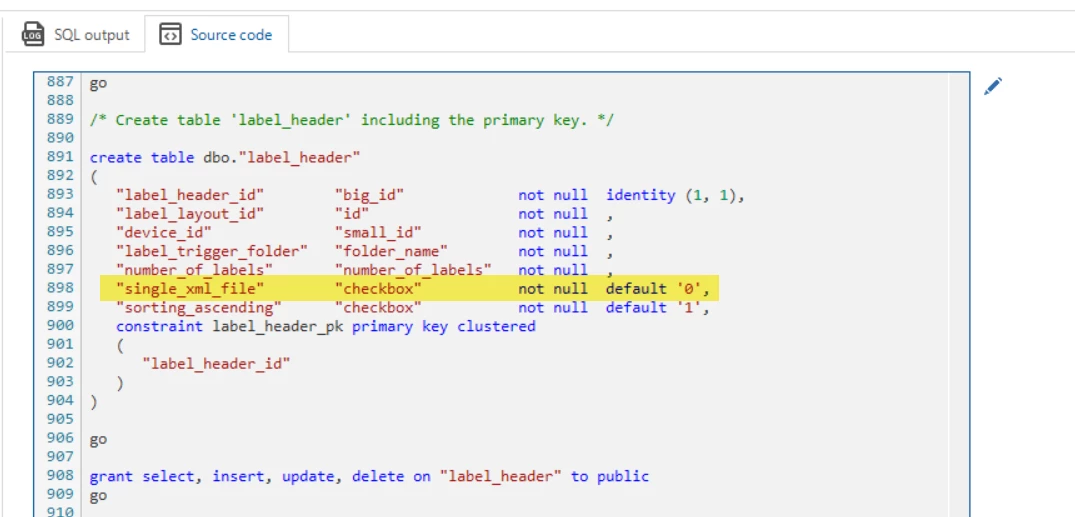


But because the db connection was succesfull create will not be executed and there isn't an ALTER Table being executed as well!?

Last time I had a similar issue Anne advised to change the value, create it to the db and change it again to force TW to get back in sync.
But in this case that doesn’t seem to work…
Any suggestions on how to tackle this? I'll leave the db intact this time 

😇Last time I was in a hurry so I deleted the entire db and let TW build it all over again and used Redgate SQL data compare to copy the data back from our ACC environment before solutions were posted… 


Best answer by Alban_T

I found a solution, besides being more strict while performing the creation steps.

My Production server was out of sync because of legacy deploying methods I try to fix.

I deployed my ACCEPTANCE branch to my Acceptance server and used RedGate SQL compare (our old way of deploying from DEV to TEST to ACC to PROD) to make sure PROD and ACC were identical.

Then I manually updated dbo.sf_model_info to my ACCEPTANCE branch and ran the complete creation again for my MAIN branch and deployed it to my Prod server which was now aware that the last version was my ACCEPTANCE branch.

Now all stages of our OTAP are back in sync, and I’ll do anything to keep it that way 😄

4 replies

Forum|alt.badge.img+6
  • Author
  • Hero
  • November 18, 2025

Nobody has any suggestions!? 😢

I'll delete my db and rebuild it again from scratch 😩


poonam
Moderator
Forum|alt.badge.img+2
  • Moderator
  • November 18, 2025

Hey ​@Alban_T ,

What's going wrong here is (probably) that the upgrade is basing on a point in time that doesn't match the end product. In effect, it's upgrading a database (for example V2) with an upgrade from, say, V3 to the current version (V4).

Because of that mismatch, the SF doesn't automatically check the "upgrade" option by default. However, you can still do that manually, although this is somewhat risky, so making a backup would be smart.

If the upgrade succeeds, great - then you can continue and the model and database will be in sync again.

If that doesn't solve it, you can upgrade again by selecting V4 as the Source version and rebuilding the relevant table(s). You can configure that in the Data migration screen. Then during the upgrade, the table will be rebuilt, and you'll ensure 100% that the column is NOT NULL as expected.


Forum|alt.badge.img+6
  • Author
  • Hero
  • November 19, 2025

Hmmmm manually forcing the upgrade didn’t fix my problem.
Fortunately this specific TW application uses mostly views (a central gui for data from different application databases) and only a small number of tables.
So I deleted the entire db from DEV and recreated it from scratch using TW.
After that I used RedGate SQL data compare to import the data again from the tables in PROD back to DEV.
For now I'm good, and I’ll keep an eye out how I deploy in the future, and hopefully keep the db in sync.


Forum|alt.badge.img+6
  • Author
  • Hero
  • Answer
  • December 2, 2025

I found a solution, besides being more strict while performing the creation steps.

My Production server was out of sync because of legacy deploying methods I try to fix.

I deployed my ACCEPTANCE branch to my Acceptance server and used RedGate SQL compare (our old way of deploying from DEV to TEST to ACC to PROD) to make sure PROD and ACC were identical.

Then I manually updated dbo.sf_model_info to my ACCEPTANCE branch and ran the complete creation again for my MAIN branch and deployed it to my Prod server which was now aware that the last version was my ACCEPTANCE branch.

Now all stages of our OTAP are back in sync, and I’ll do anything to keep it that way 😄