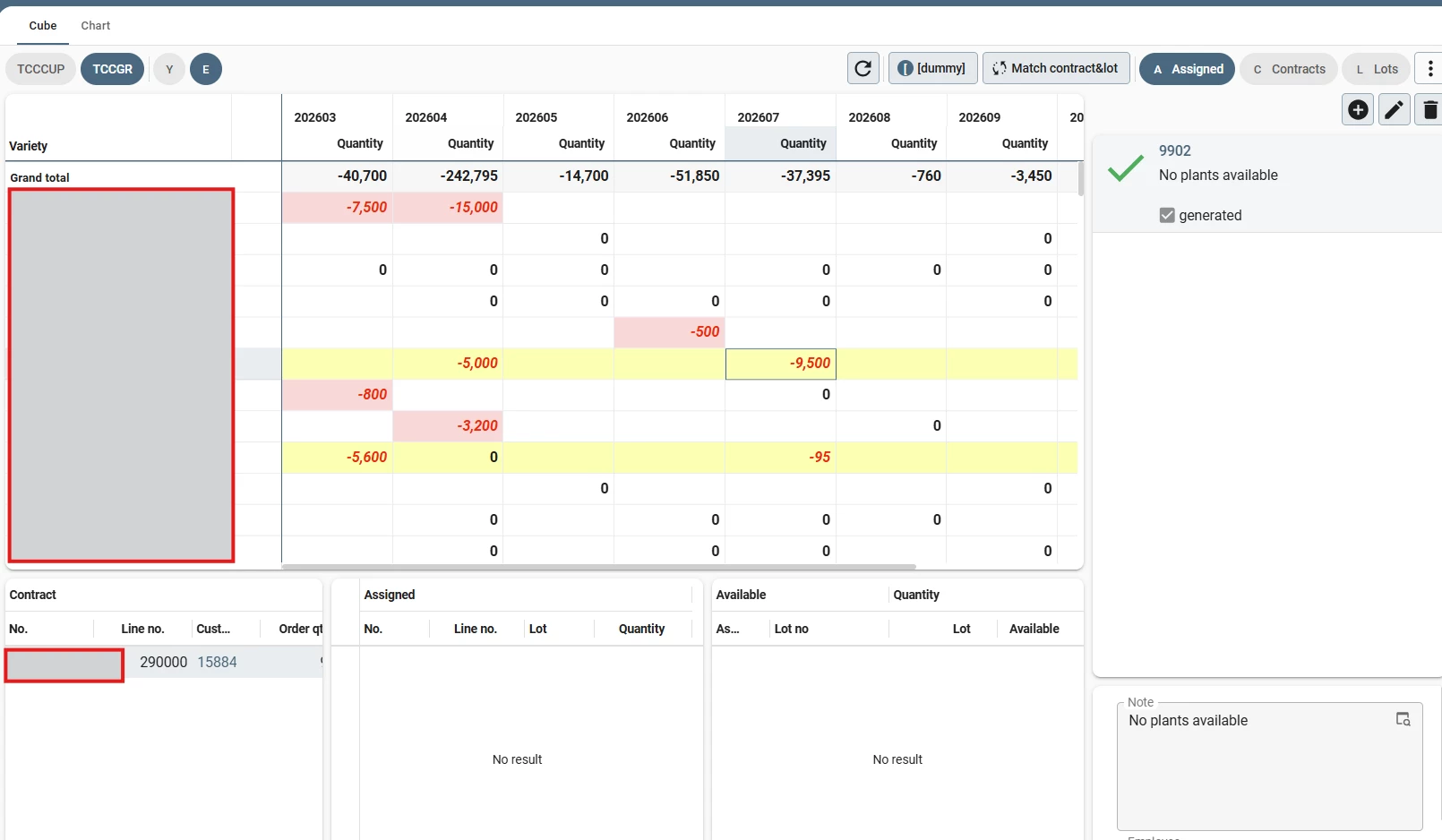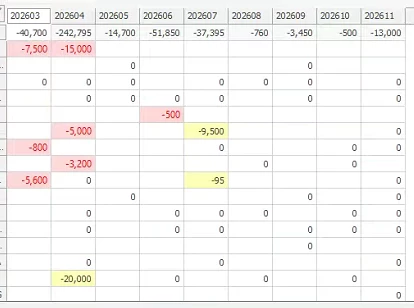



TL/DR: I’m experiencing unexpected behavior regarding Conditional Formatting within the Universal Cube. Formating is applied to the entire row, is was expecting it to only apply to the cell.
The Setup: We use a Cube to visualize supply and demand per week.
-
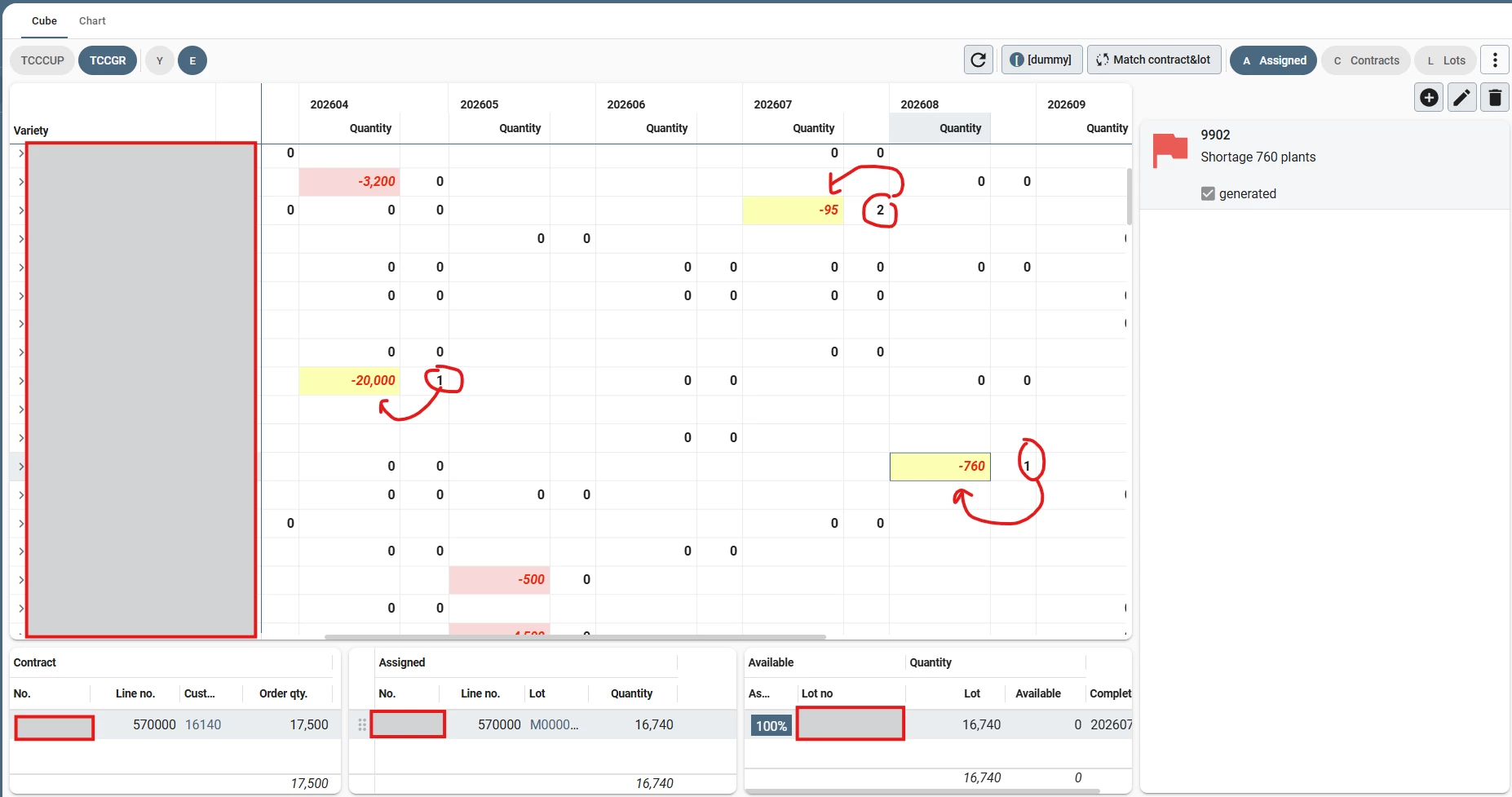
Quantity < 0: Shortage so Red background.
-
No. of notes > 0: Yellow background on Quantity Value
The Issue: The formatting logic changes based on the visibility of the field used for the condition (No. of notes):
-
Field Visible: The formatting works perfectly. Only the specific cells (intersections) containing a note are highlighted in yellow.
-
Field Hidden: When I remove the
No. of notesfield from the Cube view (but keep it in the Cube definition), the entire row turns yellow if there is at least one note anywhere in that row.
Tried:
-
Setting
No. of notesfield width to 0 or -1. -
Moving
No. of notesfrom Value to Dimension -
Toggling all 'Apply to' checkbox combinations.
-
Removing all other layout conditions to isolate the bug.
Environment:
-
Platform version: 2025.3
-
Universal GUI version: 2025.3.14.0.0
Is this a known limitation/bug, or is there a specific configuration to keep cell-level formatting while hiding the ‘Condition on’ value?