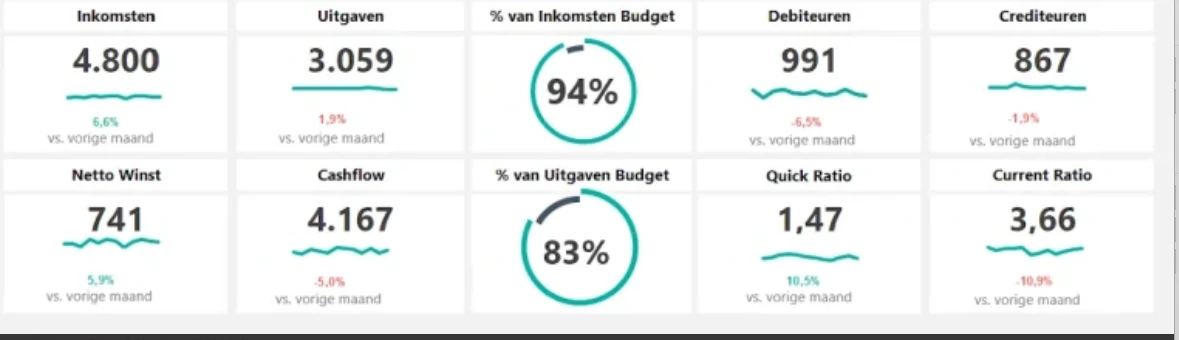
Would like to check what is the best approach to create a dashboard, similar to the example below—that displays key metrics such as the number of products, total units, total amount, etc.
Would it be advisable to create a view table to support this?
Also, what would be the recommended method to display this in large tiles?
If you don’t like the styling of disabled tasks, you could:
Enable the task like you had before, and put the task on “Task logic type” = None and play around with other settings that may affect the behavior such as “Refresh after execute” if you configured a table task.
Another alternative to adjust the styling could be to add custom styling with custom.css file, targeting the specific disabled tasks.
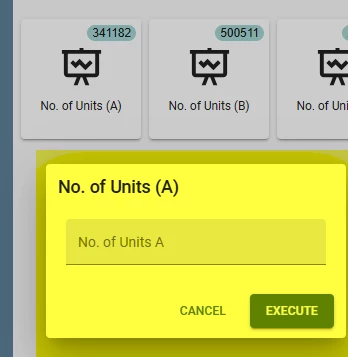
I’m not really sure what you want to achieve here? If you want to fill a default value which is the same as the value of the badge (341182 for No. of Units (A) ), then just add a default procedure with the same query behind it as the badge. What do you mean by “instead of showing input box”. You need an input box to specify the new value, right? In that case I think you have the right setup: adding a task parameter which is shown in the input box.
From the logic of the custom component you can directly send data request to the Indicium API to gether the required data. If a view is helpfull to simplify the OData requests, feel free to use that to. Indicium well expose that as an end-point too.
The custom component can interact with the surrounding Thinkwise UI as described in the link above.
This is a high-code solution, so if you need help with that, please contact you Thinkwise consultant.
Noted for suggestion, but I think it might be a bit complex.
I think for now just a simple task tile with badge that would indicate the statistic would work.
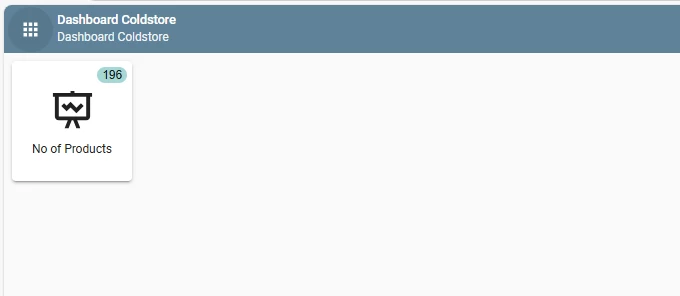
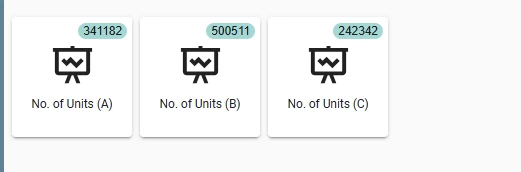
I tried to create a task tile as below, and create a badge function.
Currently, I’m running into an issue when trying to filter, for example, filter by “Coldstore.” I haven’t created a view table for this , so my plan is just to create separate badge functions and tasks for each tile I need (e.g. no of units, total weight, etc..) .
However, I’m unsure where exactly to add the filter logic. A guide would be appreciated if there is.
What I did is just to create a where clause in the badge template. So if I have 3 Coldstore then I will have 3 templates and 3 task. But I think this is ok for now.
With regards to this task tiles dashboard have 2 question:
is it possible not to make the tile clickable? meaning just static like show as it display, because if i didn't put any parameter in task, and click the tile, it will show error like "
[error_stored_procedure_not_found]”
if the tile is clickable how can I pass in the @badge_value when clicking the tile? example when I click A tile just pass in the value of badge_value instead of showing input box (I created a task parameter on this)
And no execute button - but I think this one can be done in layout to hide the execute.
If you don’t like the styling of disabled tasks, you could:
Enable the task like you had before, and put the task on “Task logic type” = None and play around with other settings that may affect the behavior such as “Refresh after execute” if you configured a table task.
Another alternative to adjust the styling could be to add custom styling with custom.css file, targeting the specific disabled tasks.
I’m not really sure what you want to achieve here? If you want to fill a default value which is the same as the value of the badge (341182 for No. of Units (A) ), then just add a default procedure with the same query behind it as the badge. What do you mean by “instead of showing input box”. You need an input box to specify the new value, right? In that case I think you have the right setup: adding a task parameter which is shown in the input box.