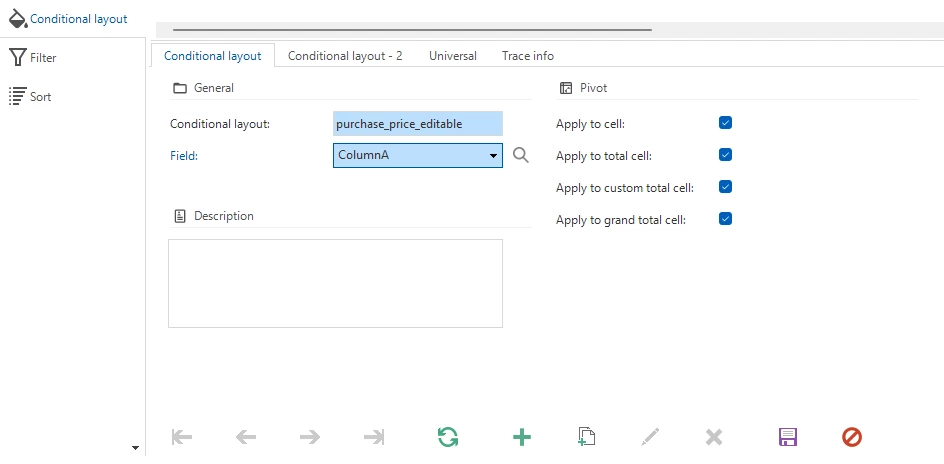
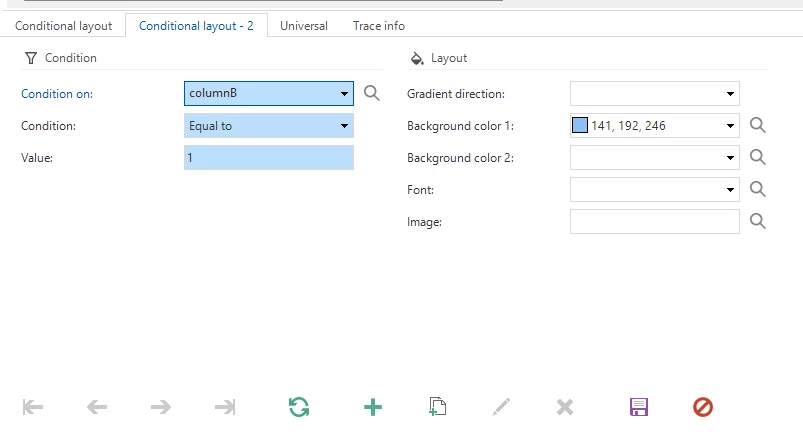
I want to set a conditional layout on a cube for column A based on a condition on column B, but it is not working, unless I set it on the same column (conditional layout on column A with condition on column A).
Do you have any idea on how to make it work?
I use Platform version 2025.2 and Universal GUI version 2025.2.13.0.0.
Thank you
Best answer by Jeroen van den Belt
Hi @Alexandra_Dia,
Thank you for your question and the additional information. I’ve incorporated it into your original post.
The behavior you describe seems to align with an issue we’re currently working on. Once this change has been implemented, we’ll communicate it in the usual way — so keep an eye on the release notes.
Thank you for your question and the additional information. I’ve incorporated it into your original post.
The behavior you describe seems to align with an issue we’re currently working on. Once this change has been implemented, we’ll communicate it in the usual way — so keep an eye on the release notes.
The background color settings filled here are specifically for the Windows GUI. If you want to change the background color (or font settings) for Universal, the settings on the Universal tab should be used.