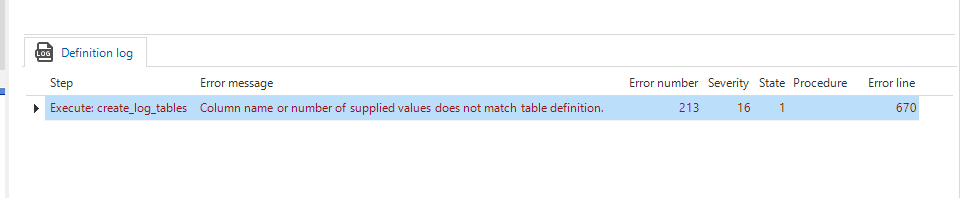
I’m currently getting the following error on generation step “Execute: create_log_tables” in the Generate Definition step of my creation:
Error messageError line
I don't know what could have caused this, is anyone able to give me a suggestion as to how to solve this?
Thanks in advance.
Best answer by Mark Jongeling
Hi,
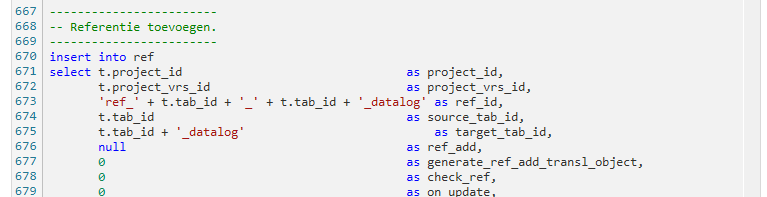
The procedure 'create_log_tables’ (presumably a Dynamic model procedure) is doing an insert on the Ref table but is missing a column or a value. To solve this, make sure to list the columns you would like to Insert into and match the number of values with the number of columns😁
The procedure 'create_log_tables’ (presumably a Dynamic model procedure) is doing an insert on the Ref table but is missing a column or a value. To solve this, make sure to list the columns you would like to Insert into and match the number of values with the number of columns😁