

Hi everyone!
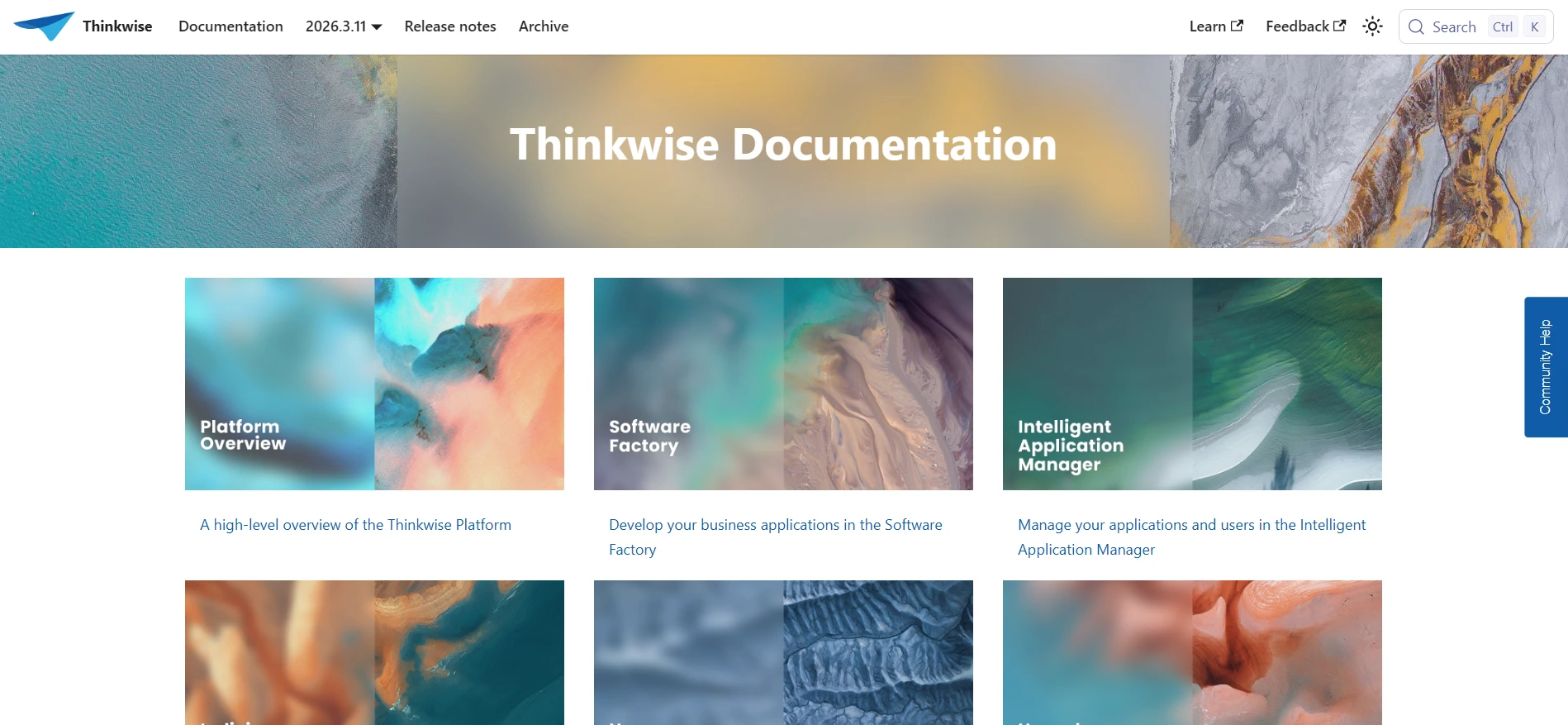
Today we are saying goodbye to the old landing page and styling of our documentation website. Along with the launch of our new Thinkwise house style, our site analytics hinted that an overhaul was necessary.
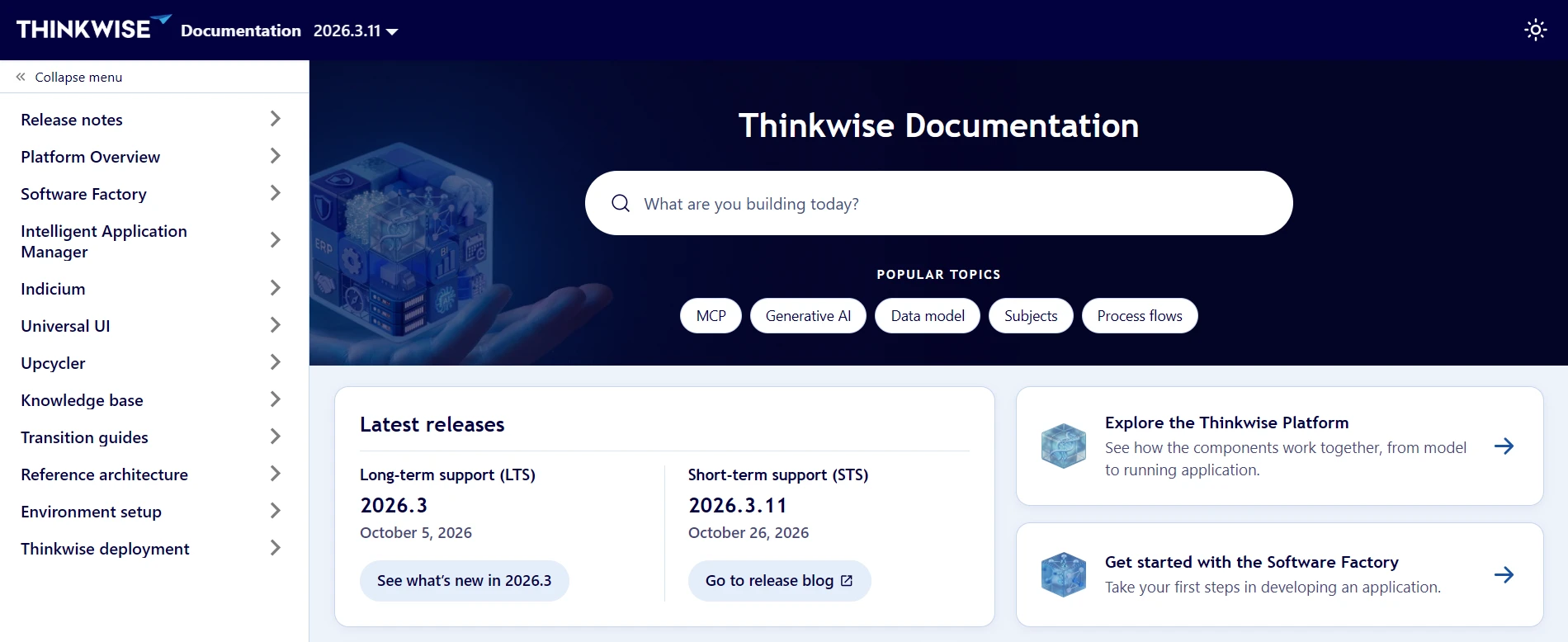
We found that most users of our website default to our Search, either by clicking it directly or using Ctrl + K on the keyboard. This is normal behavior for a documentation website, as it serves as a reference to support you in your work.
However, the navigation tiles, which took up most of the page, were barely used. The navigation structure failed to support several user groups, such as prospects, new developers, and administrators, who need different information than developers. New releases were hidden away in the top bar and on the Community, making them easy to miss. To us, this was a lost opportunity, as we build some pretty neat features (if we do say so ourselves).
With this update, we aim to make the documentation more accessible, user-friendly, and aligned with our new house style.
Contents
Search as the Hero
The Search has become our Hero, in UI/UX terms, as well as in its function. We have highlighted popular topics in the pills underneath, allowing for quick navigation to new or frequently visited documentation pages. As new features roll out and site analytics roll in, we will update the popular topics accordingly.
Sidebar as central navigation
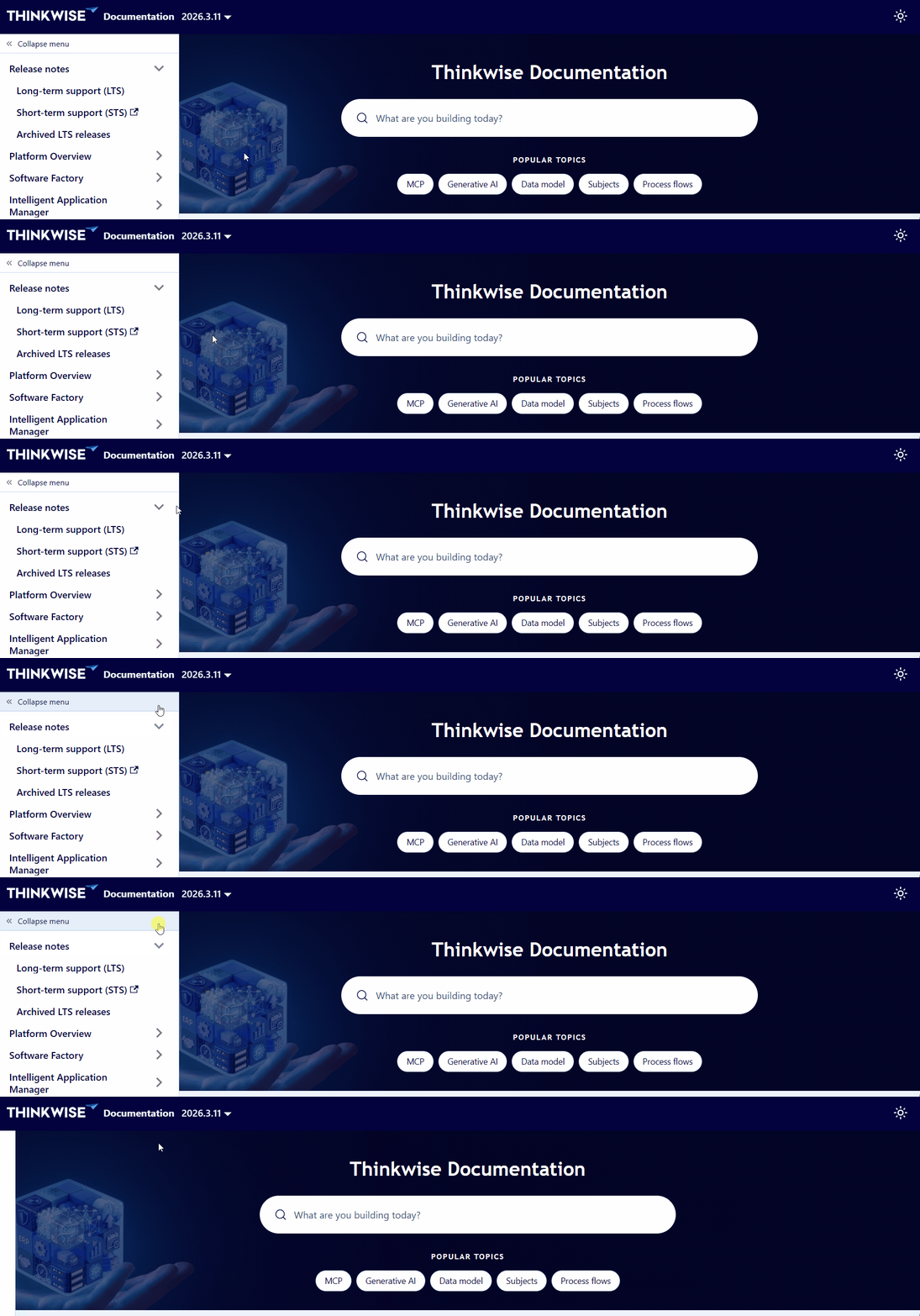
The sidebar menu is now available throughout the site, including the landing page. Along with Search, you can use the sidebar menu for quick access to different sections of the documentation.
As a bonus, you can now also collapse the sidebar menu when you need more space on the screen, or a moment of zen.
Grouped information for users
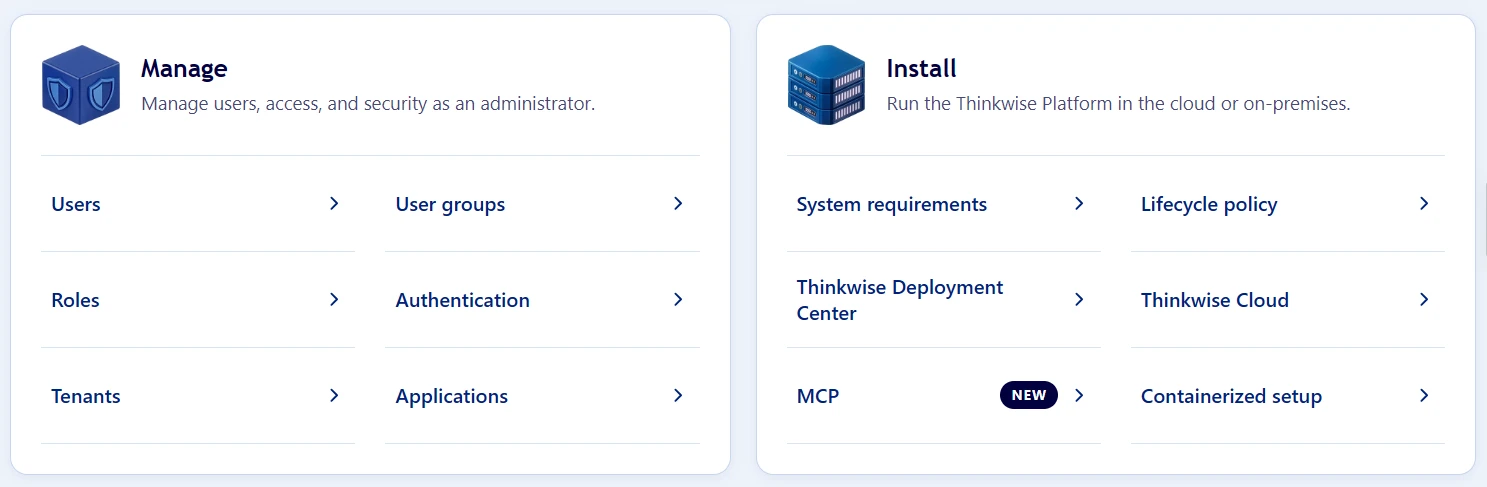
To help prospects and new developers find relevant information quickly, we have highlighted the Platform overview and the Getting started by giving them their own sections on the landing page.
For administrators working with the Intelligent Application Manager, relevant documentation is now grouped under Manage.
Lastly, for new platform adopters, eager to start, the installation guides, requirements, and the lifecycle policy are now grouped under Install.
Past, present, and future
When you visit the documentation, you can now quickly navigate to our recent releases. The most recent long-term release (LTS) and short-term release (STS) are reachable from the landing page and the sidebar menu (Release notes > Long-term support (LTS) / Short-term support (STS)).
Archive has been removed from the top bar. If you need to go back in time, visit our archive in the menu Release notes > Archived LTS releases.
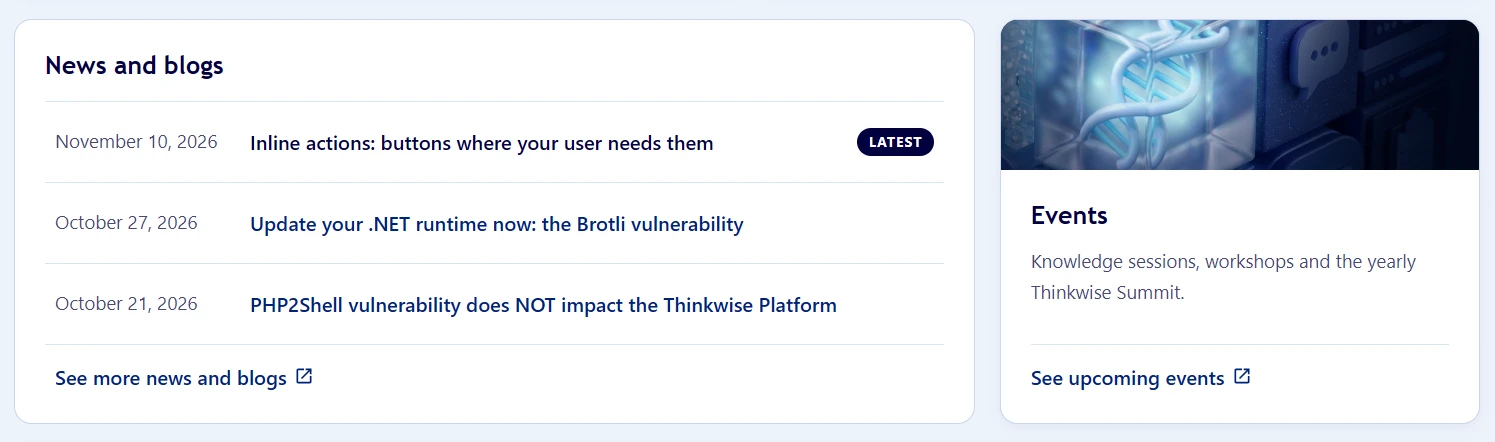
Scroll down, and have a quick glance at recent news, blogs, and upcoming events available on the Thinkwise Community.
House style and visual improvements
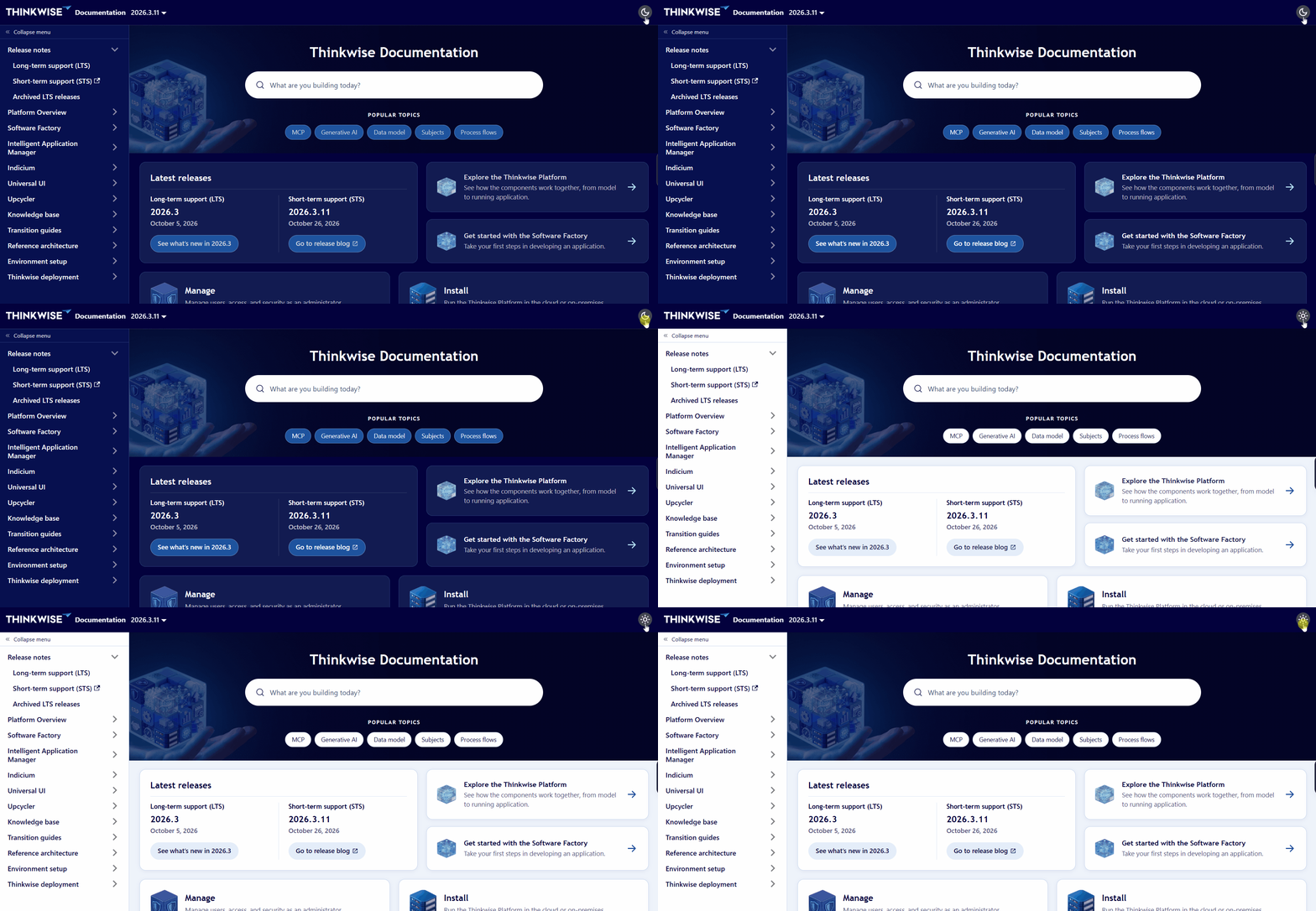
Last but not least, we have aligned our site with our new and improved Thinkwise house style. We have also run contrast checks on our light and dark mode, and adjusted the colors accordingly. You can switch between light and dark mode using the button in the top bar.
Looking ahead
More updates are planned for next year, so stay tuned for further improvements. In the meantime, enjoy the updates on our Documentation website!