



When you run into an issue with one of our products or services, the Ticket Management System (TMS) in the Thinkwise Community Portal is where you raise it. Over the past quarter, we focused on making that experience smoother and simpler.
The screen layout has been refreshed for a better overall UI/UX. Badges across the different screens now only show open actions assigned to you, so it is immediately clear where your attention is needed. New tasks help you move a ticket through its statuses with fewer clicks.
The most meaningful changes are in the ticket types and ticket statuses. Both have been simplified and reduced to the essentials.
Ticket statuses
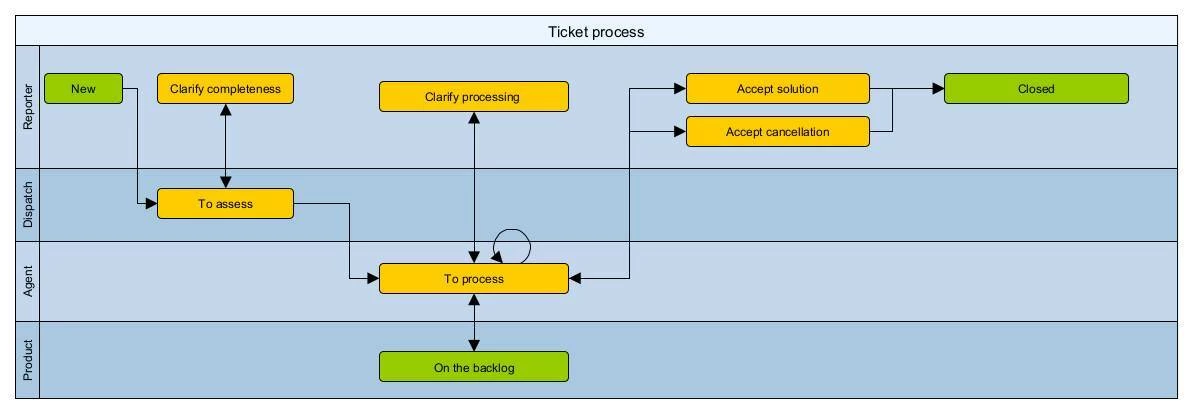
We have updated our ticket statuses, we now have the following statuses:
- New
- To assess (Thinkwise)
- To process (Thinkwise)
- Clarify completeness (Customer)
- Clarify processing (Customer)
- Accept solution (Customer)
- Accept cancellation (Customer)
- On the backlog (Thinkwise)
- Closed
The full workflow is shown below:
My tickets
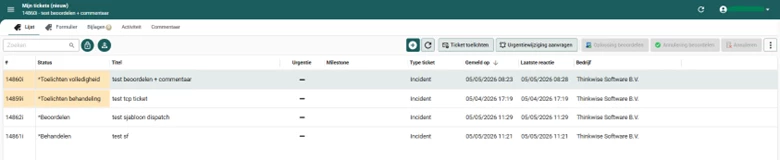
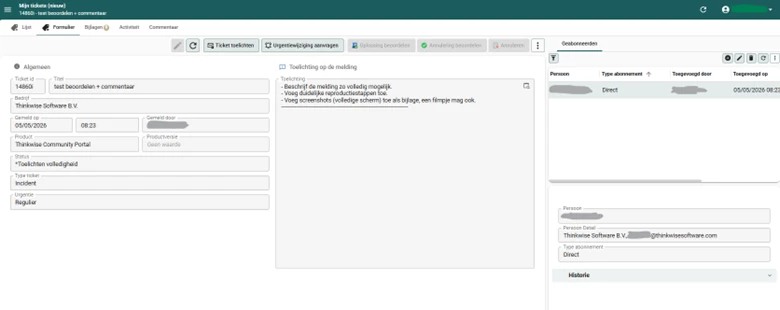
The My tickets overview screen has also been updated. Items highlighted in yellow contain status updates from Thinkwise that need your input. You can act on these directly through the available tasks. For example, you can further explain a ticket or request a change in urgency.
To create a new ticket, use the + task as before.
If you have any questions or need assistance, please reach out to our support department.